

Truvect provides the insights. You make the call.
Truvect AI reads invoices, bids, drawings and safety plans, answers questions from your live project records, and drafts the next step. It shows where every answer came from, and no record is saved until someone on your team confirms it.
Included in every plan, at no extra cost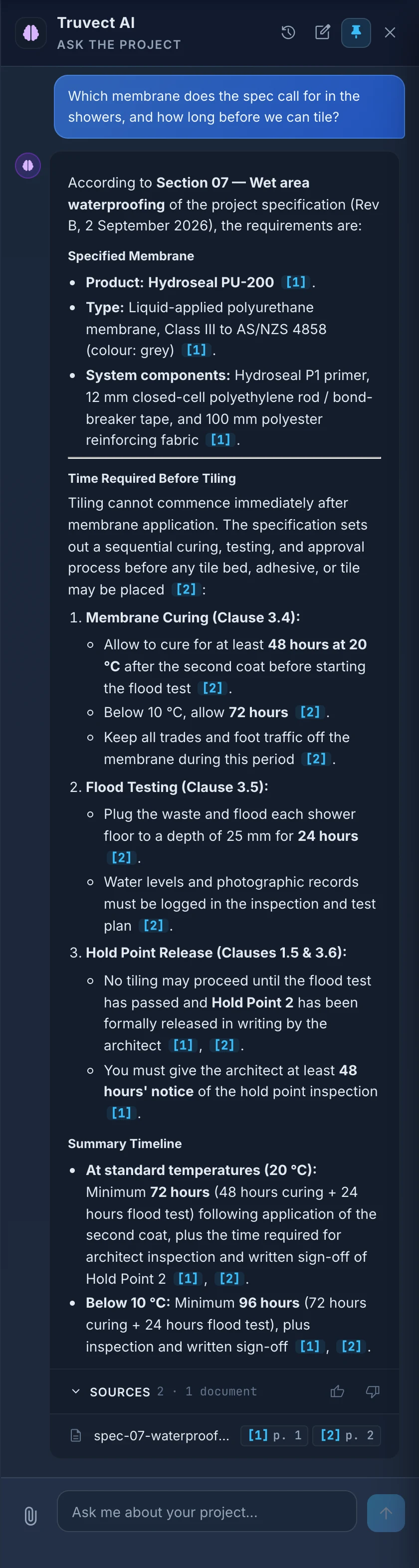
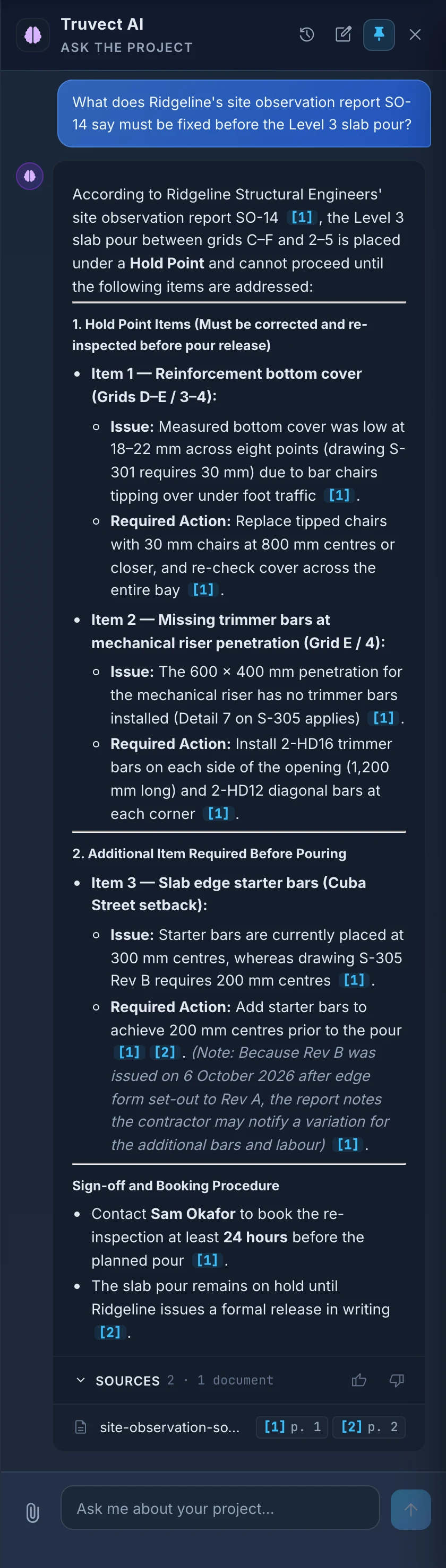
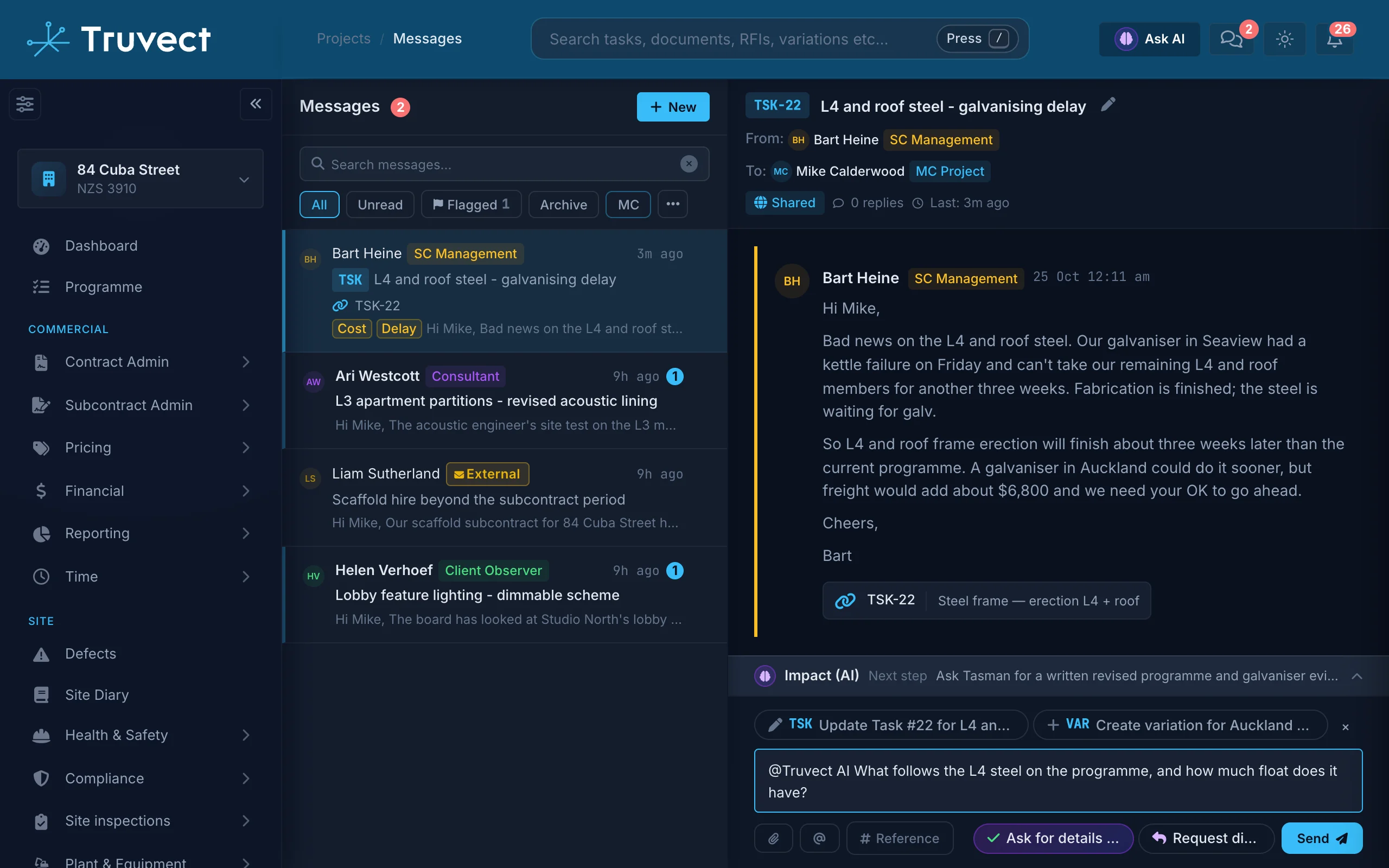
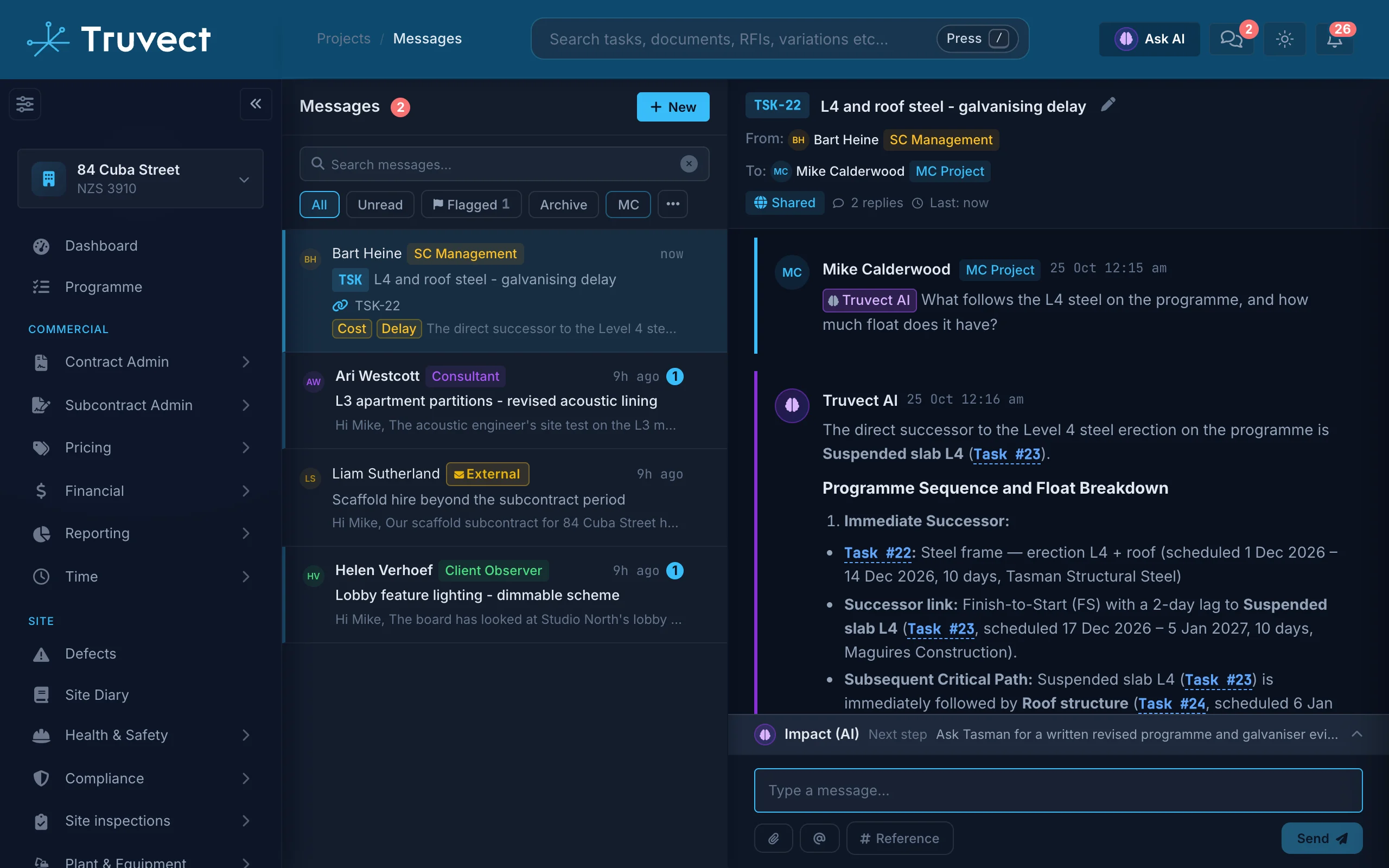
Ask in plain words: what is blocking work, what is on PO-0004, how much is left in the kitchen budget. Truvect answers from the programme, variations, claims, invoices, diary, correspondence, drawings and specifications, and links every record it used.
Ask about a file.
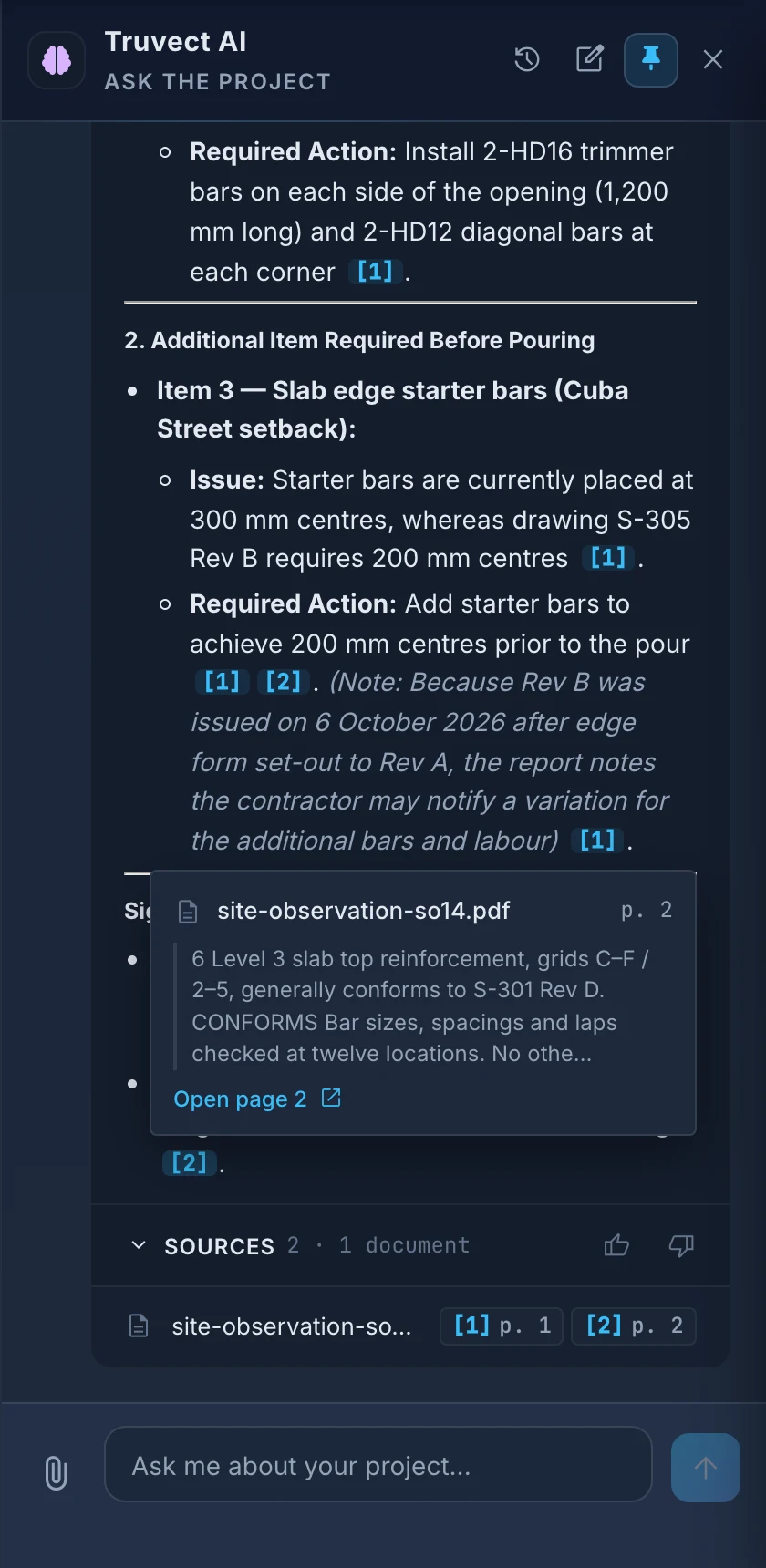
Drop in a site photo, a screenshot or a 40-page quote and ask what it excludes. The answer cites the page.
Search by meaning.
Search finds the right page even when the words differ. Nogging, dwangs and blocking all find each other.
Ask across every project.
Directors ask how all their jobs are tracking and get one answer covering risk, programme and money.
Use it from Claude or ChatGPT.
Connect your own AI app to Truvect's MCP Server. It sees only what you can see.


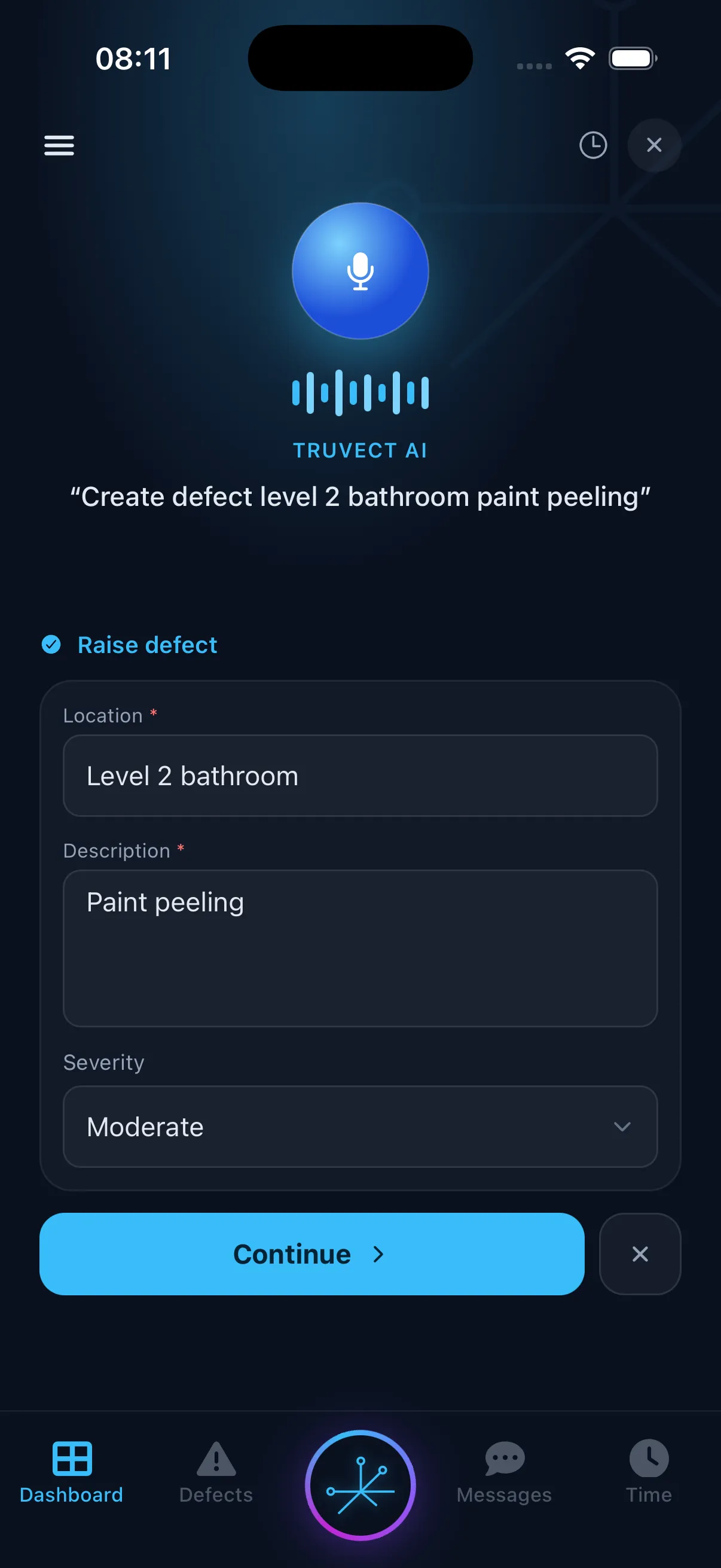
Site staff talk to the phone instead of typing. Truvect turns what they say into progress updates, defects, RFIs and diary notes, and shows a card to check before anything is saved.
Update progress by voice.
‘Update level 4 partition framing to 60%.’ Truvect finds the task and shows the change. One tap updates the programme.
Raise a defect, RFI or variation.
‘Raise a defect for the cracked tile in unit 4.’ The form fills in. Check it and save.
A site diary that reads itself.
Record site diary notes from the mobile app with voice. Truvect tags it (weather, labour, progress, delays, safety), links it to the programme tasks it mentions and suggests any subsequent actions, such as raising an RFI or Defect, with the diary photos already attached.
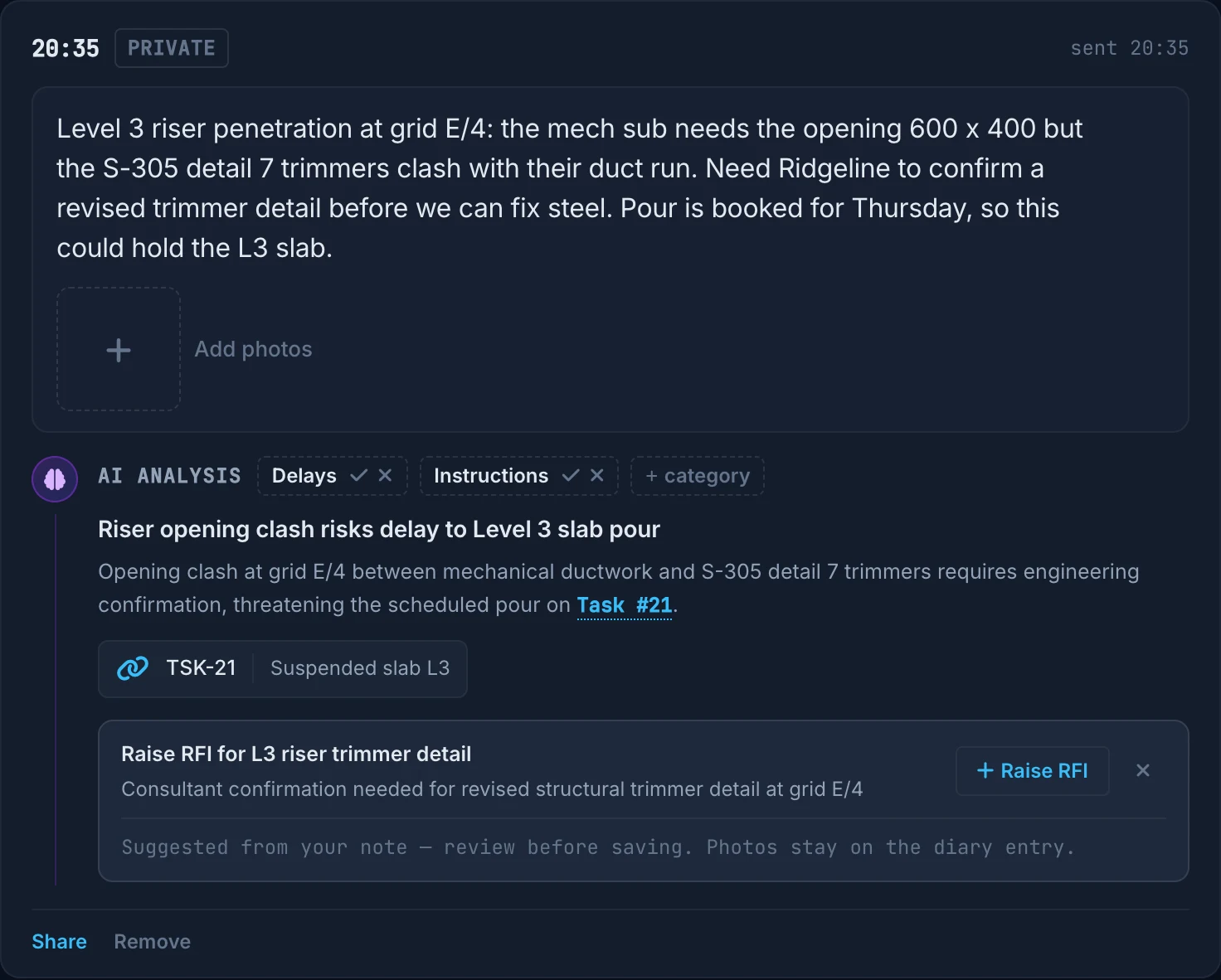
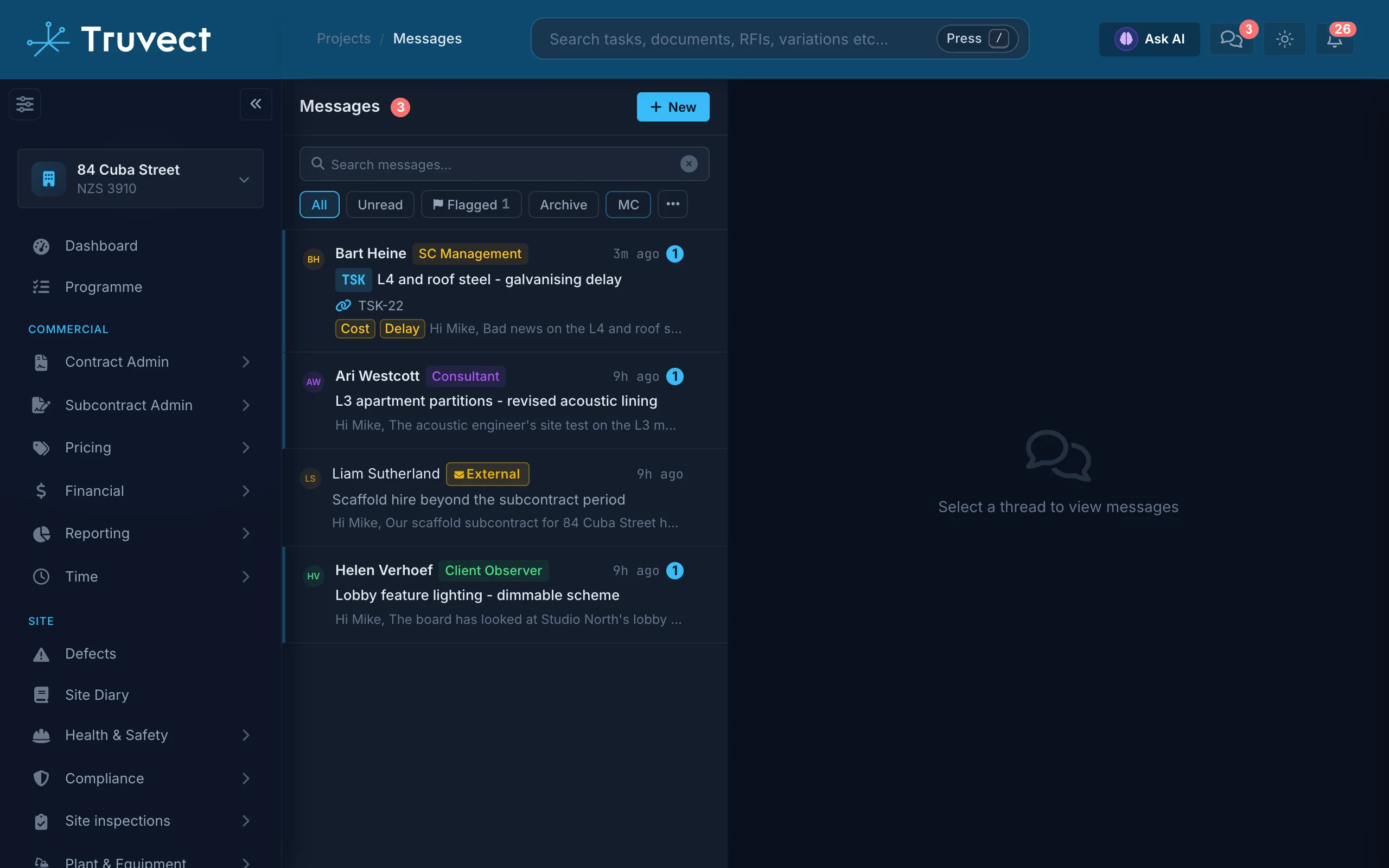
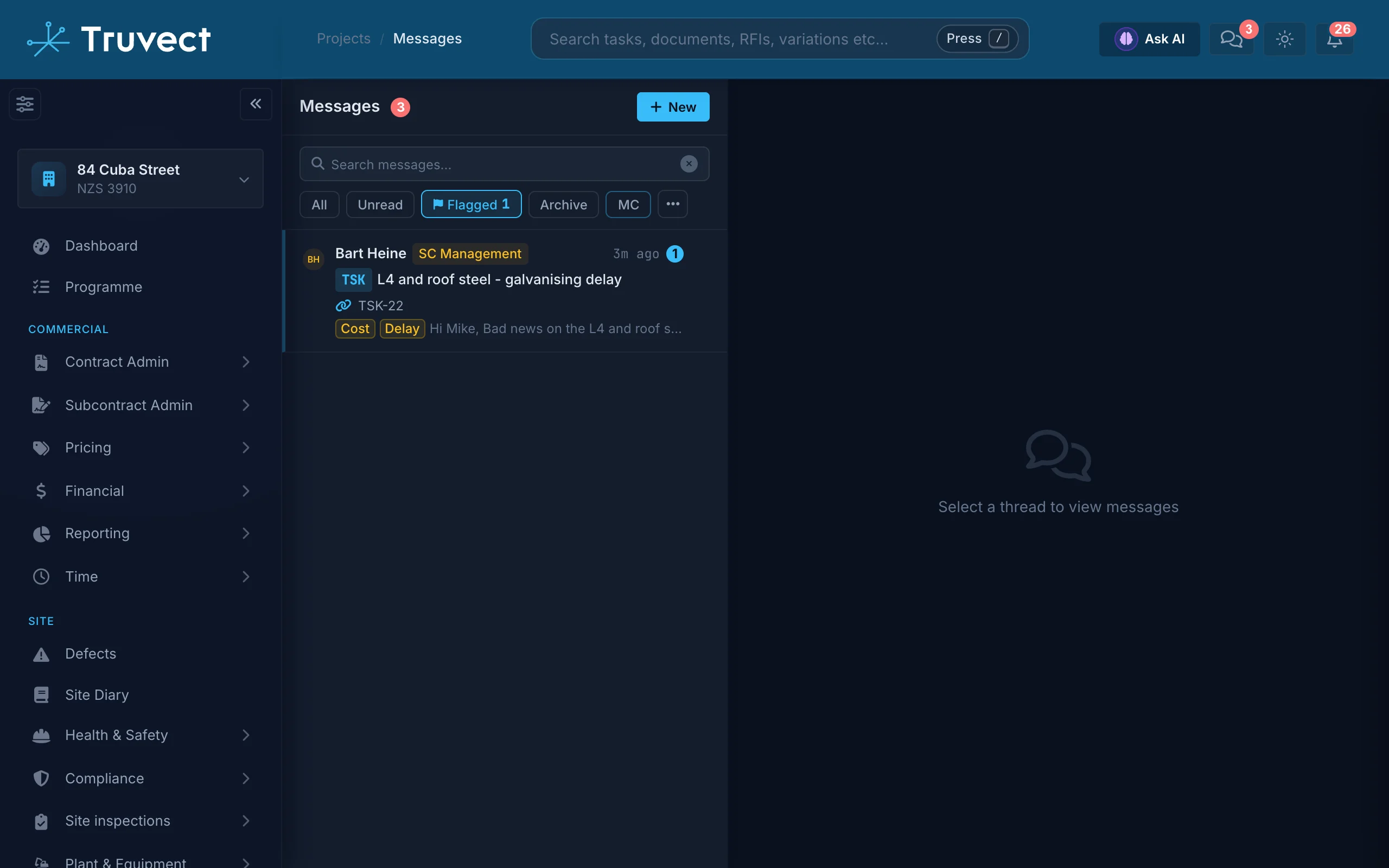
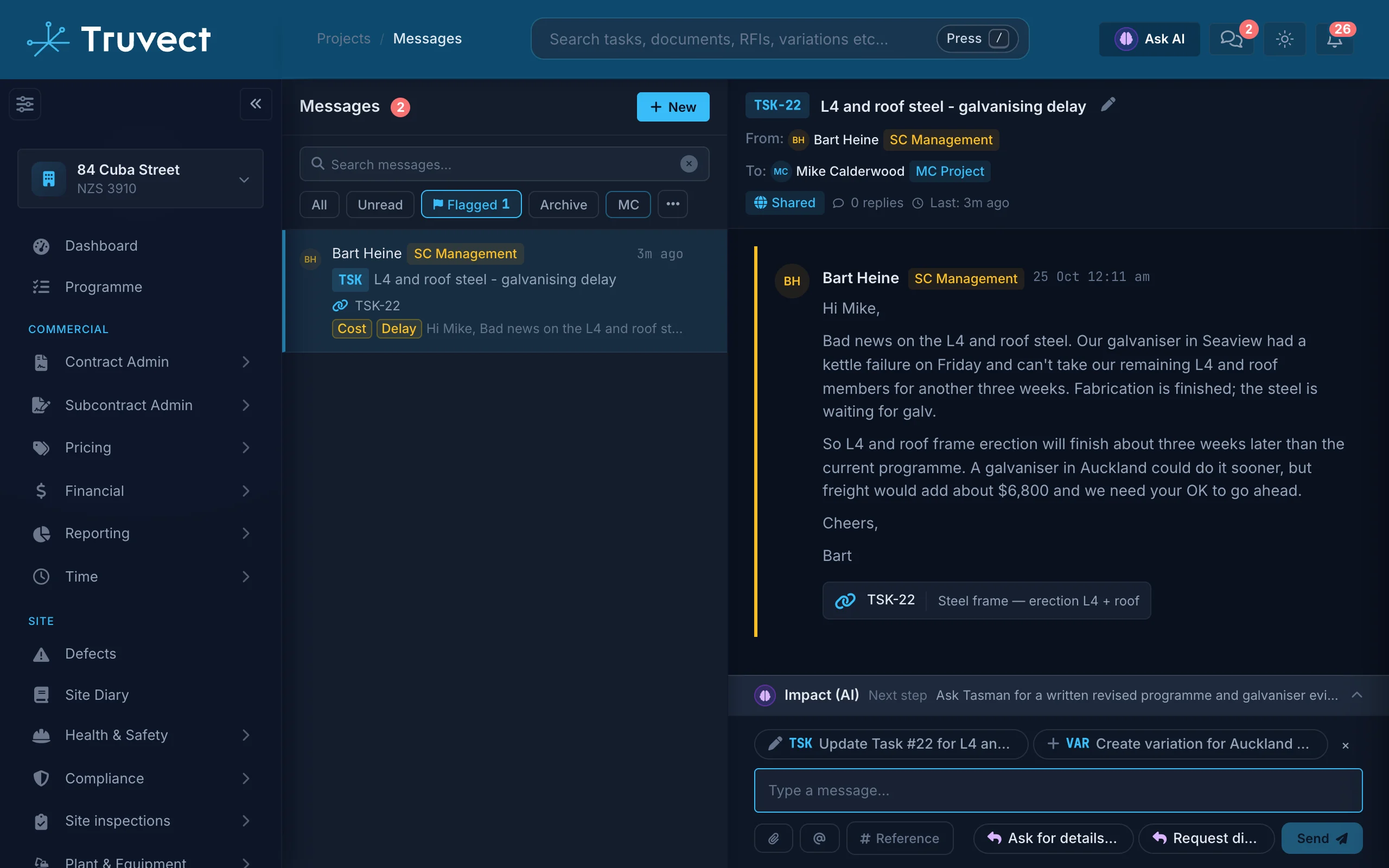
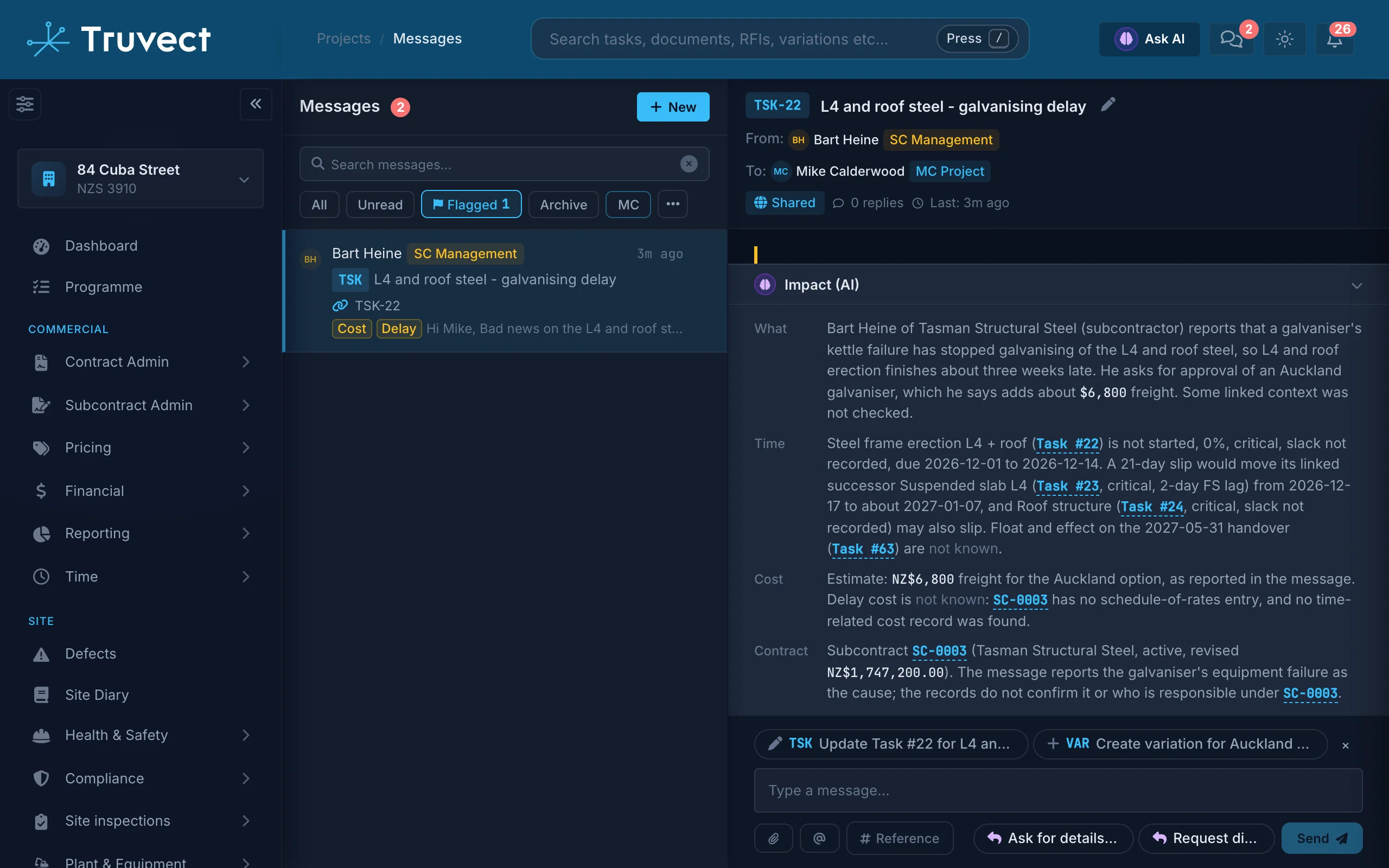
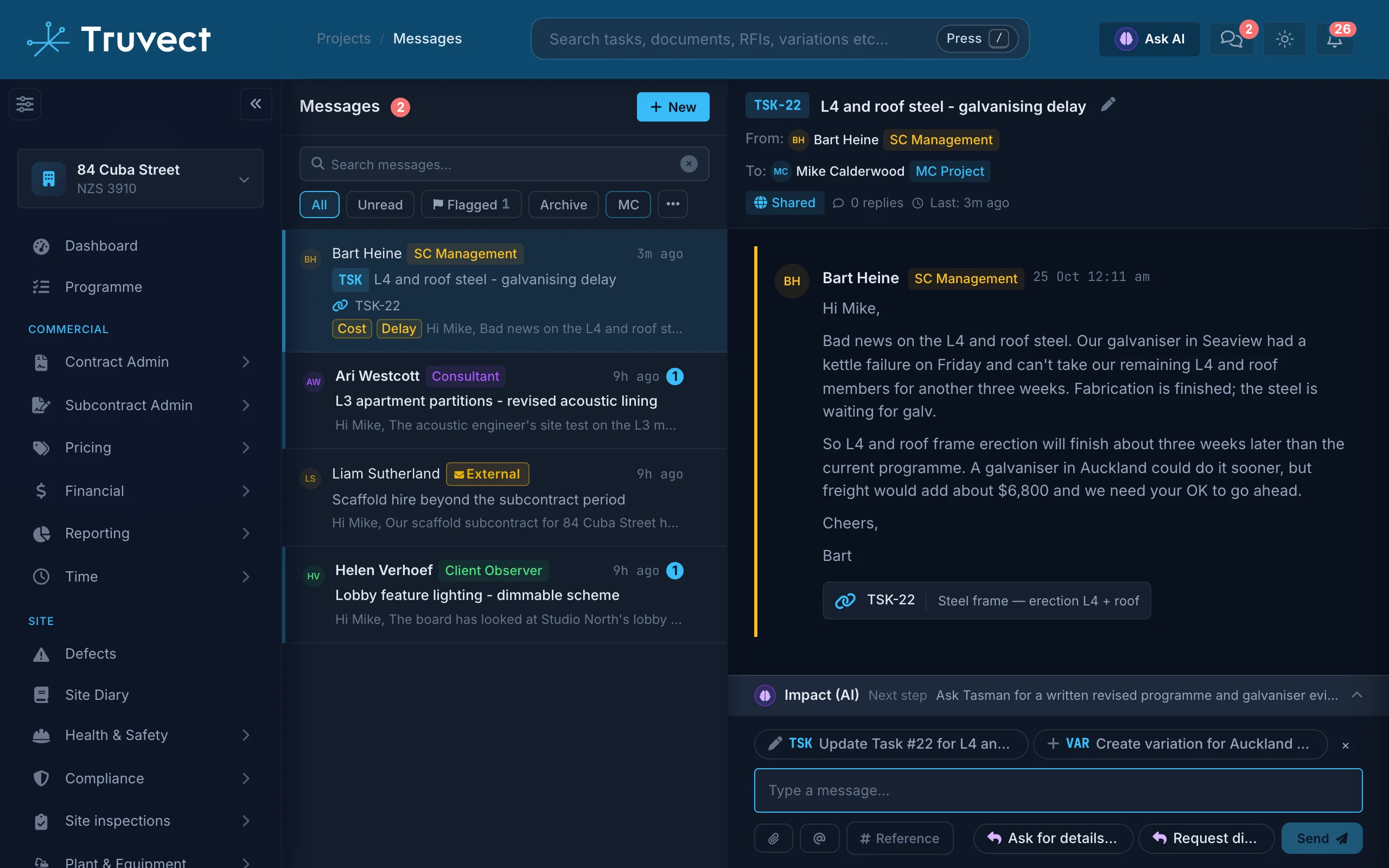
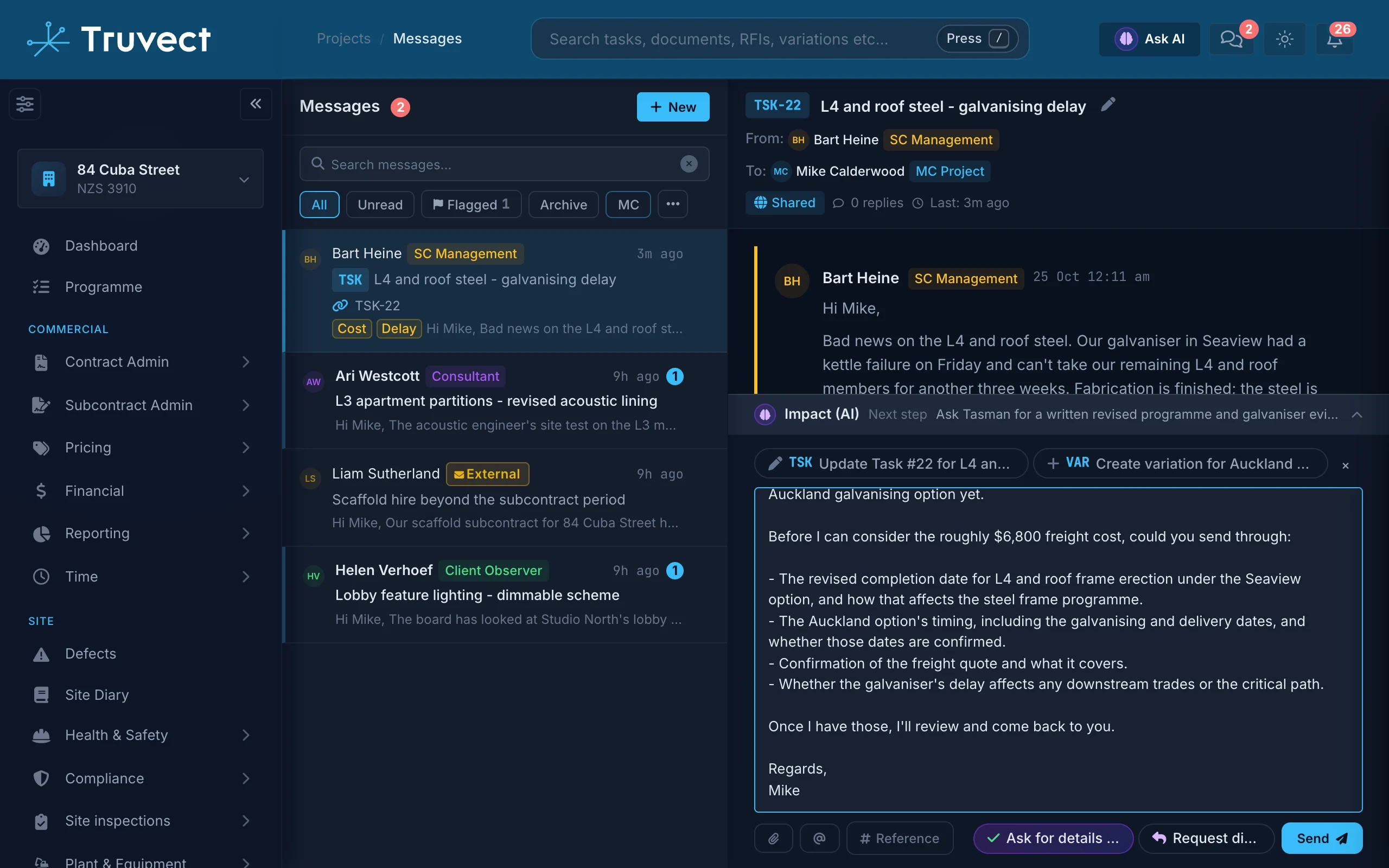
Truvect analyses project correspondence as it arrives. It flags potential cost or schedule impact, drafts the reply and suggests relevant actions such as creating an RFI, Variation or Defect.
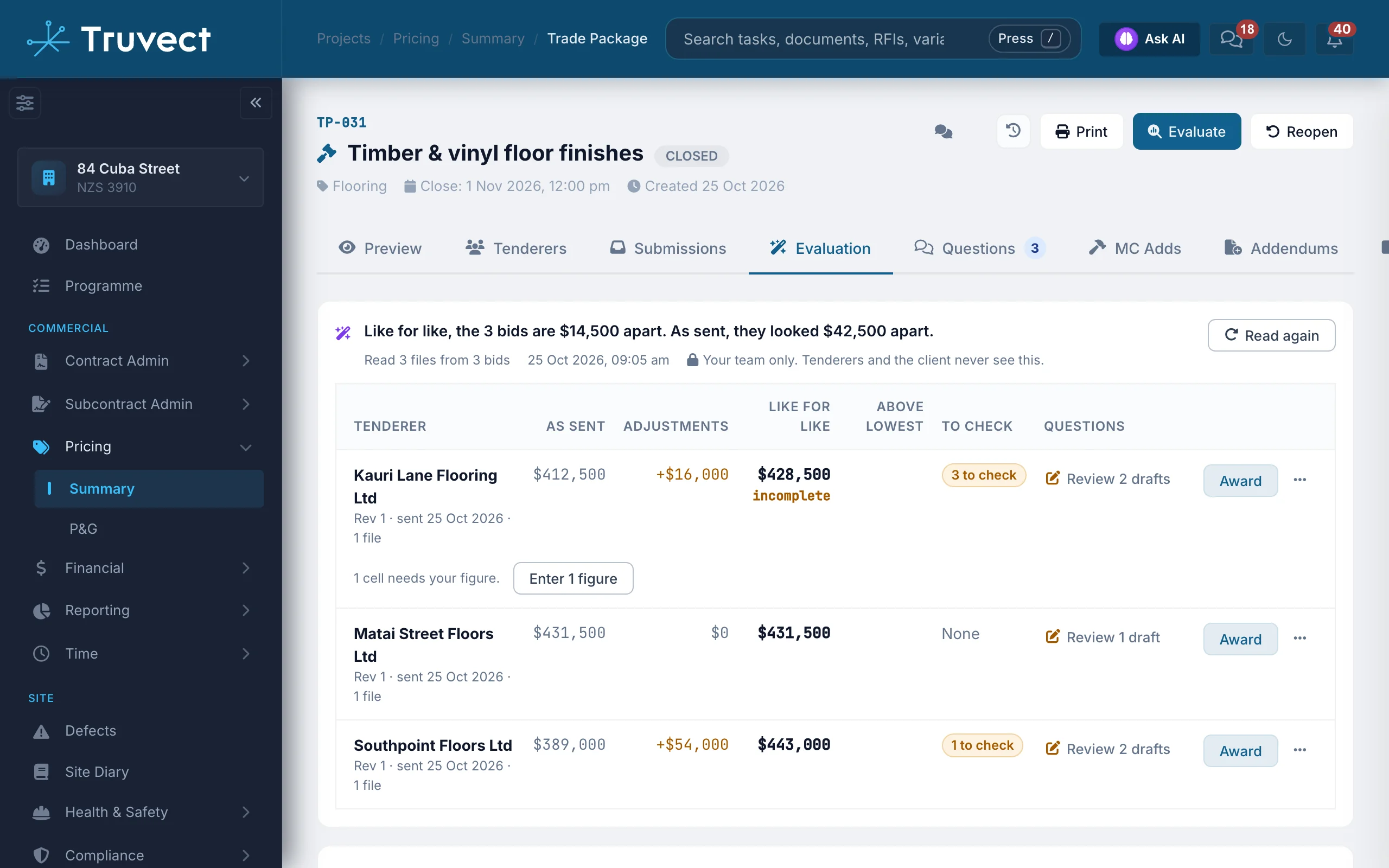
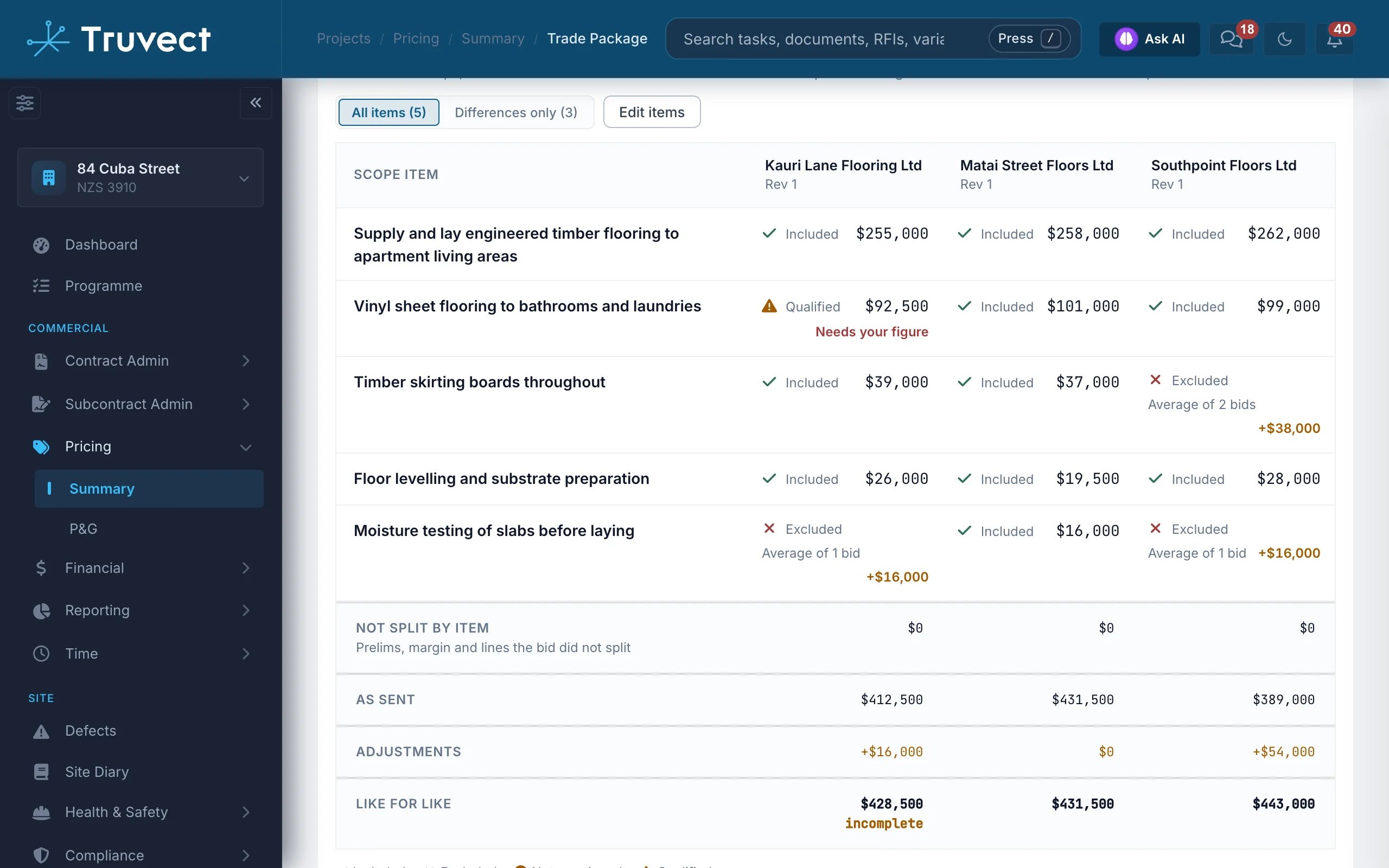
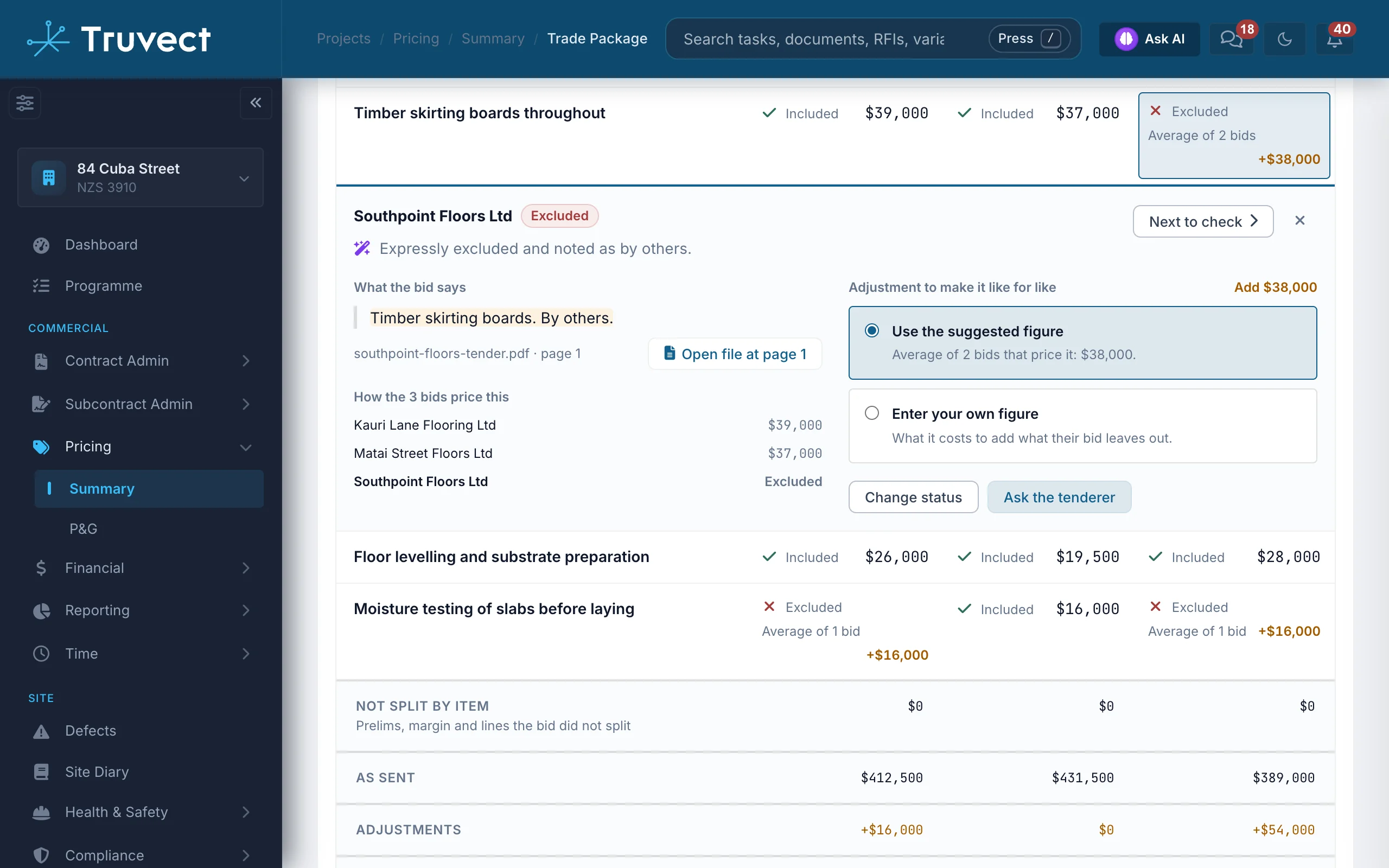
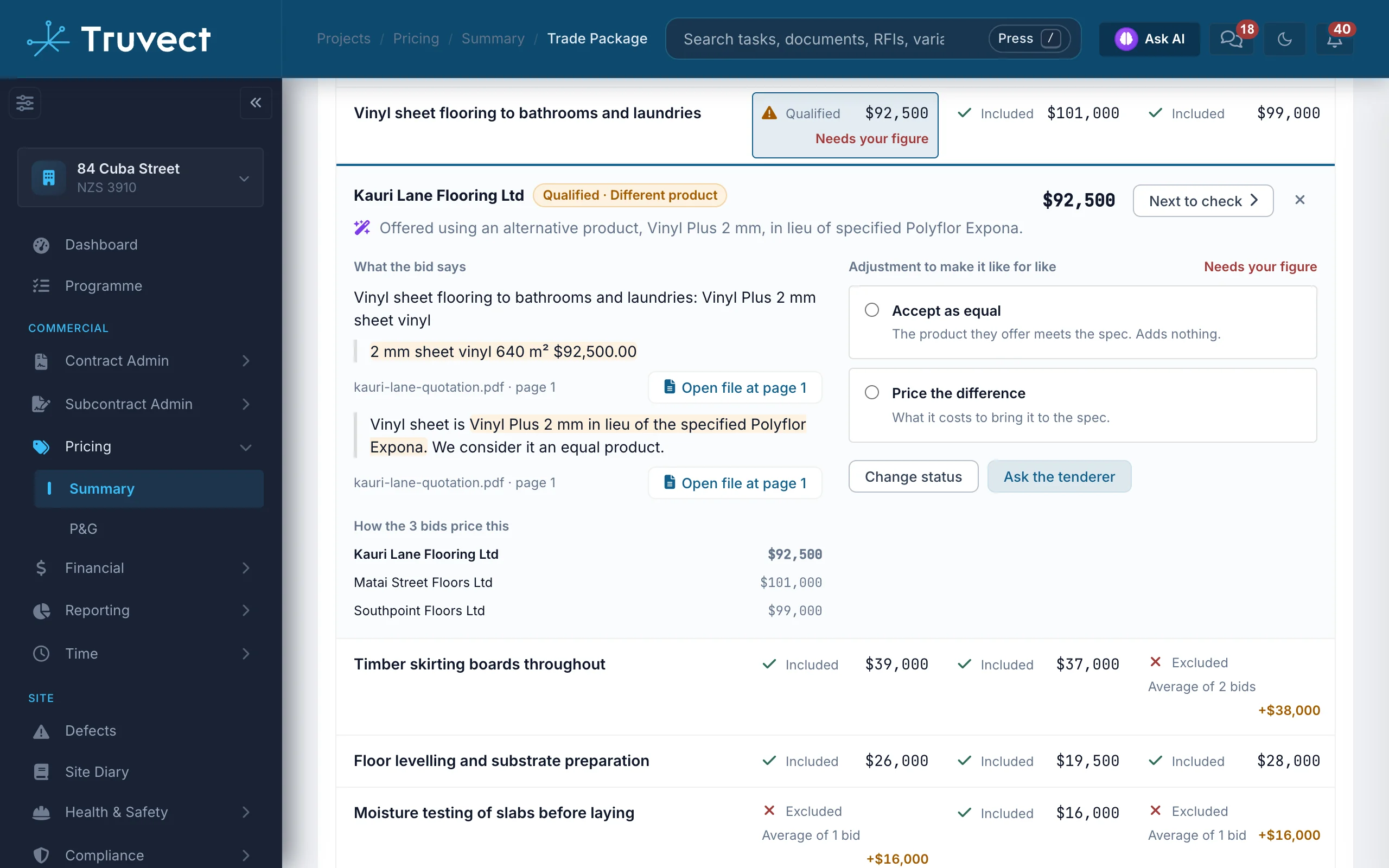
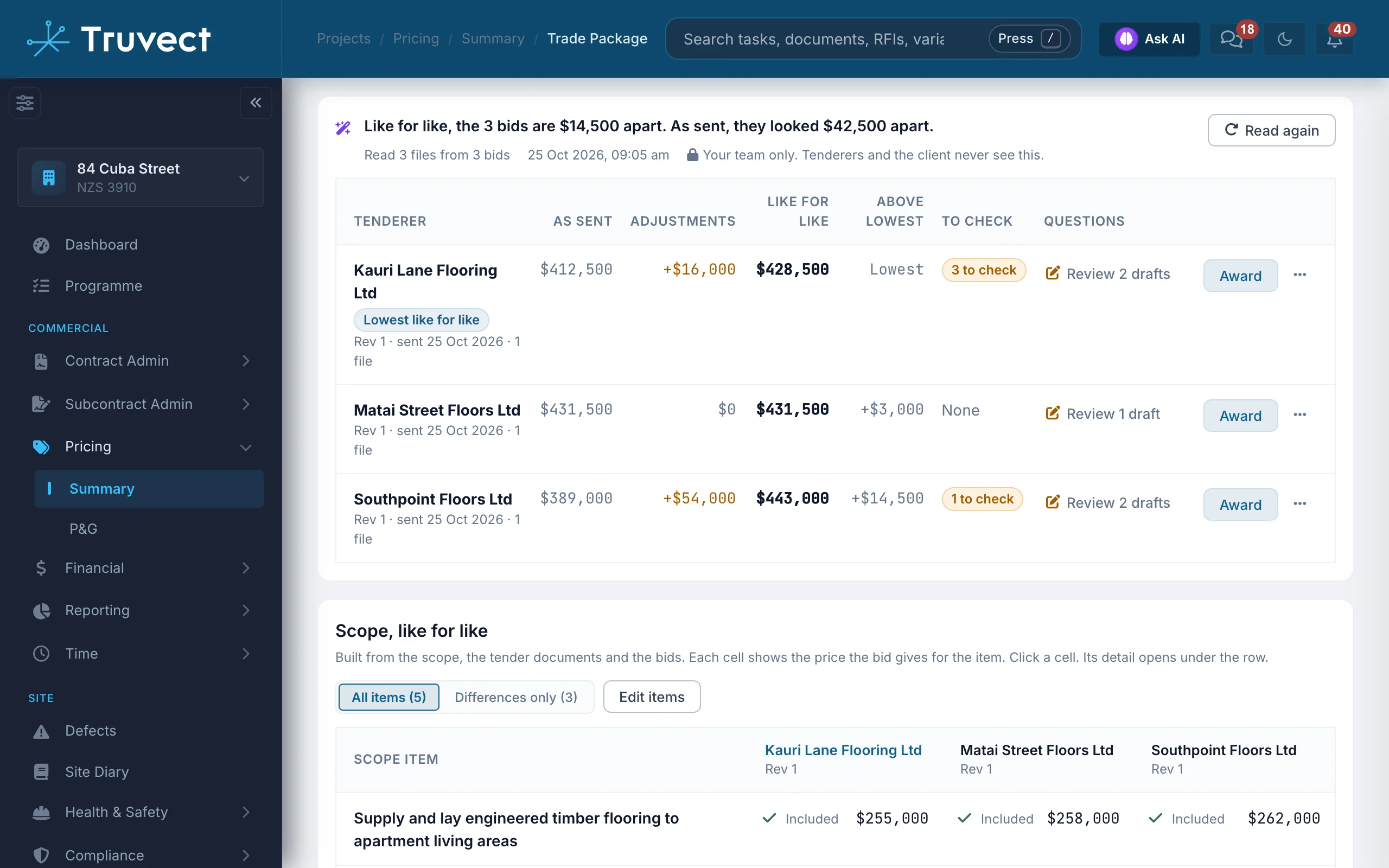
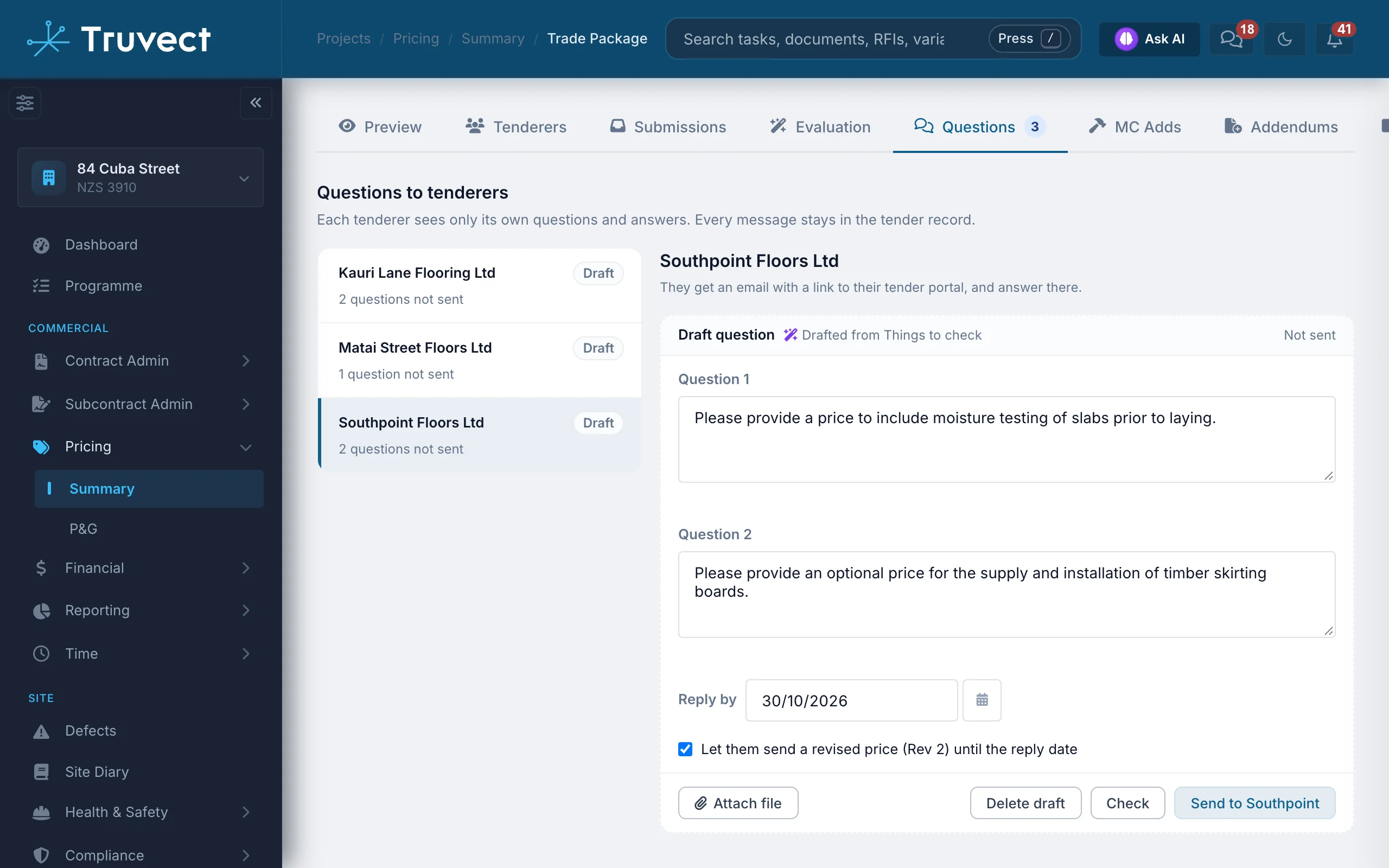
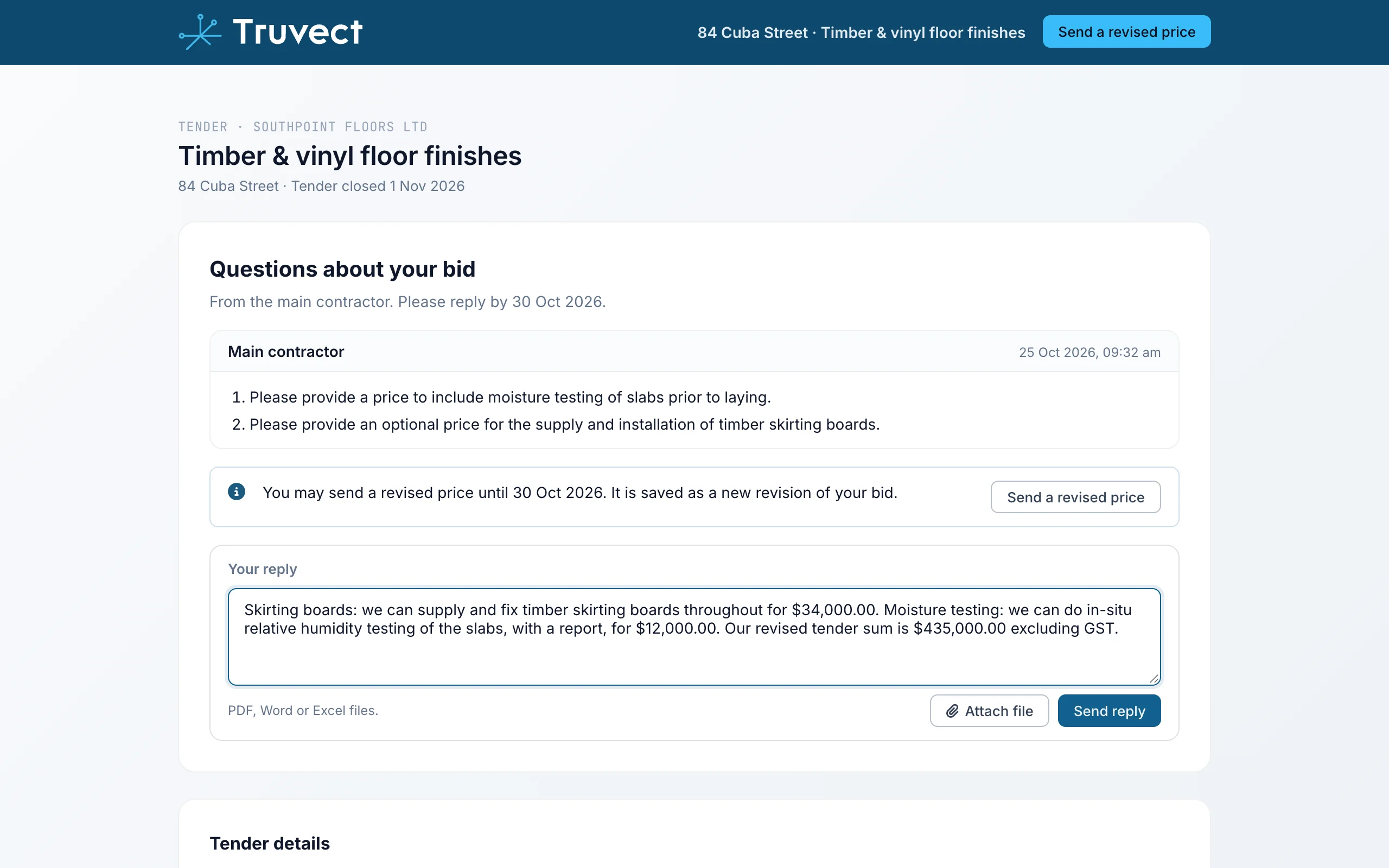
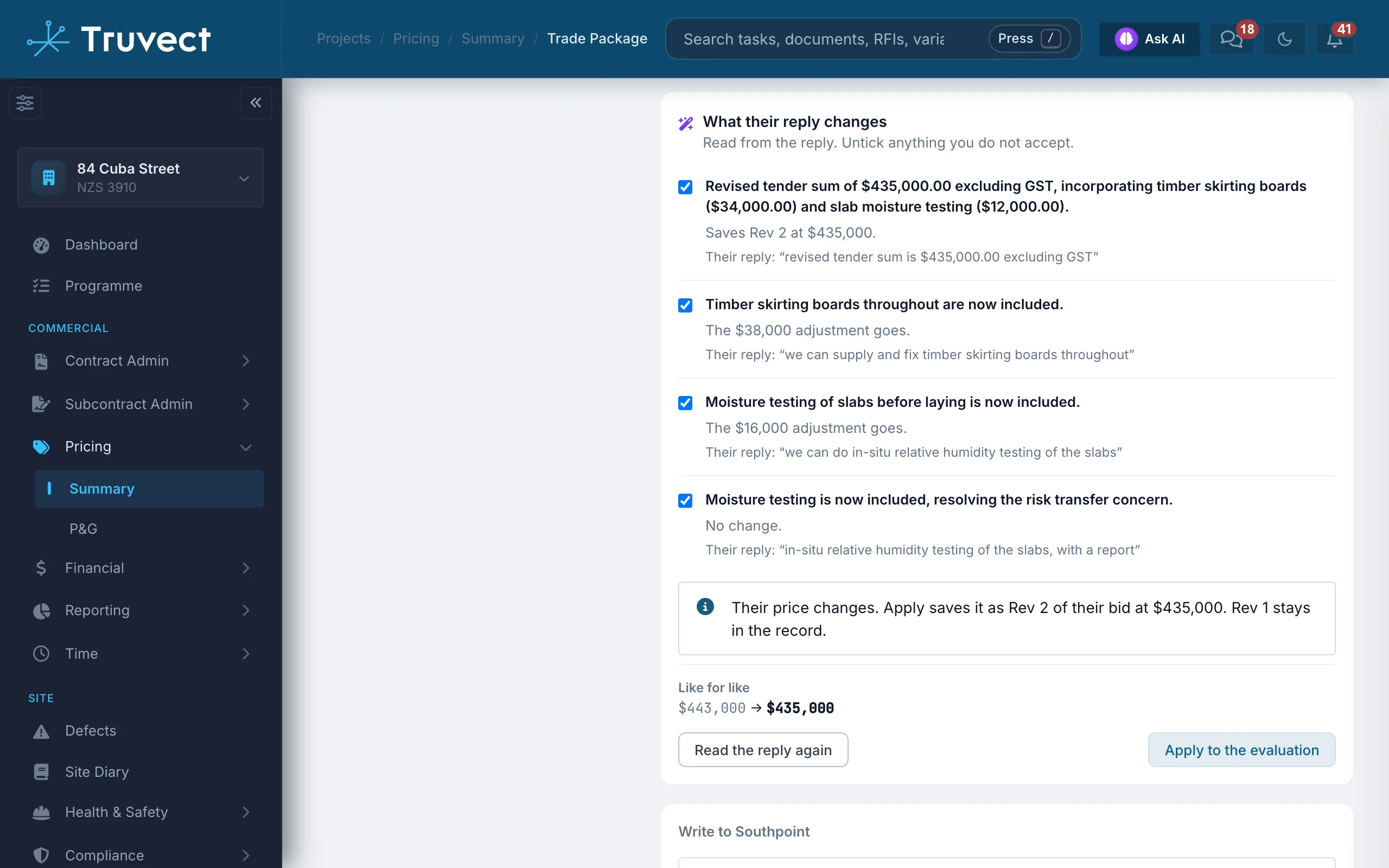
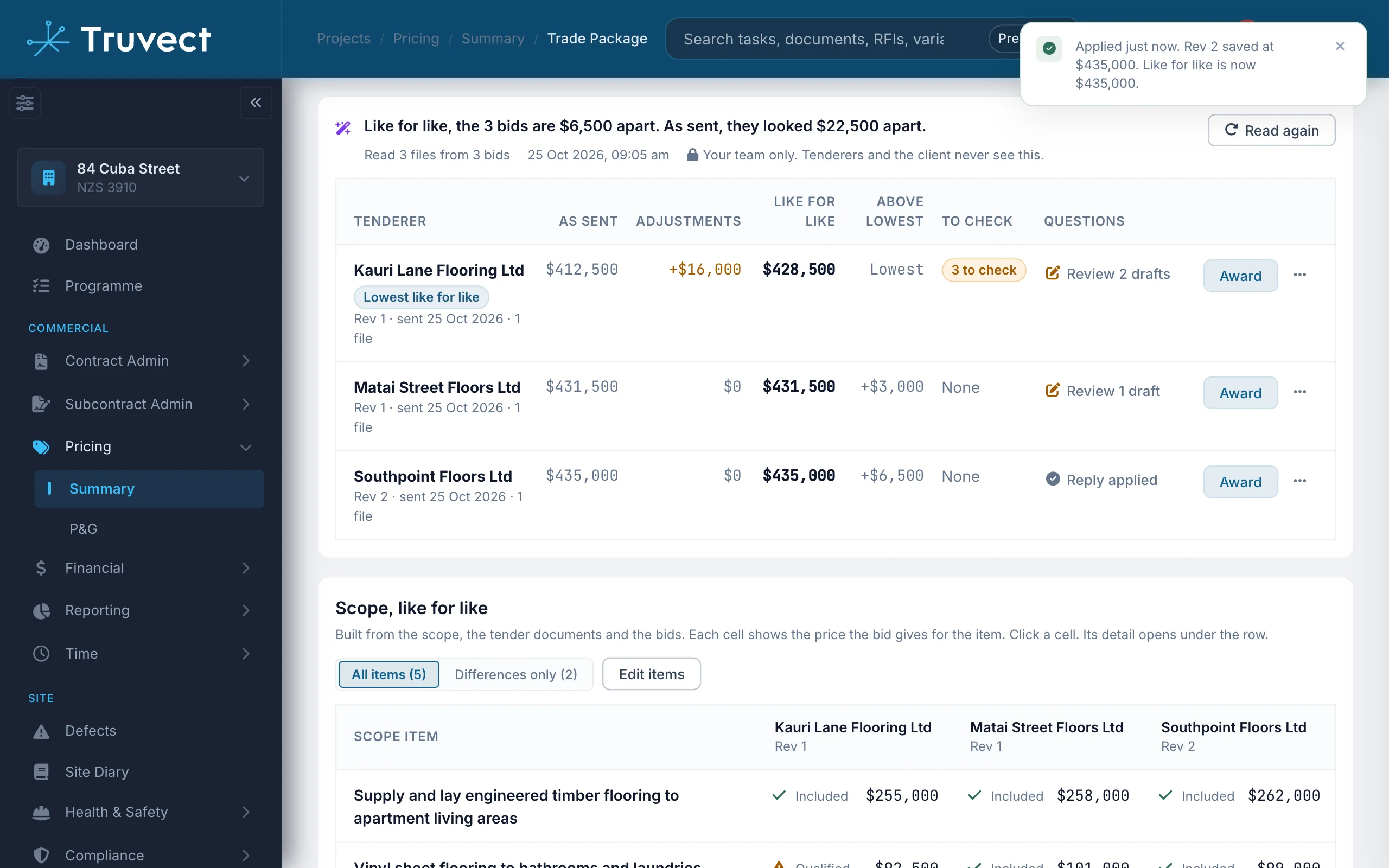
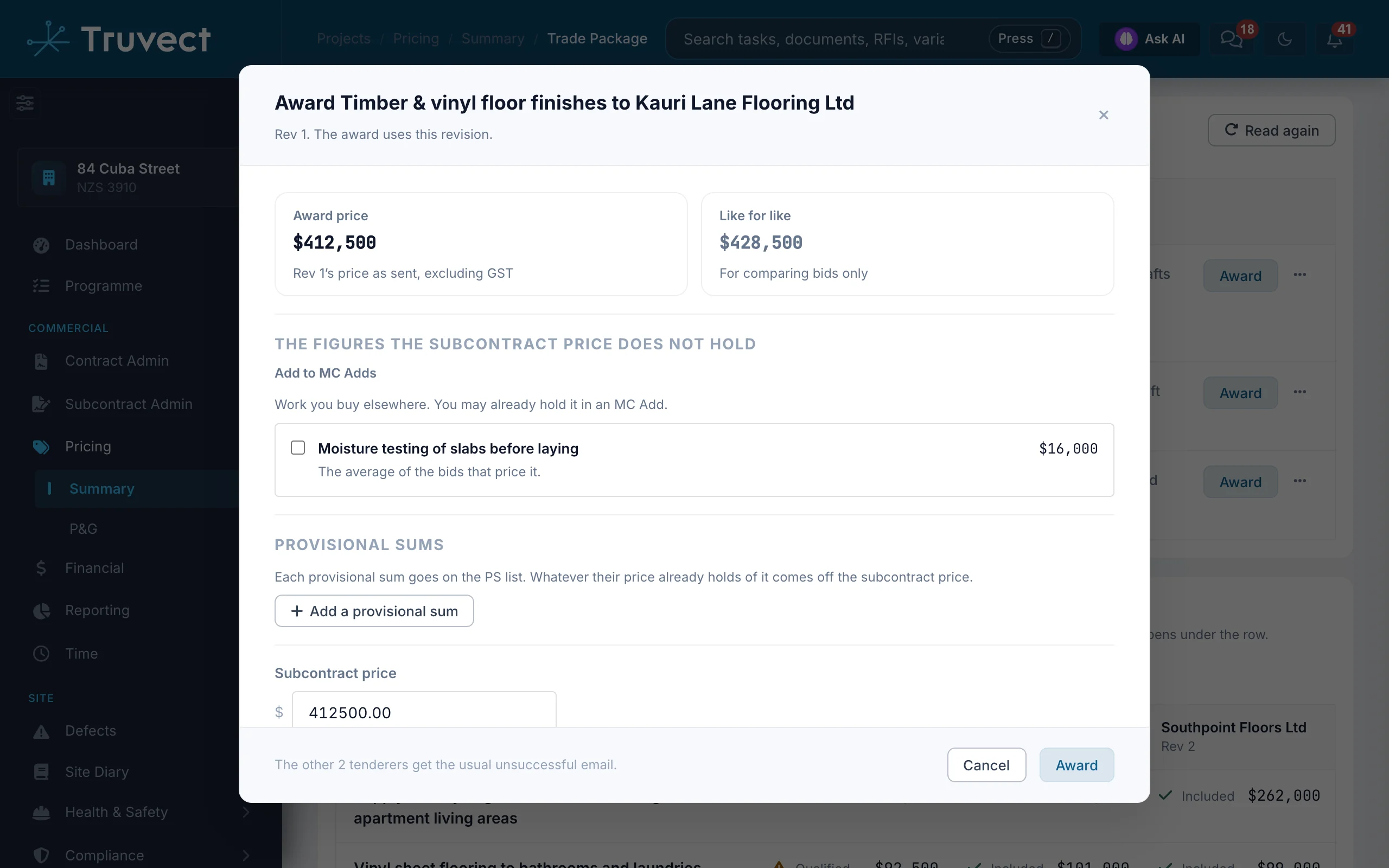
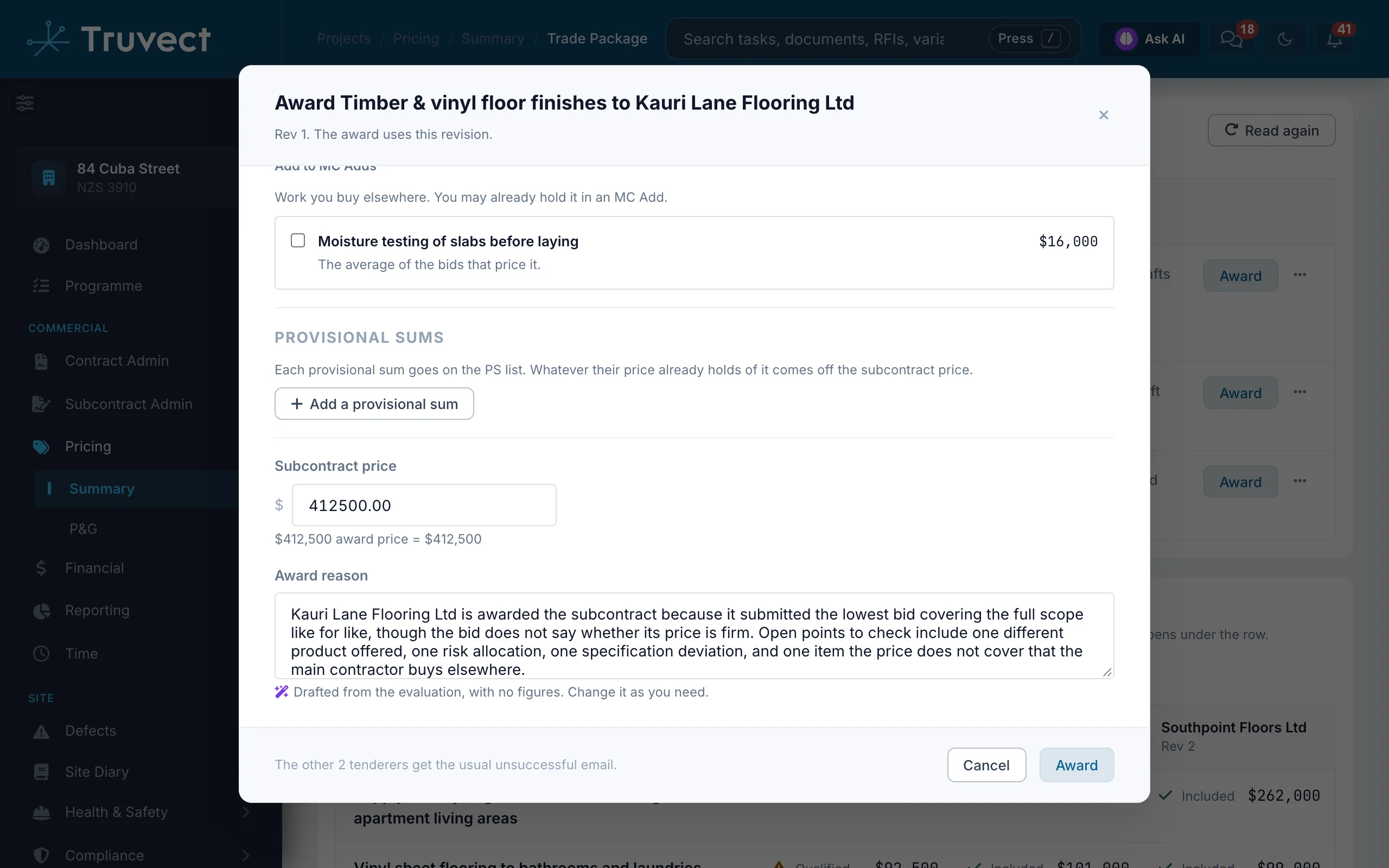
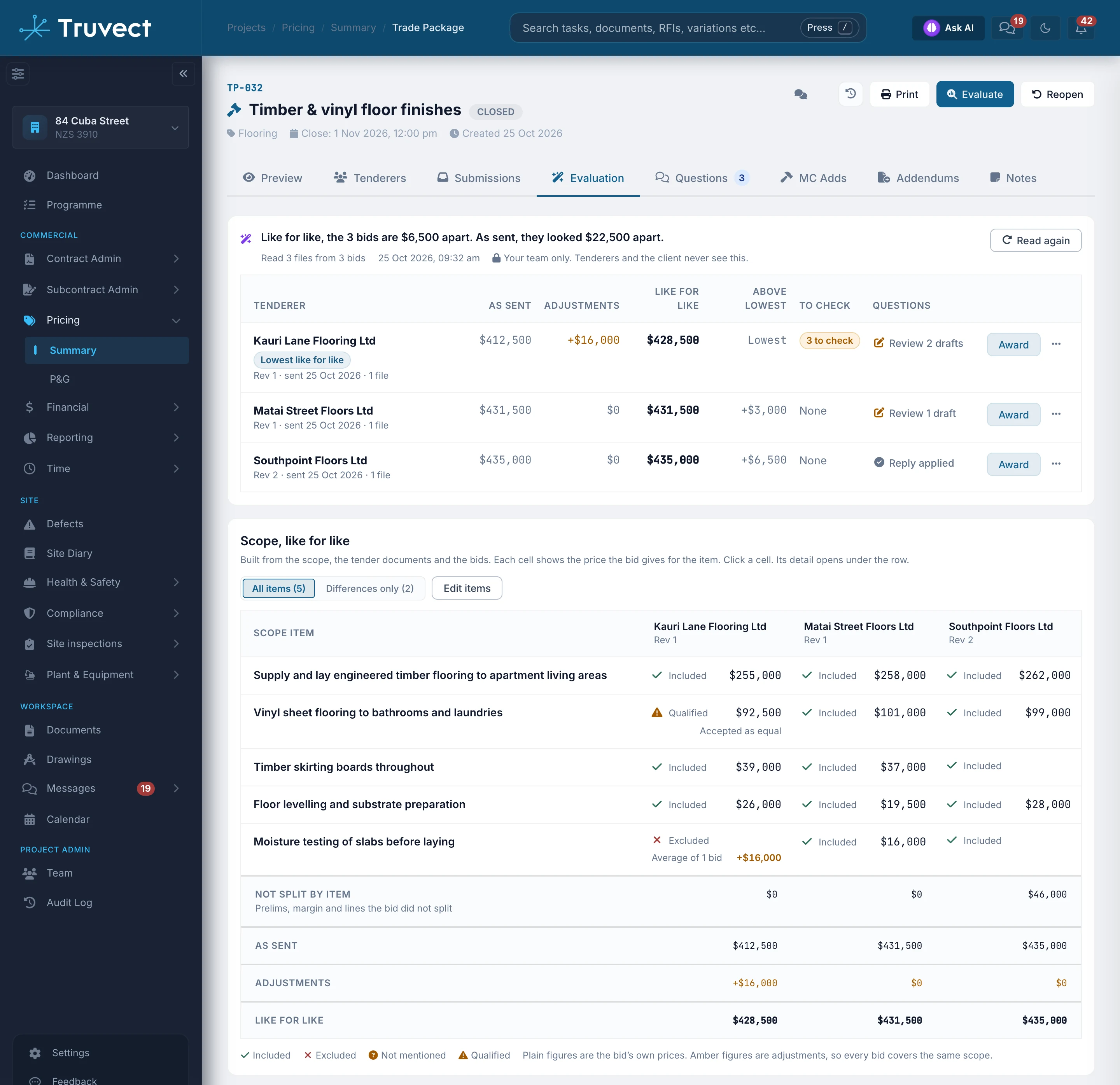
Truvect reads every file of every bid as it arrives and lines each one up against the package scope. It prices what each bid leaves out, so the cheapest bid on paper is not mistaken for the cheapest bid.
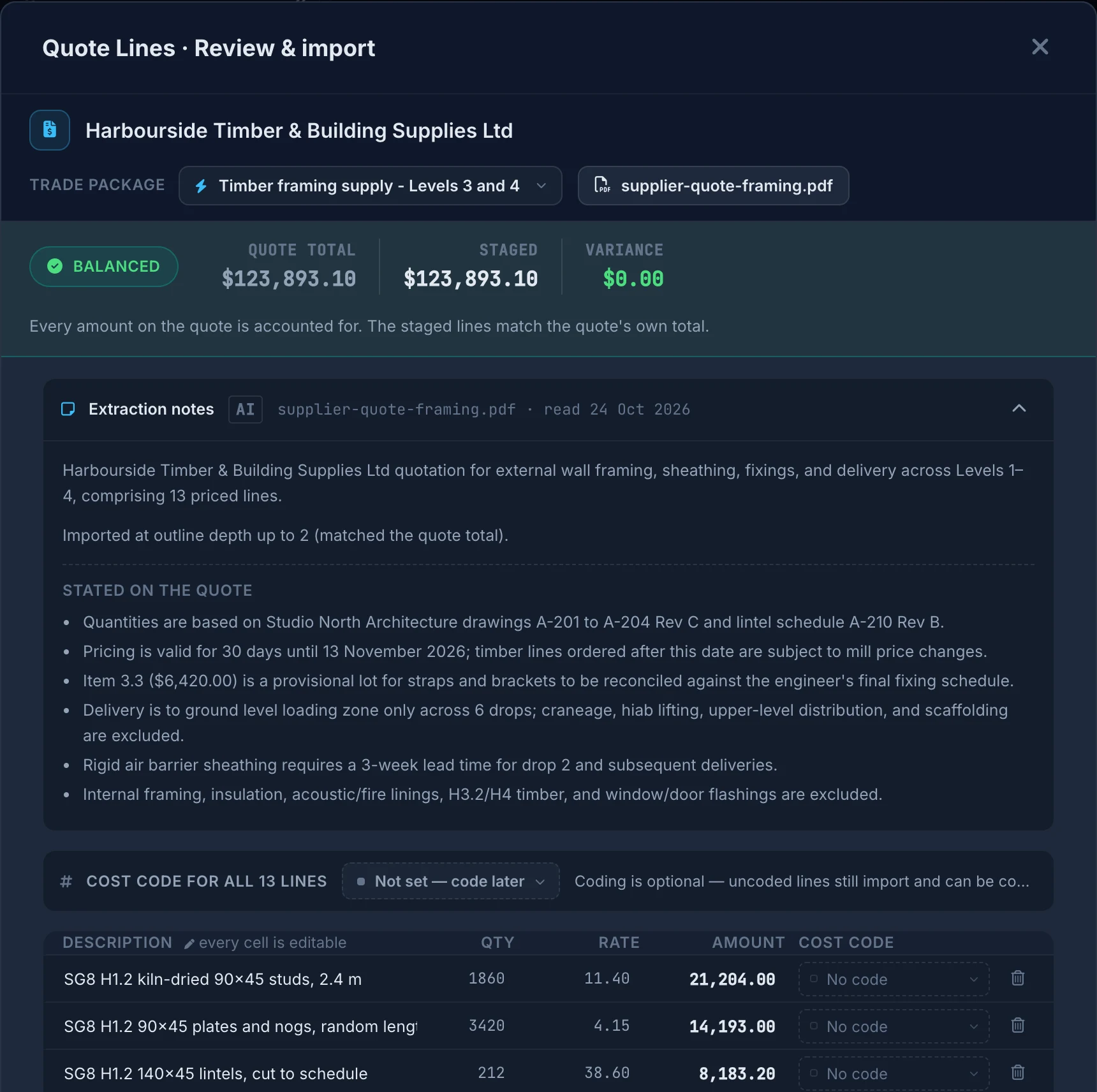
Supplier quotes turned into priced lines.
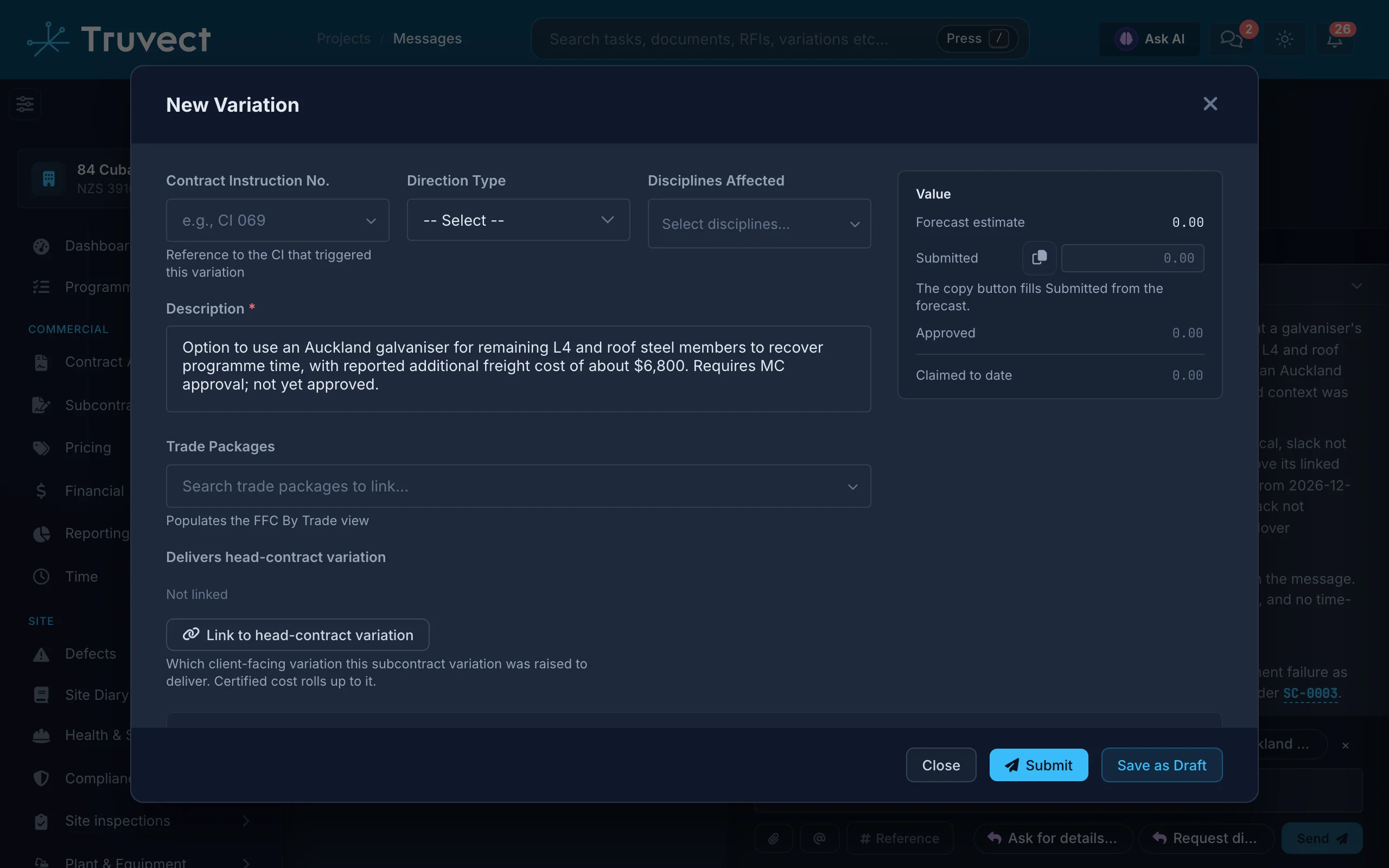
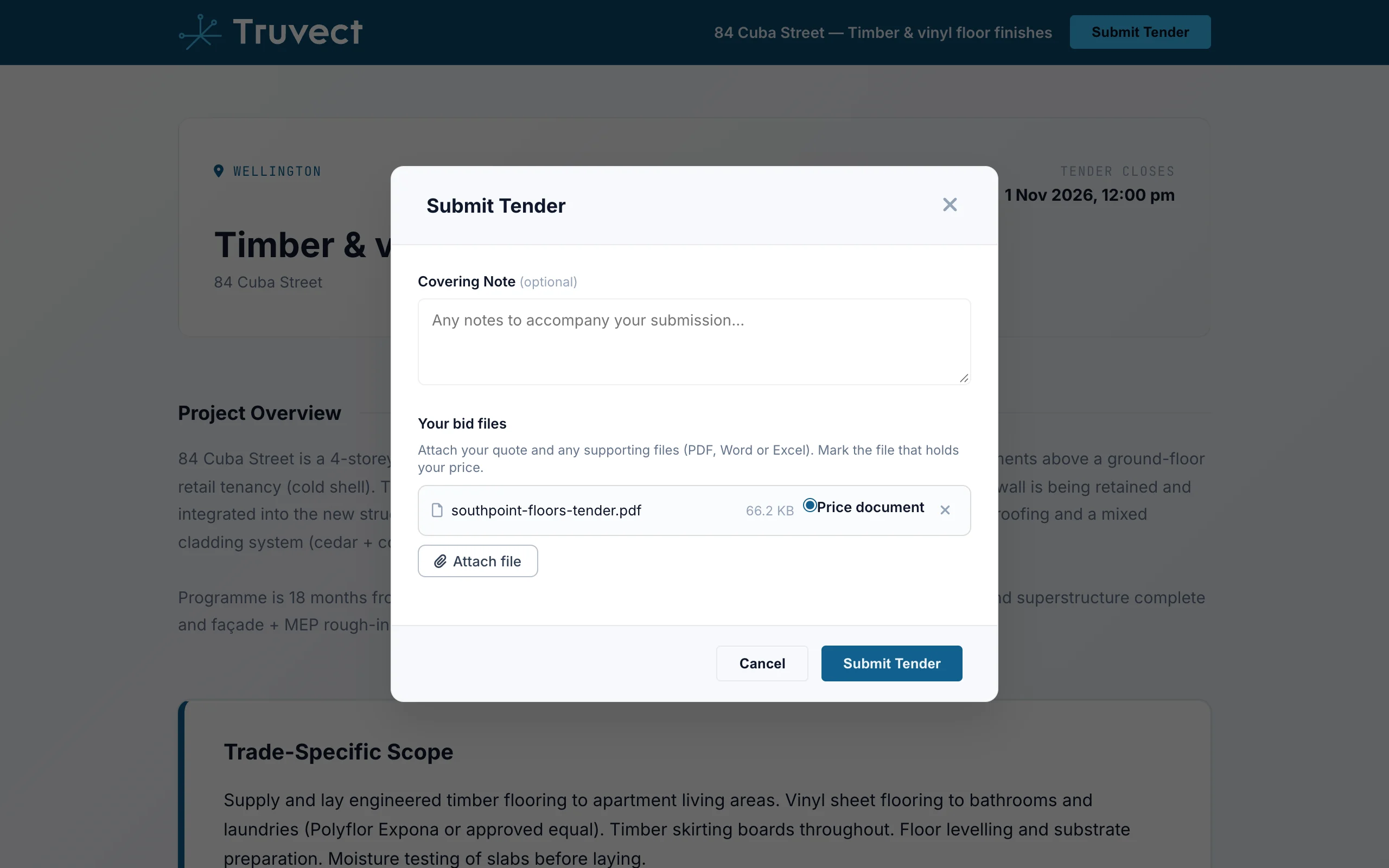
Drop supplier quotes on a package. Truvect turns each one into priced lines without counting subtotals twice, checks them against the quote total, lists what the quote states and suggests a cost code.
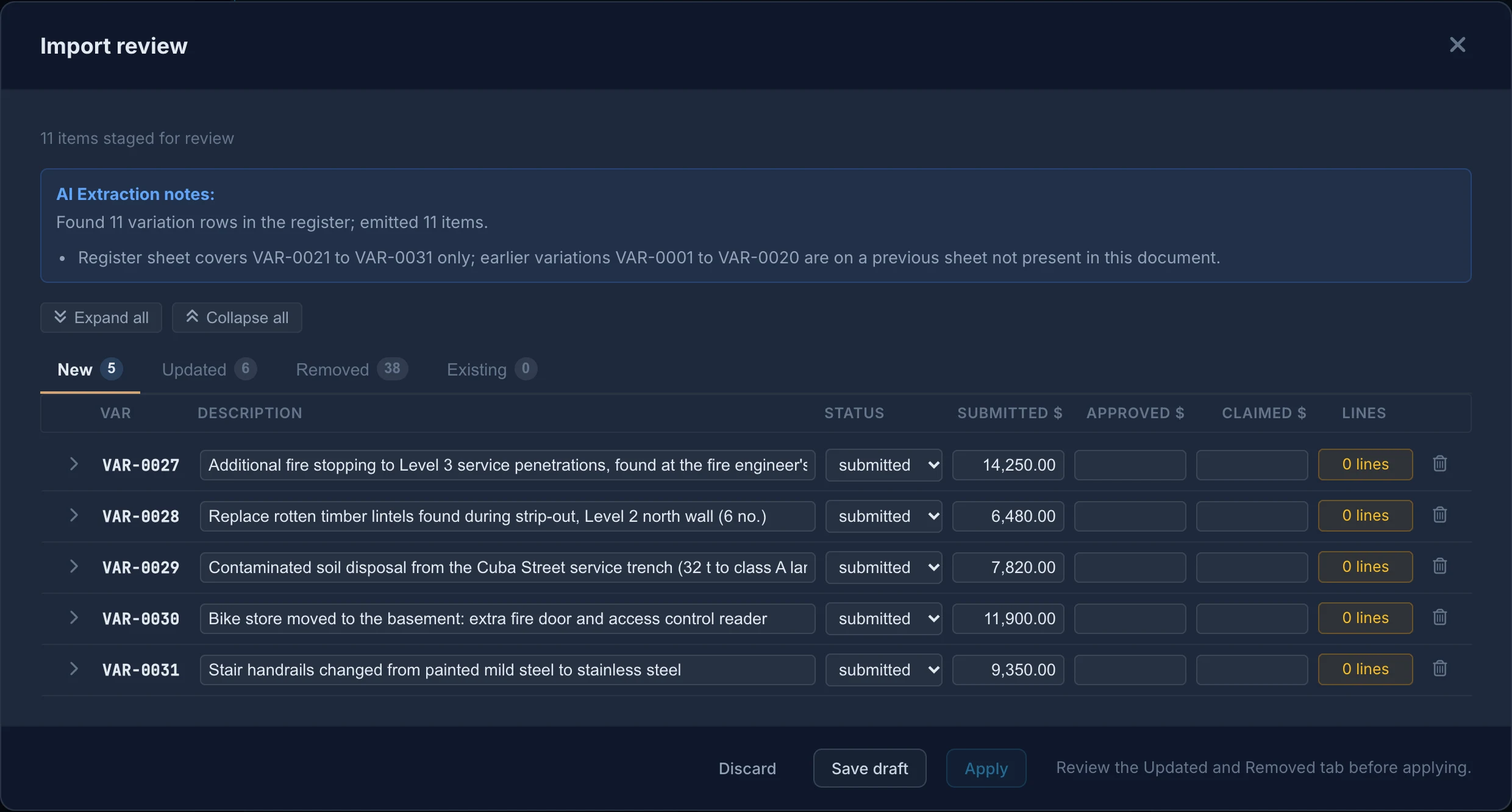
Bring records in from existing documents.
Drop an existing variation register, a PS schedule, past claims or the head contract. Truvect drafts each record and matches the ones the project already has. Nothing is added until you click Apply.
Summaries, dates and tags.
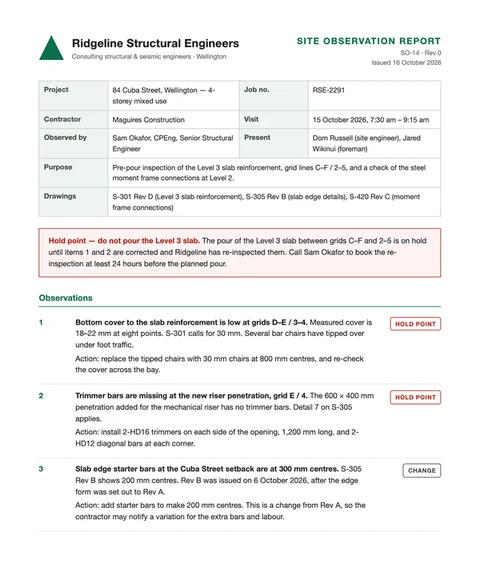
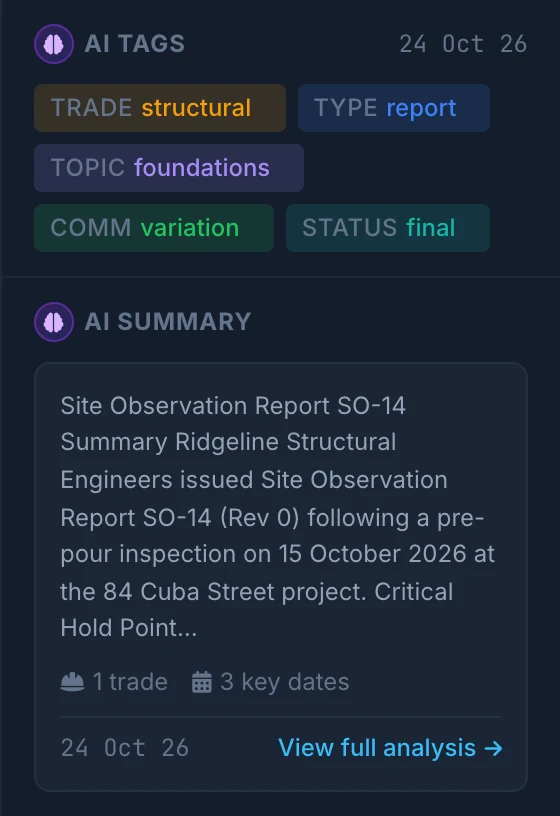
Each document gets a summary, key dates and figures, tags and a sensitivity flag. Scans, CAD sheets and ticked boxes on forms are read too.
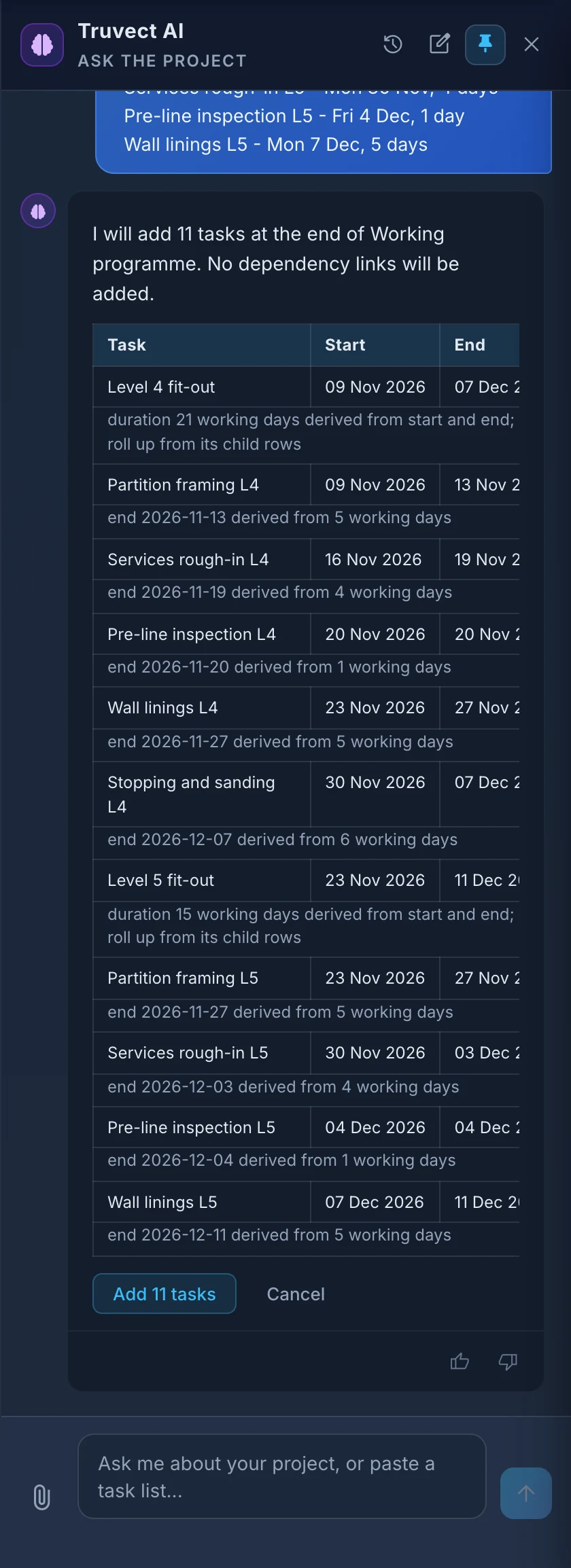
Paste a task list.
Paste lines from an email or a spreadsheet. Truvect builds the programme rows with dates and indents, and notes anything it assumed.
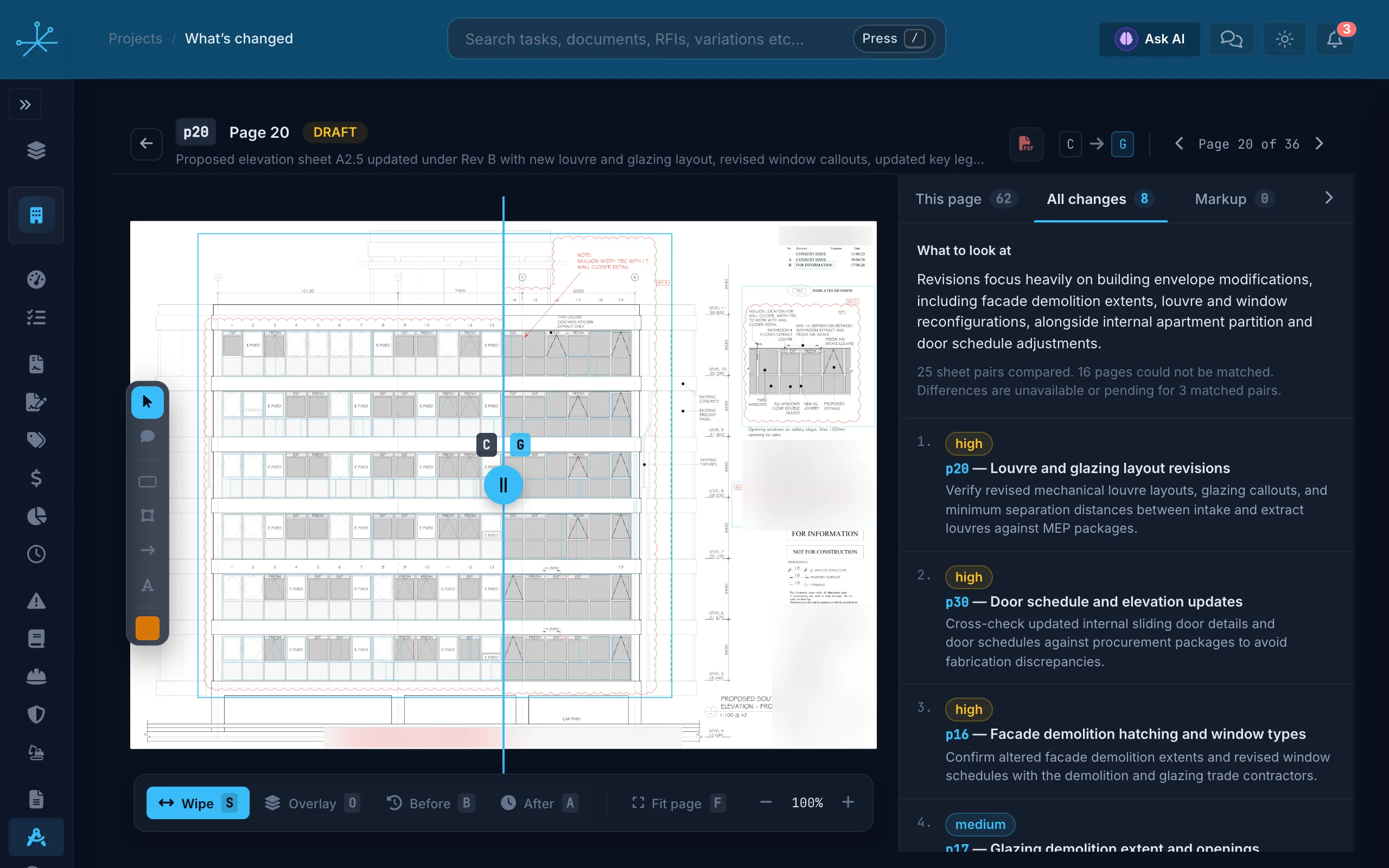
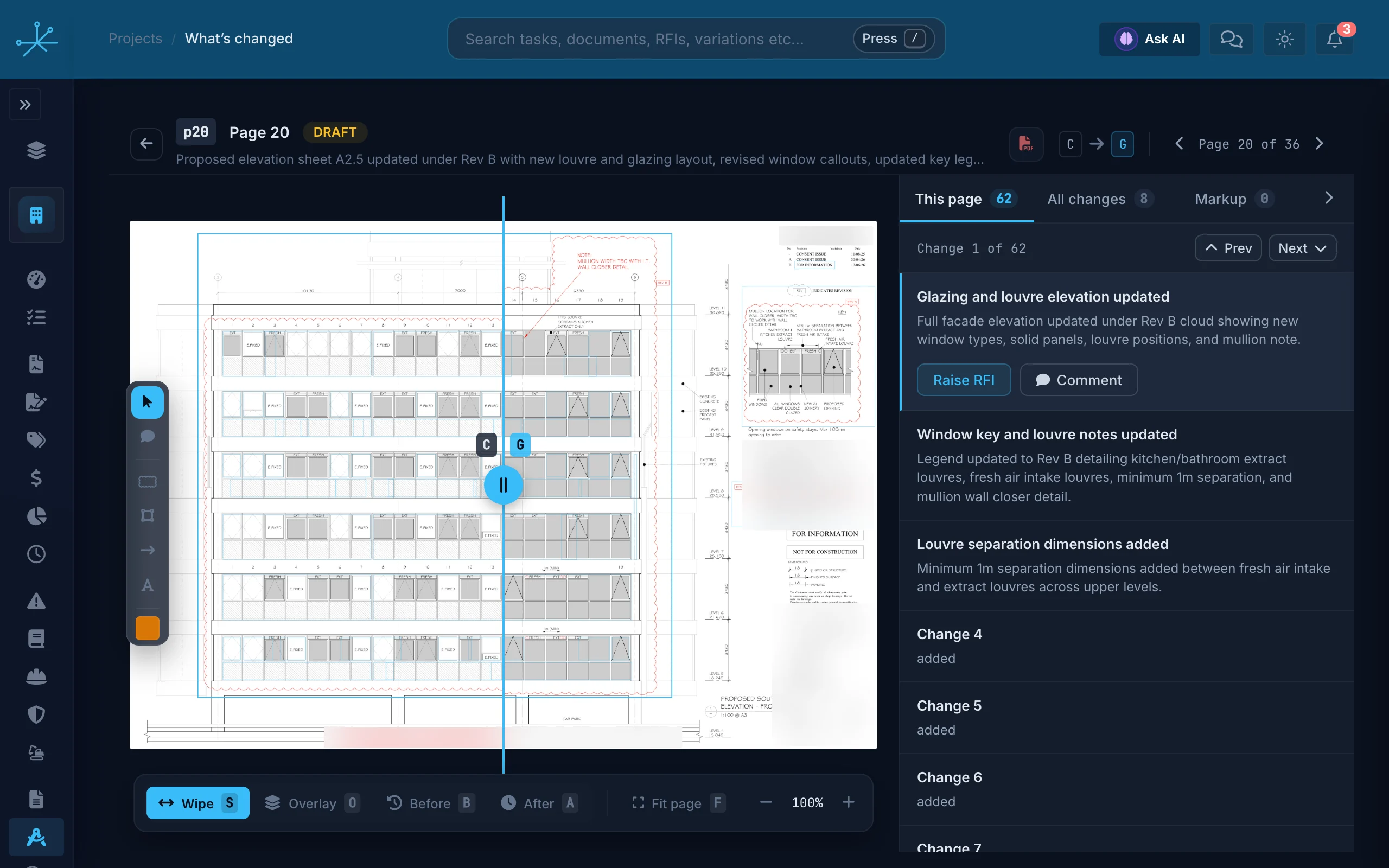
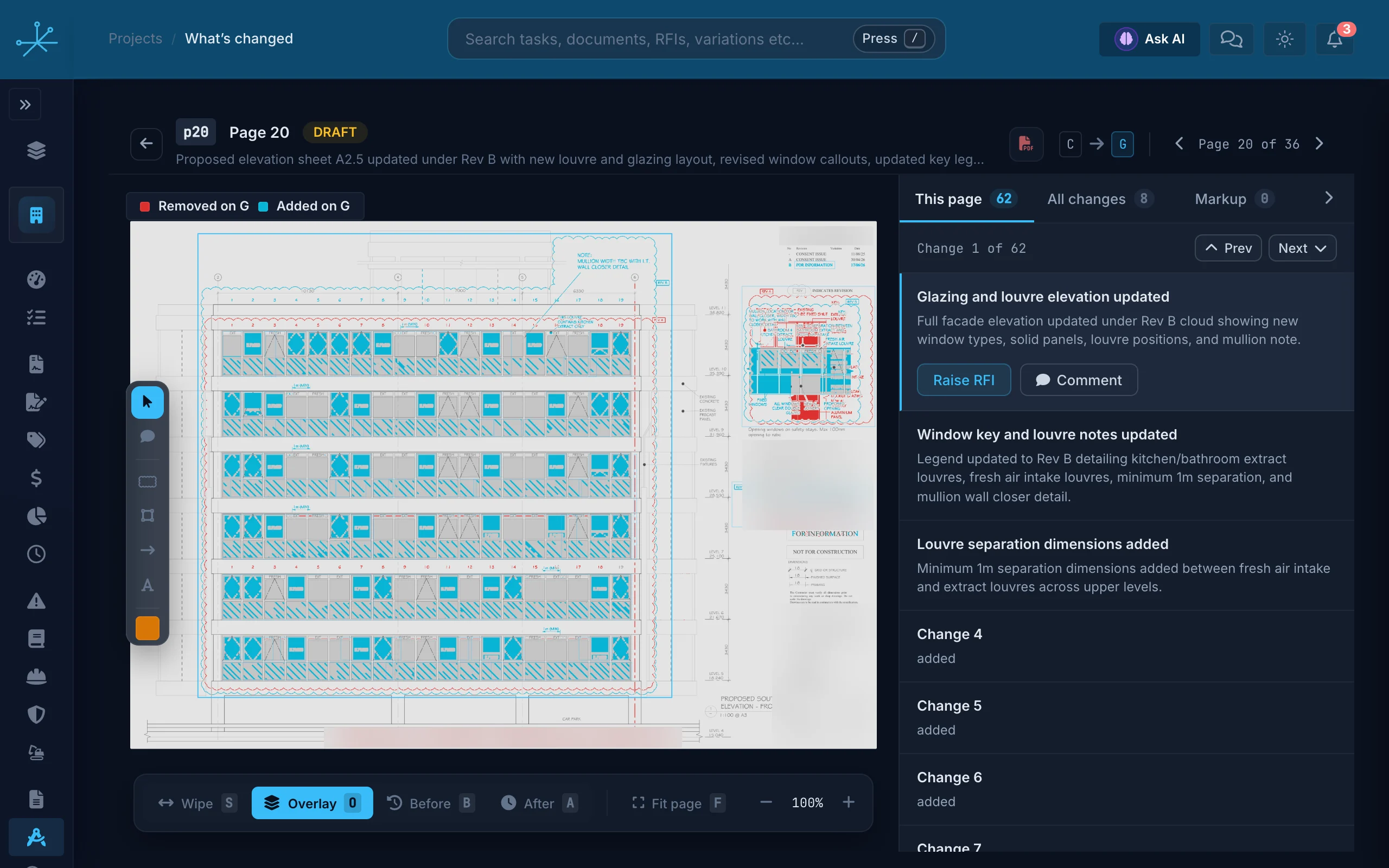
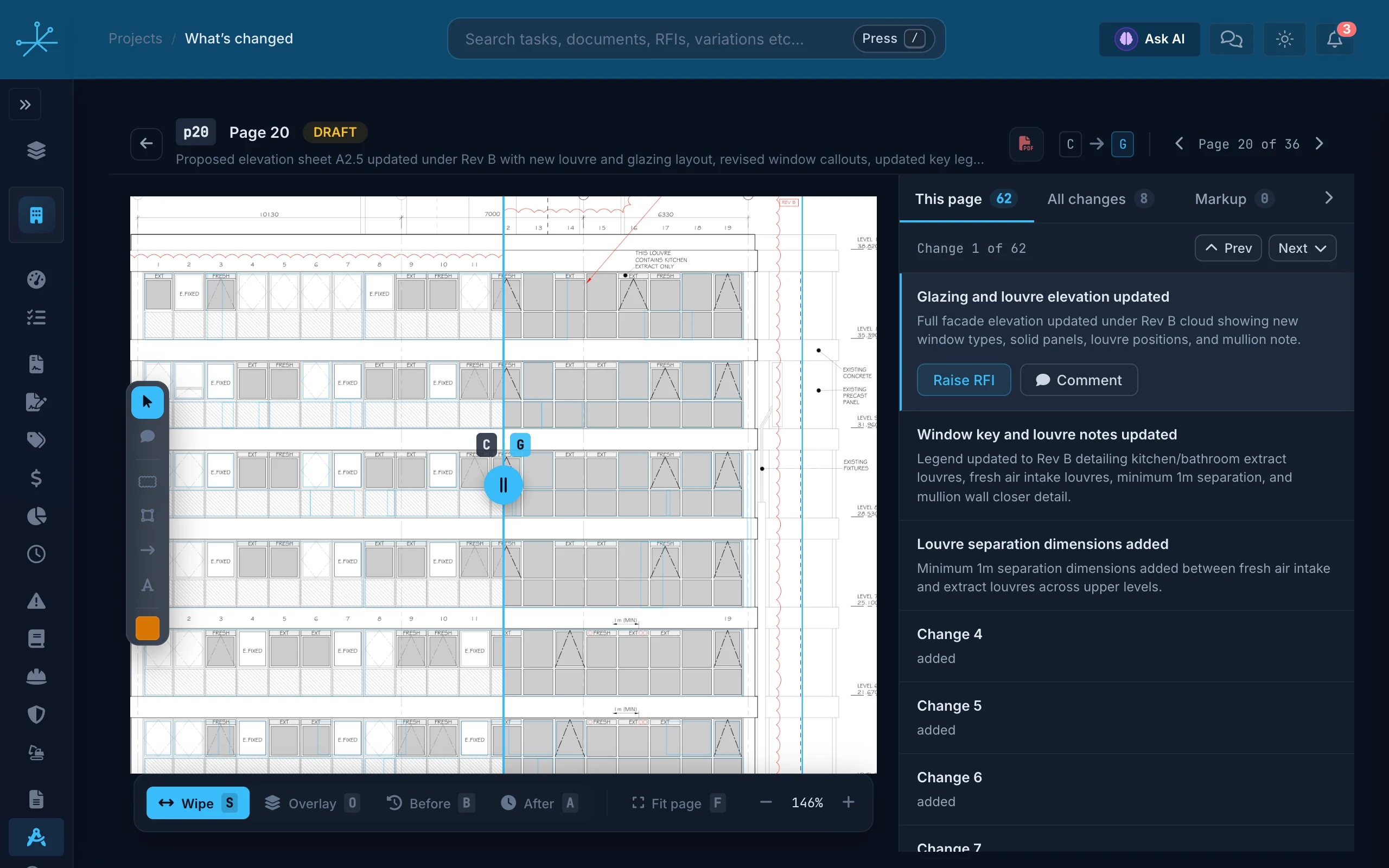
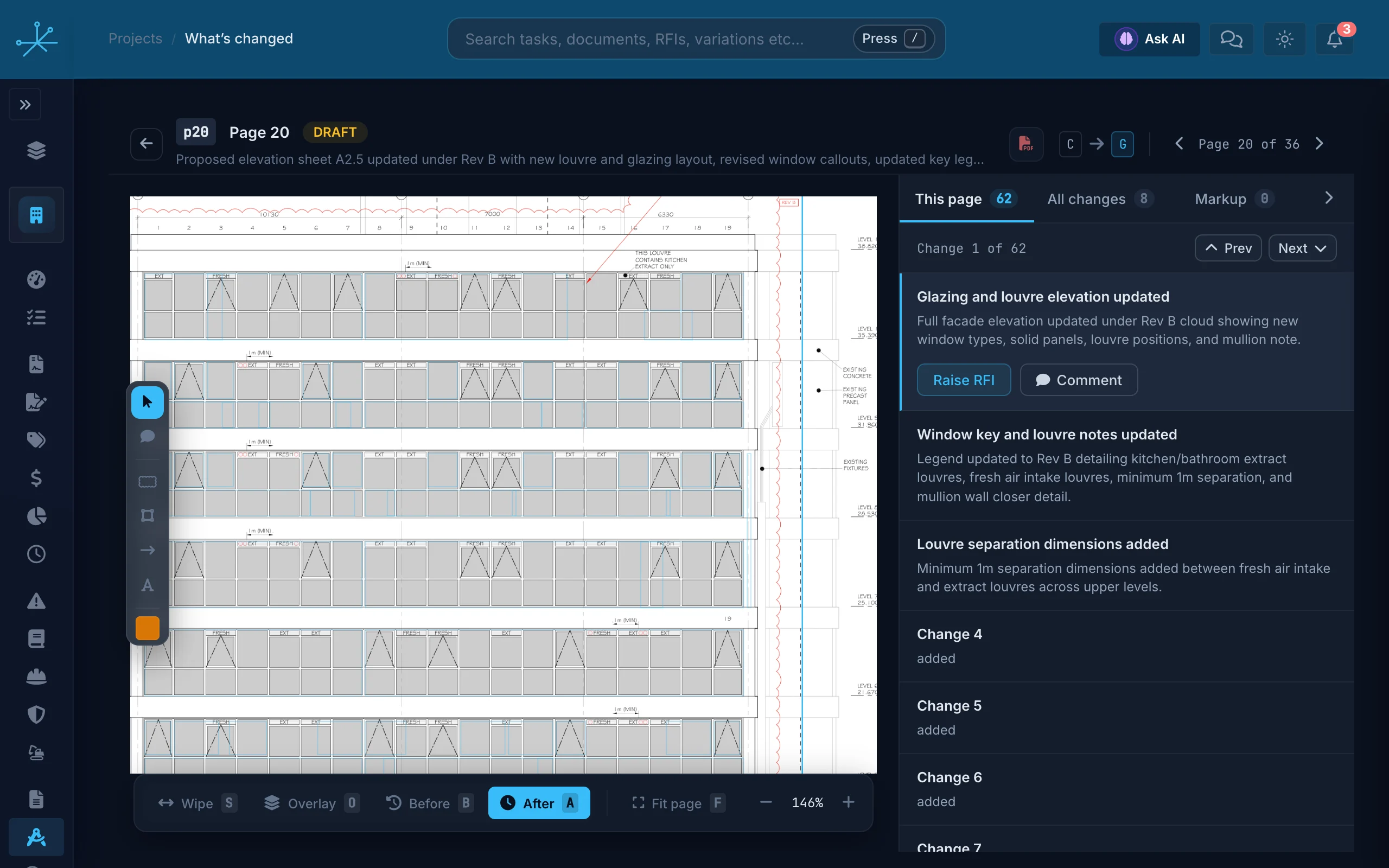
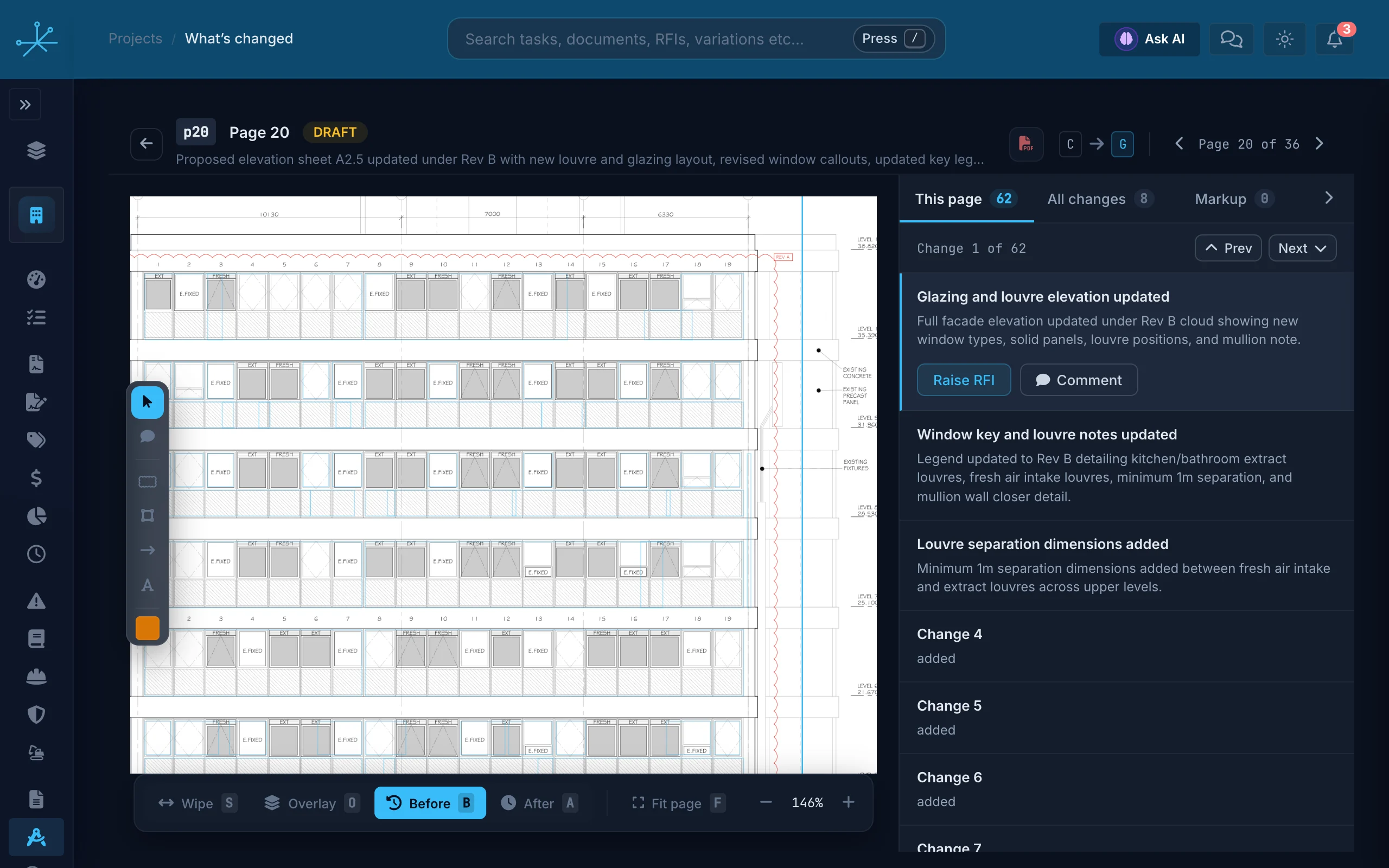
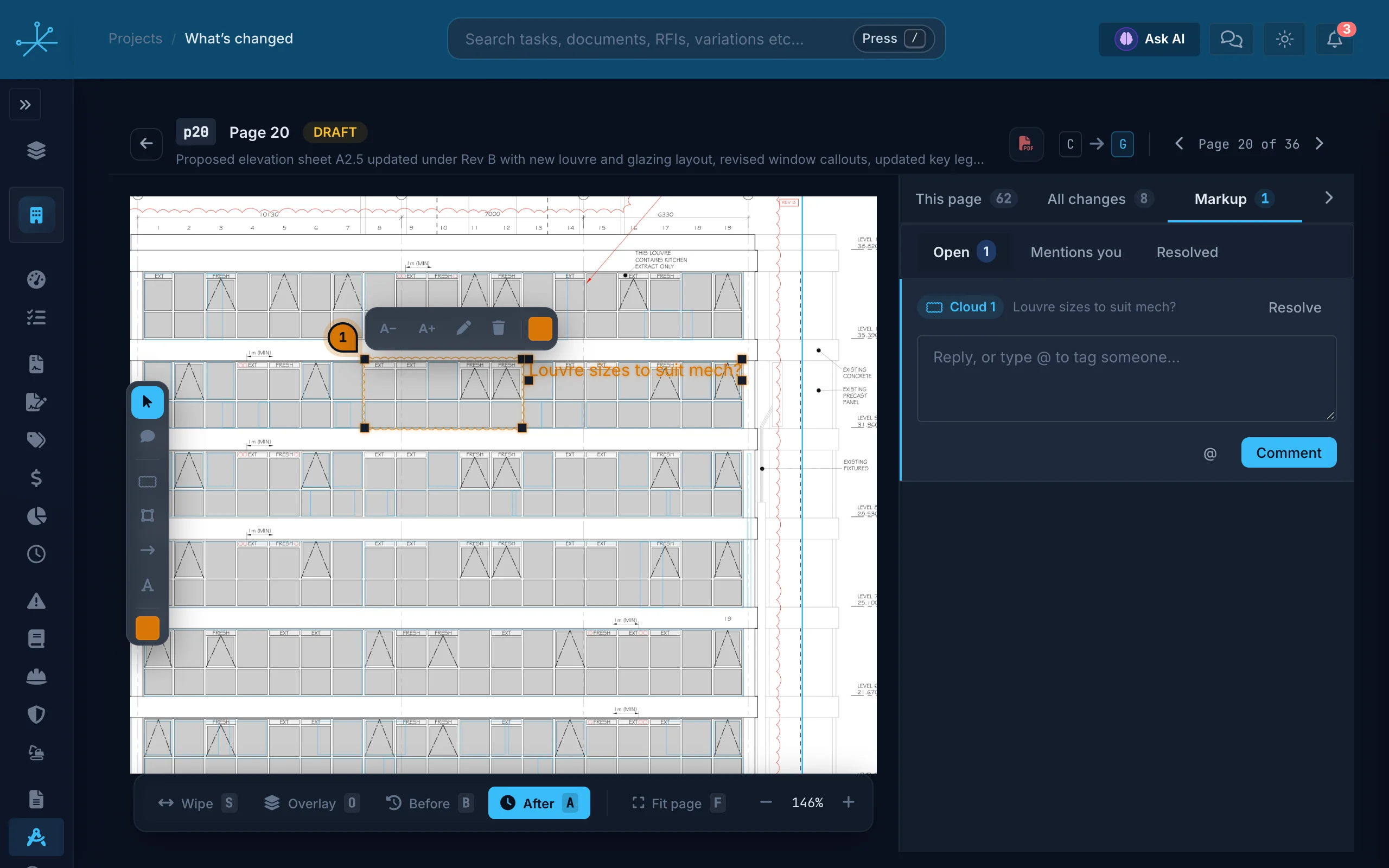
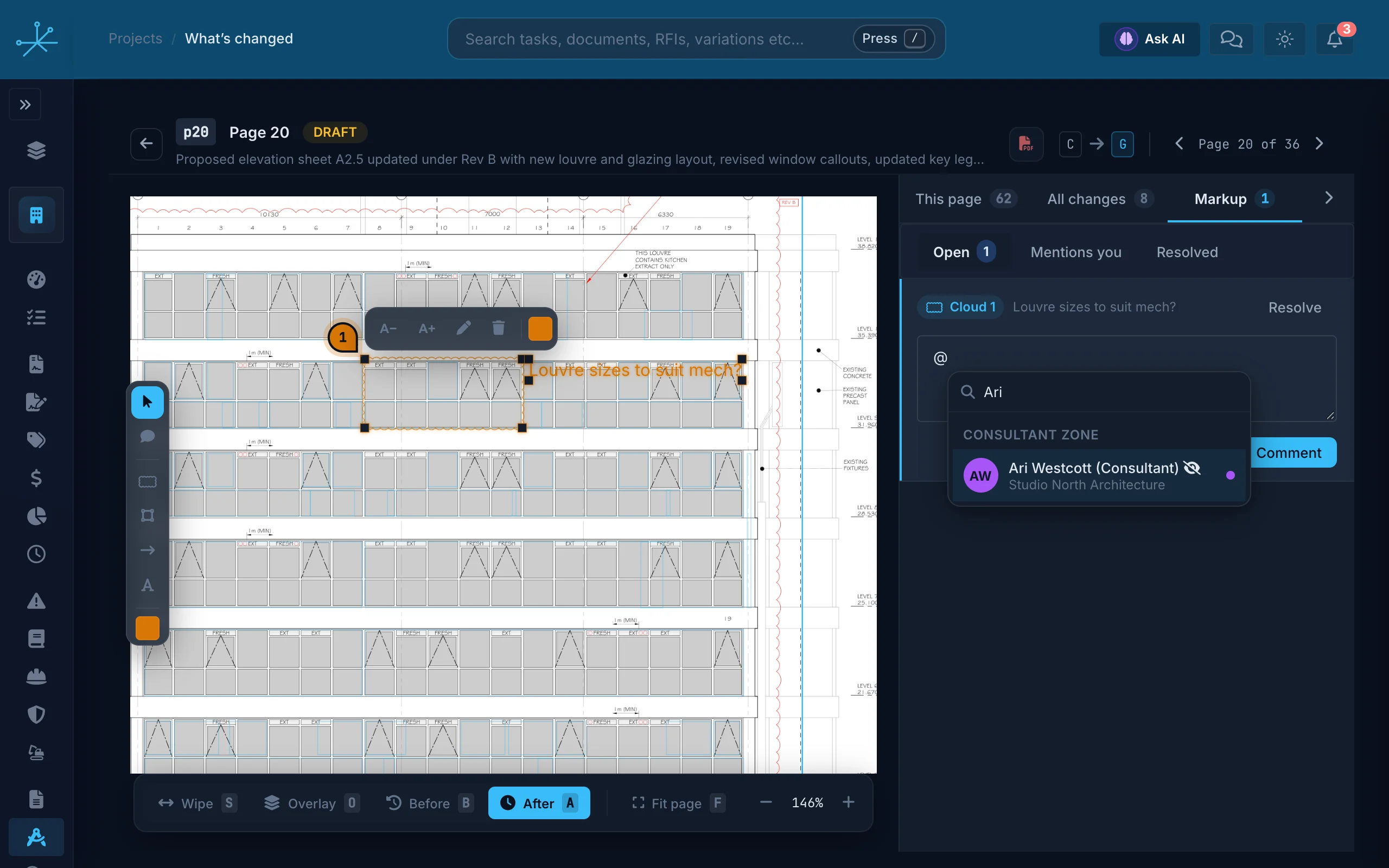
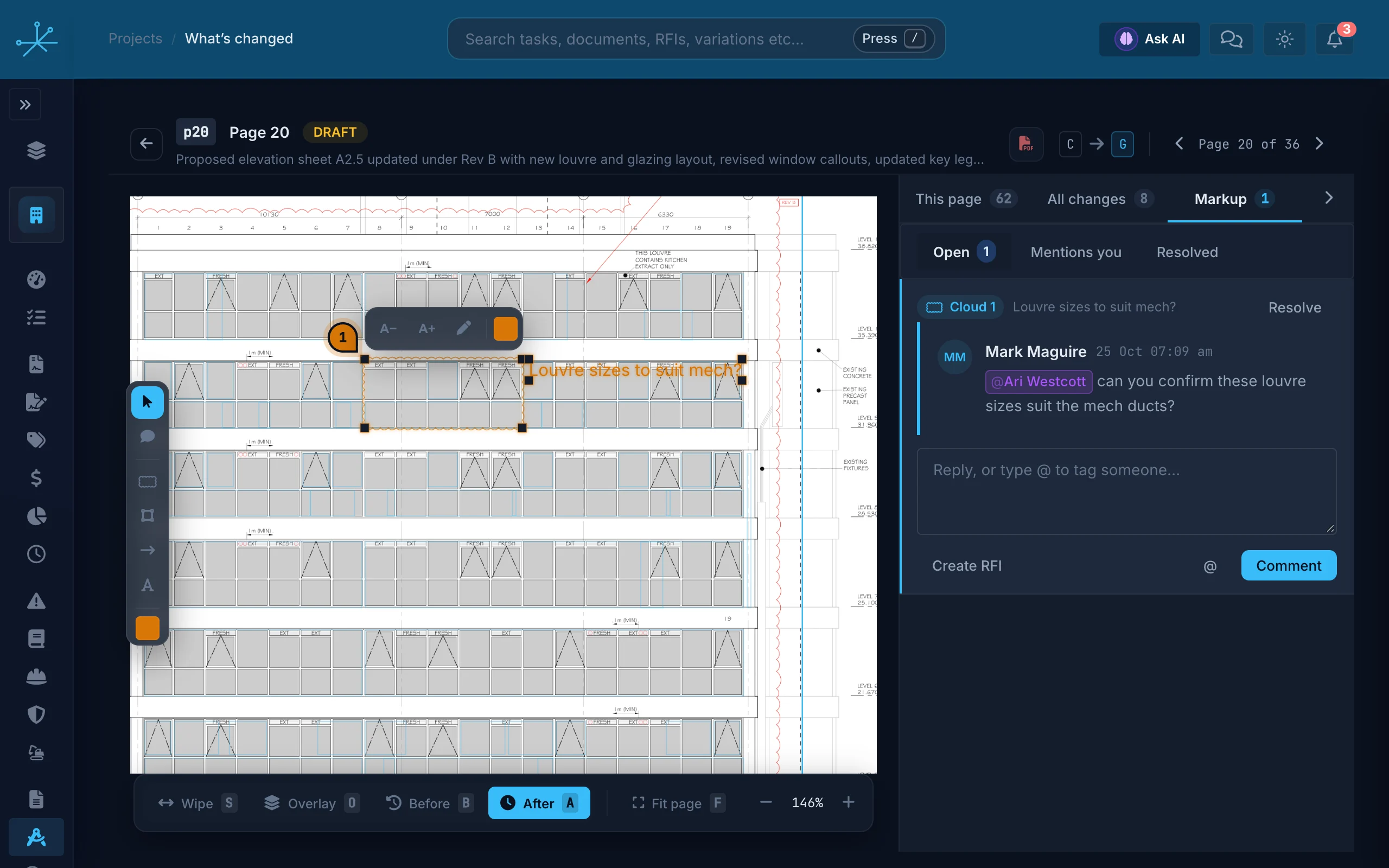
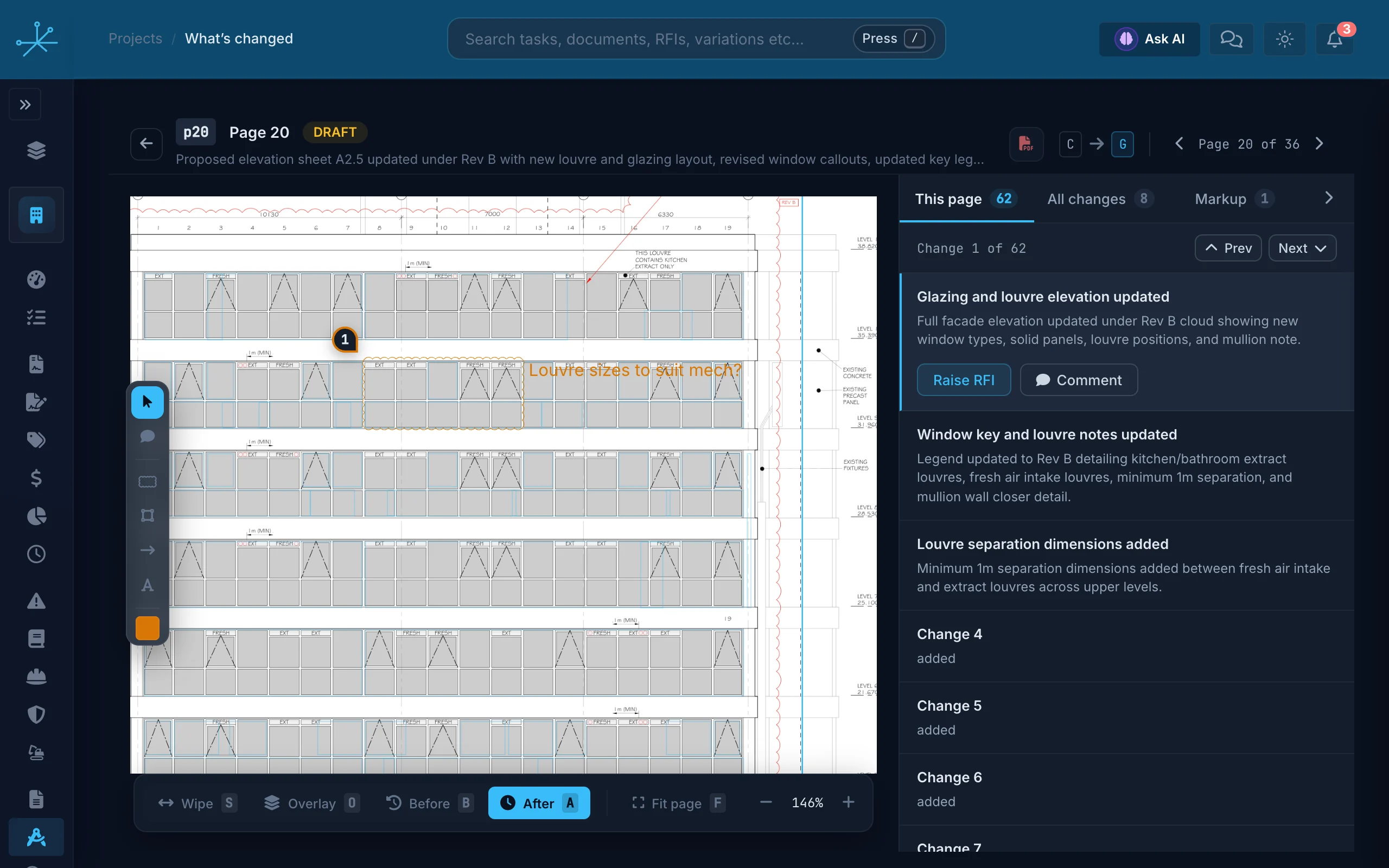
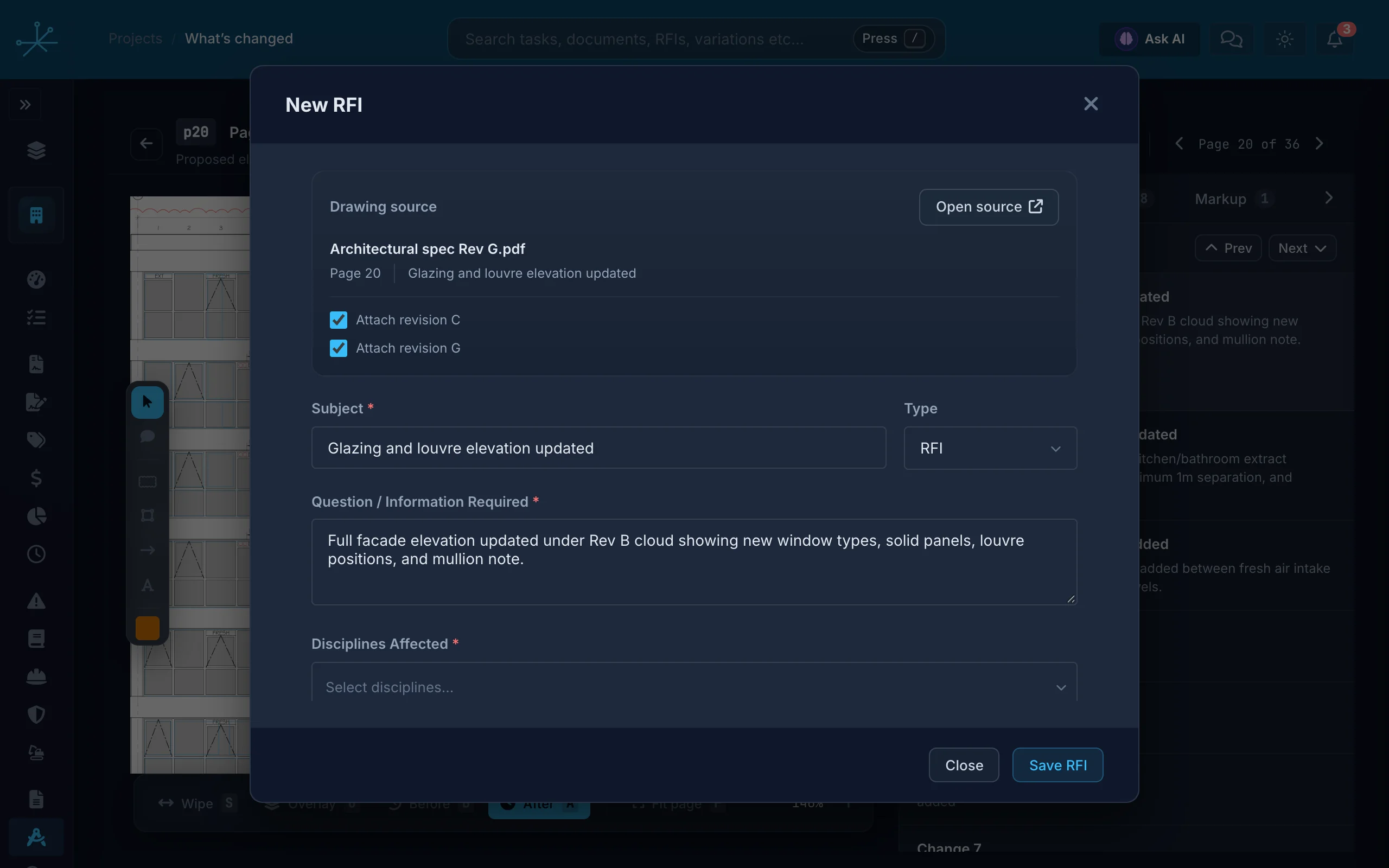
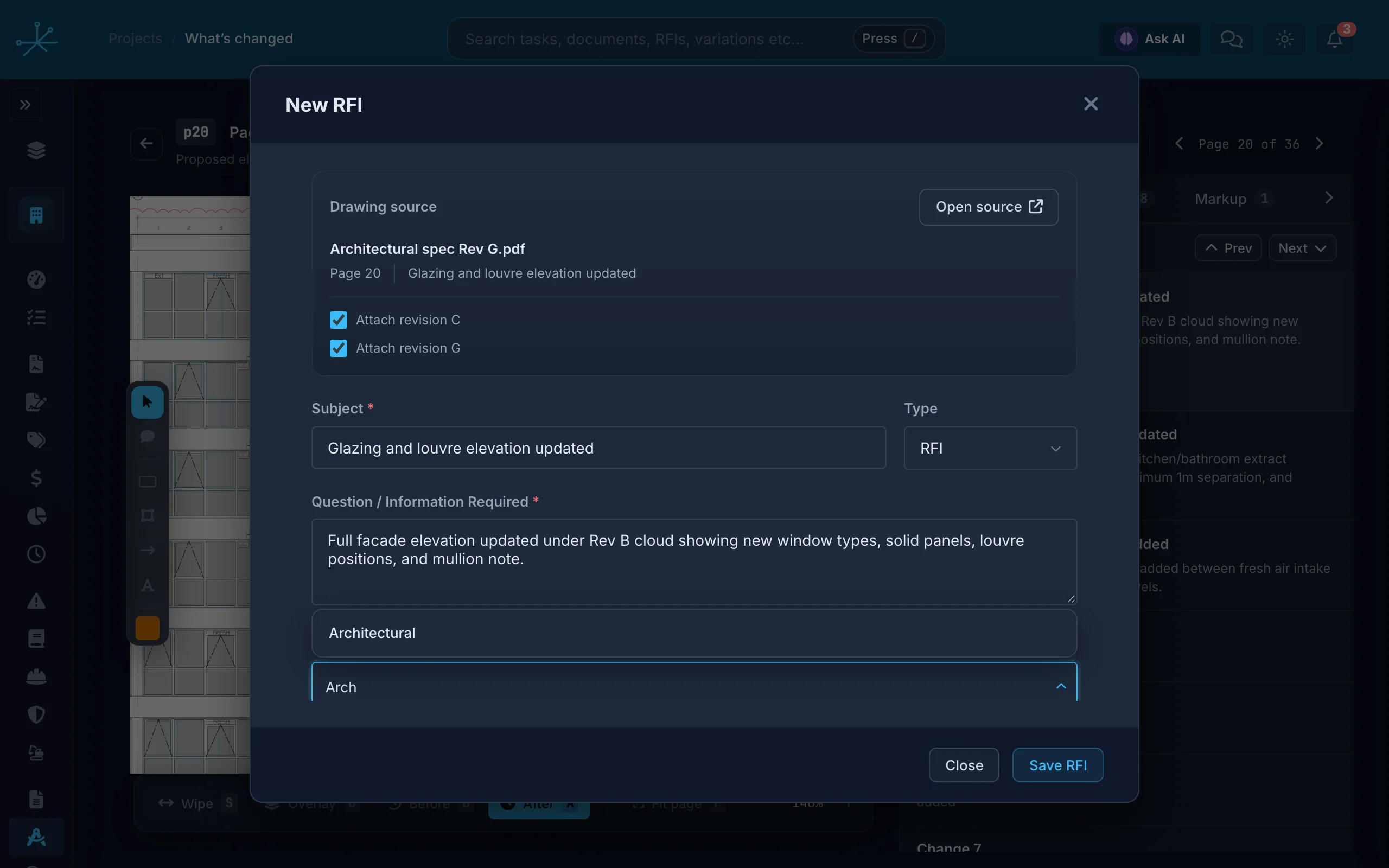
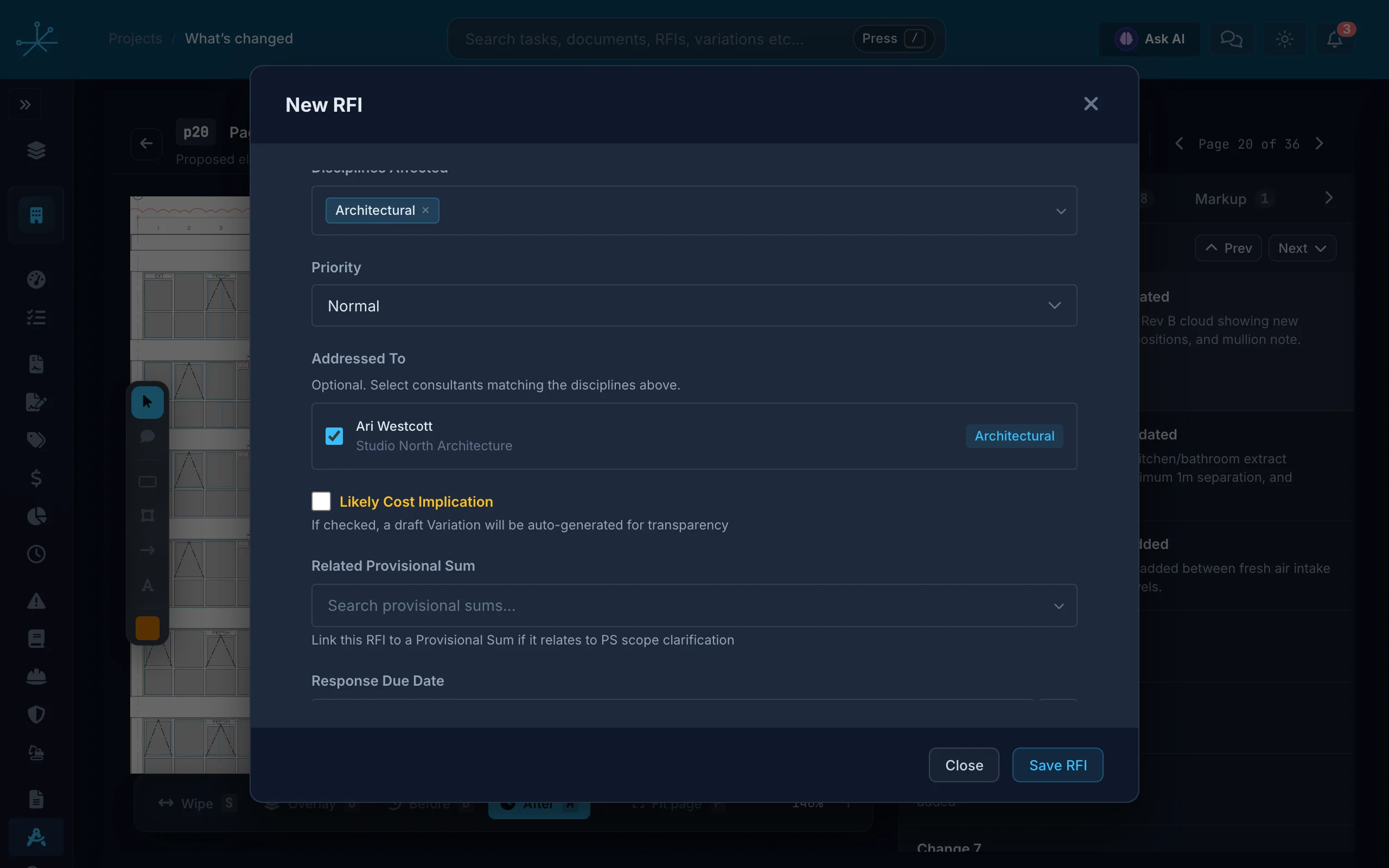
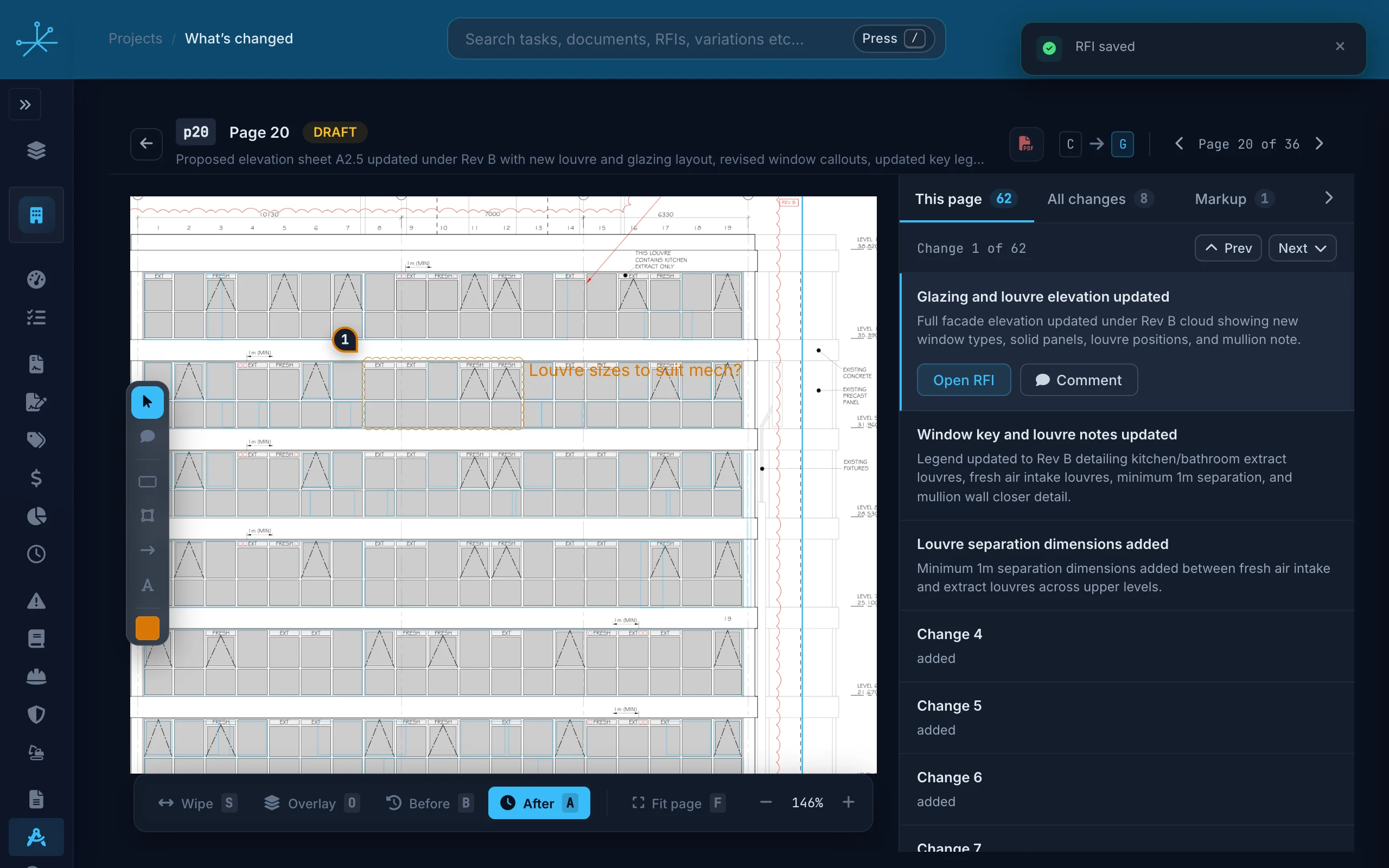
When a drawing set is reissued, Truvect automatically finds the matching drawing (even if the number of sheets differs), compares it sheet by sheet, captions each change in site language and ranks what needs a look. Mark up the sheet, tag the consultant and raise the RFI from the same screen.
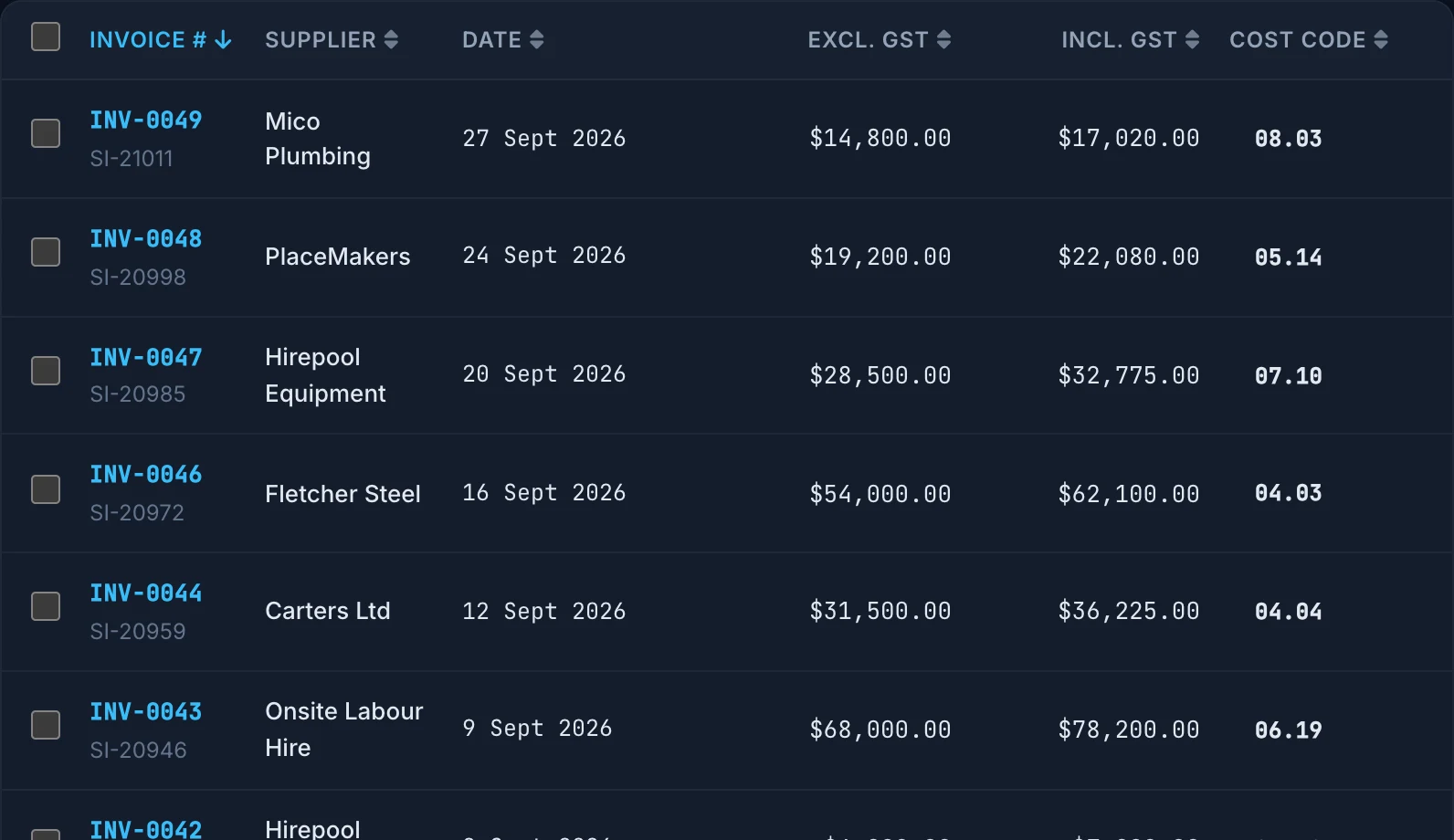
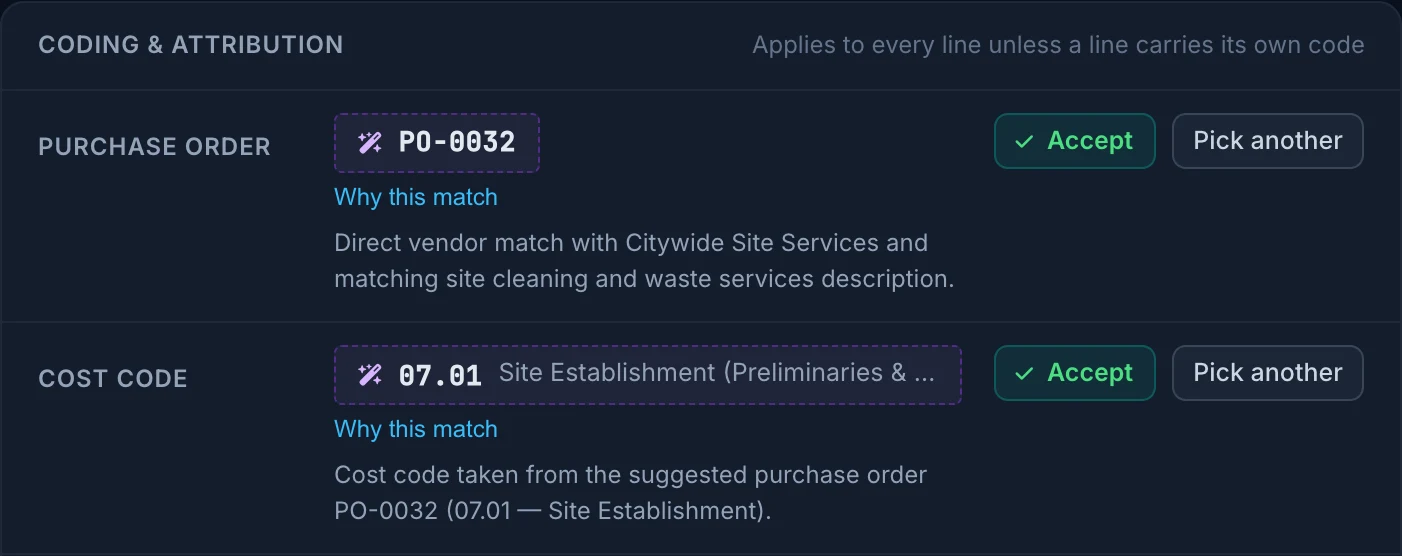
Invoices read, coded and matched.
Suppliers email the project’s invoice address, or you drop the PDF. Truvect reads every line, suggests the cost code from how your team coded similar items before, and finds the purchase order. Nothing is coded until someone clicks Accept.
The claims process is slick and intuitive, and with the smart usage of AI, it has the best PO to invoice to code handling I've seen.

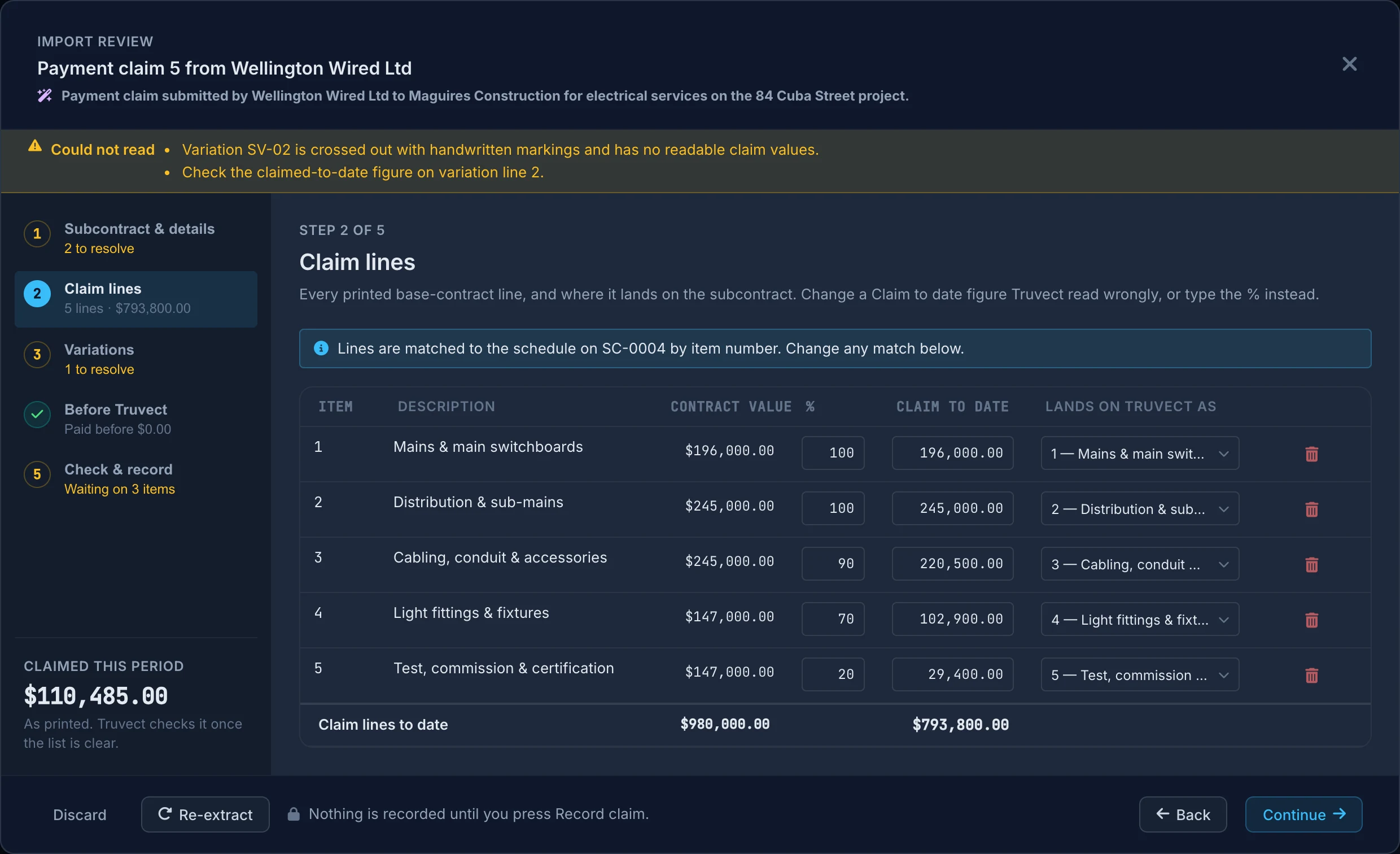
Subcontractor claims read from their PDF.
Drop a subcontractor’s claim. Truvect copies the figures as printed, matches the lines and variations, and lists anything it could not read.
Payment schedules checked.
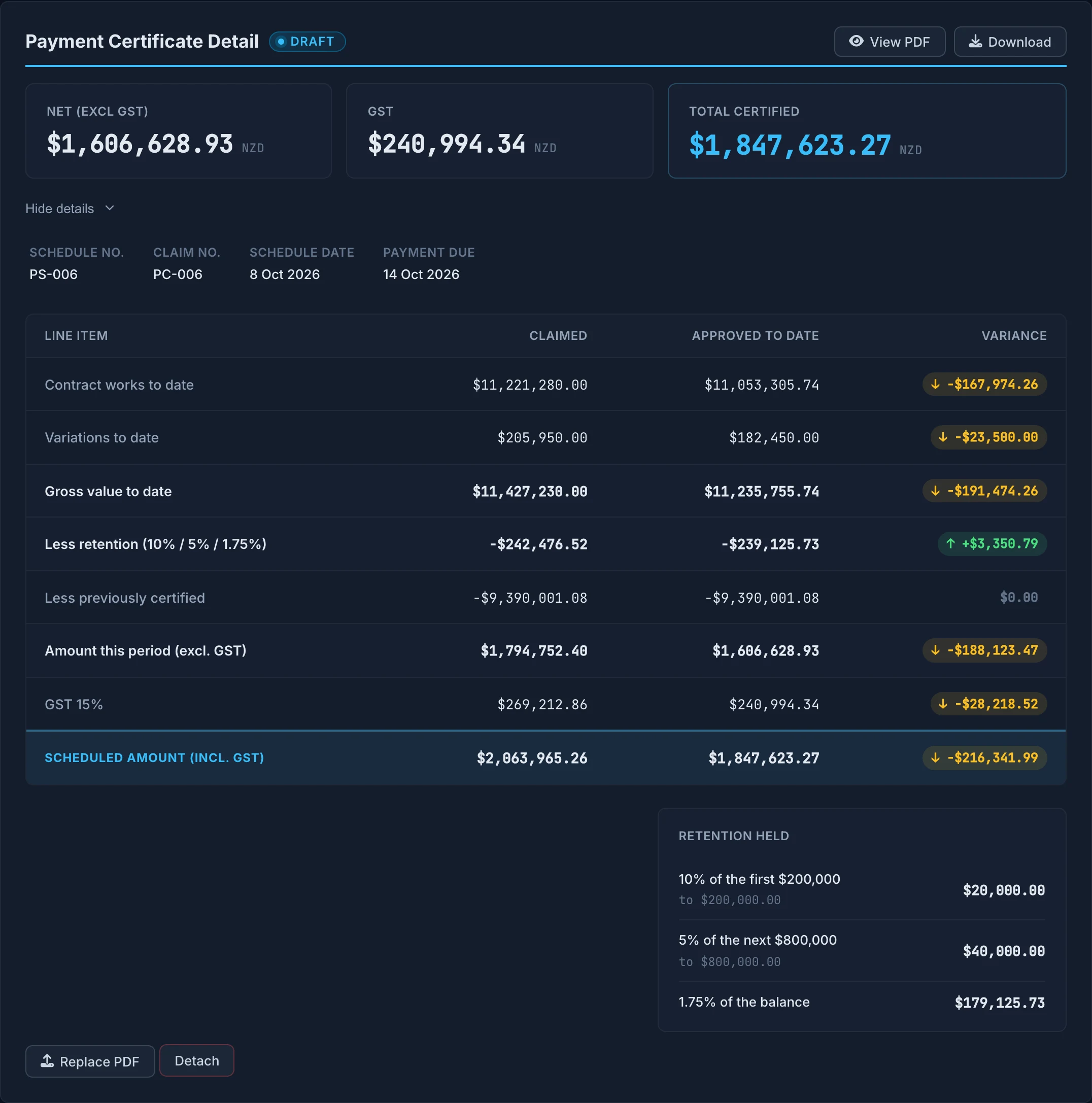
Drop the payment schedule from the client’s QS. Truvect reads the cover sheet figures and checks them against your own claim.
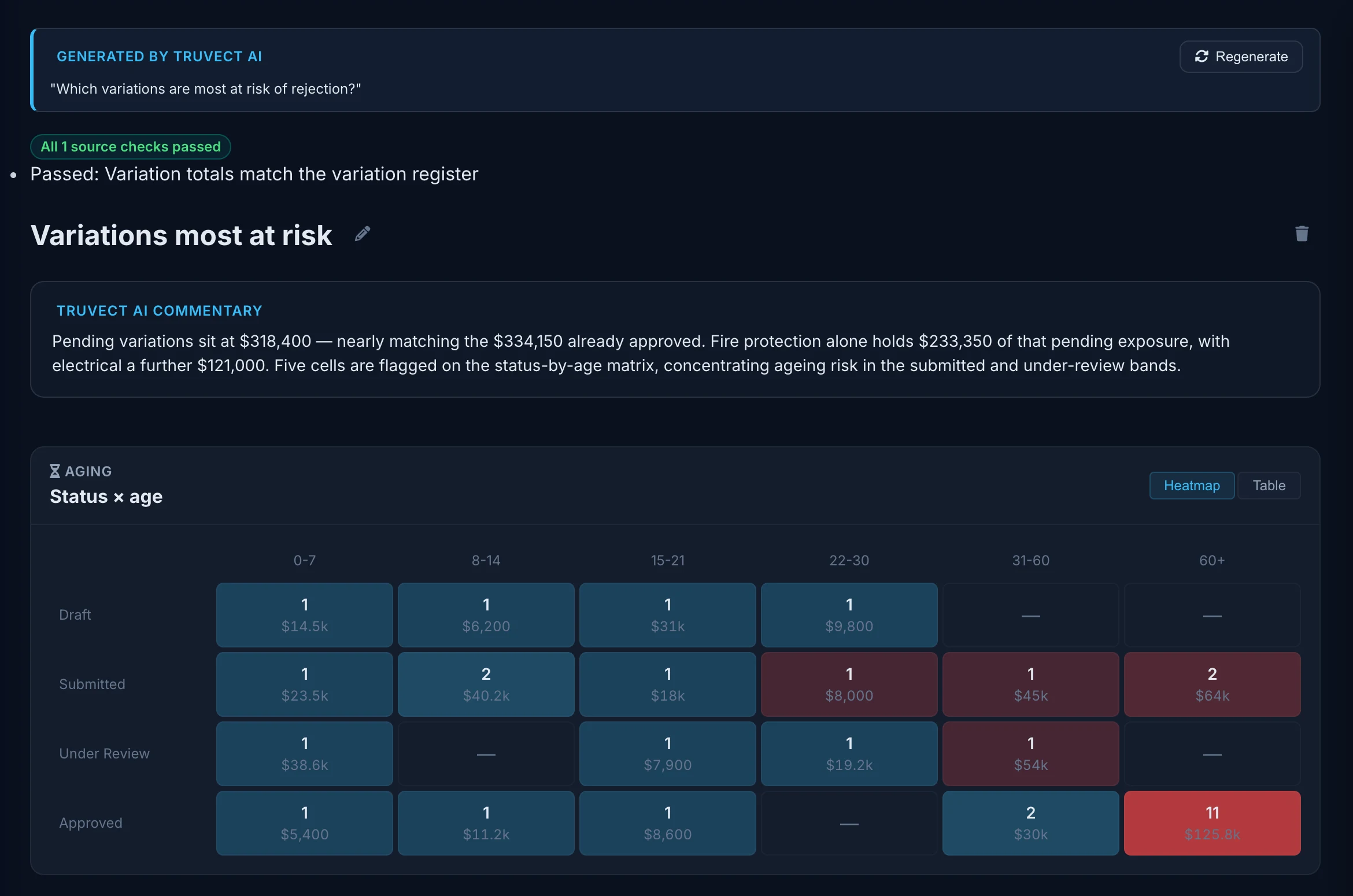
Type ‘Which variations are most at risk of rejection?’. Truvect builds a report from your data, checks it against the source records and writes a short QS-style commentary and selects the best visuals and charts. Save it, pin it, run it again next month.
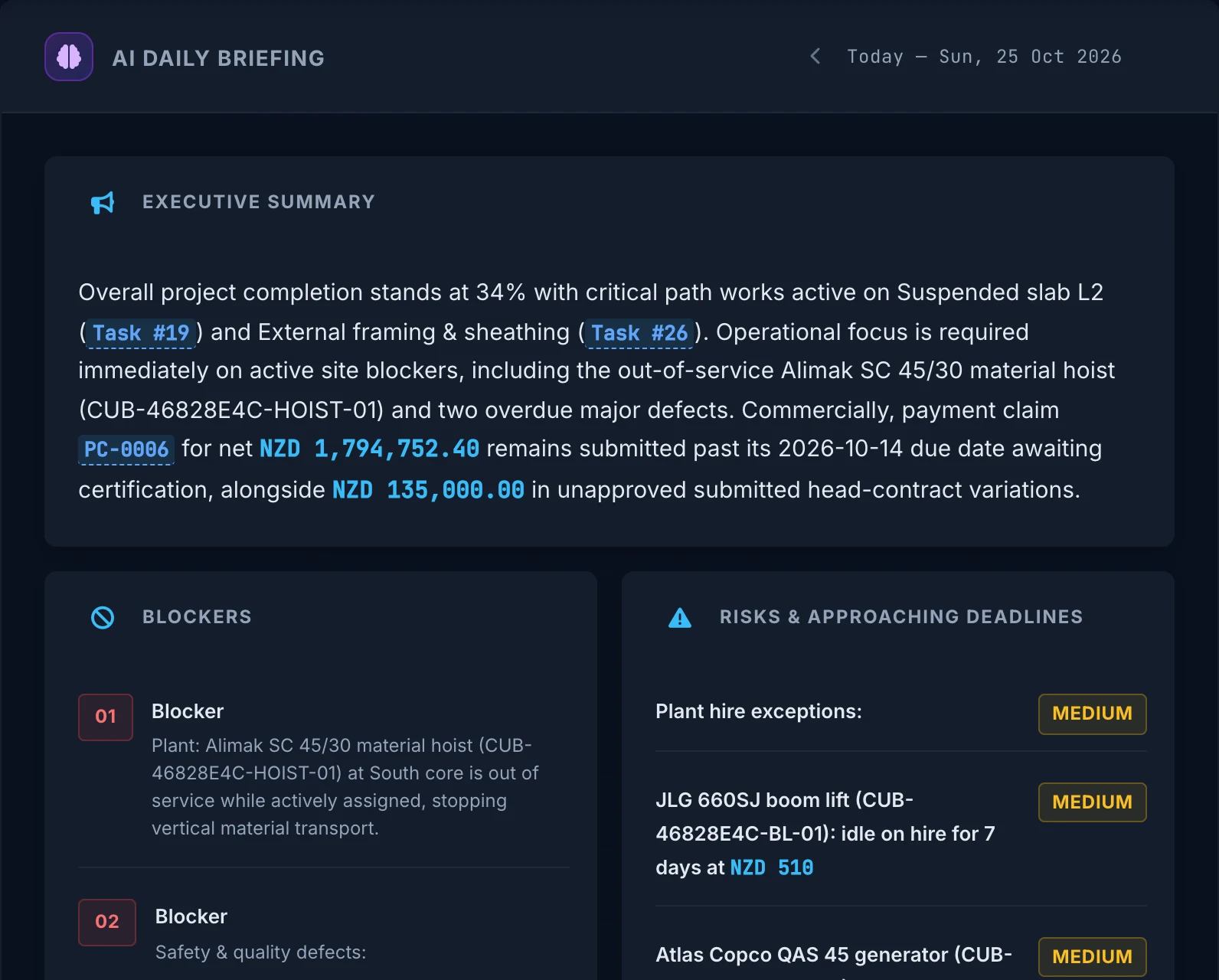
A briefing every morning.
Truvect writes a briefing for each role on every project every morning: blockers, risks, deadlines and where to focus first, each with an Ask AI button. Users only see what they're entitled to see.
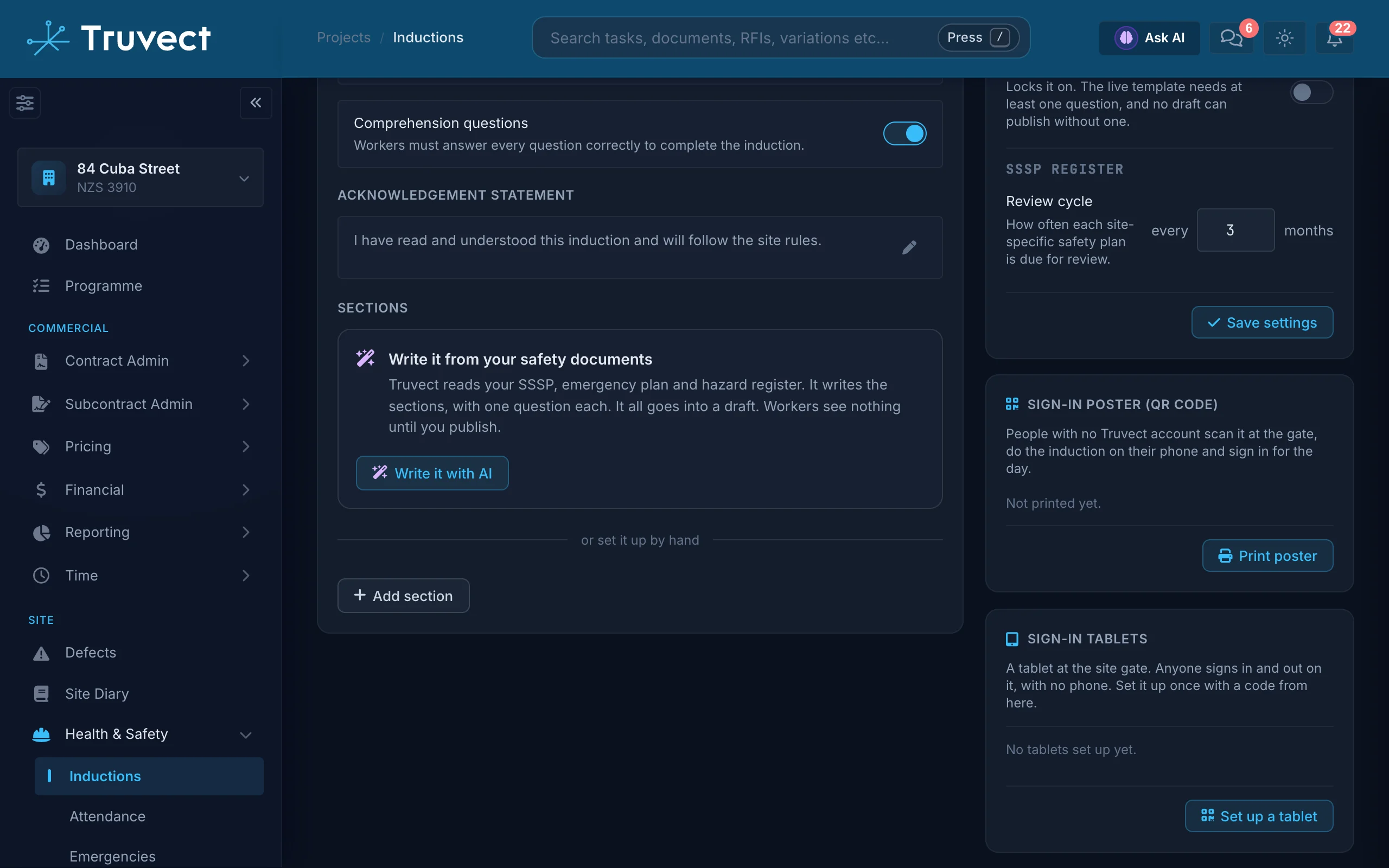
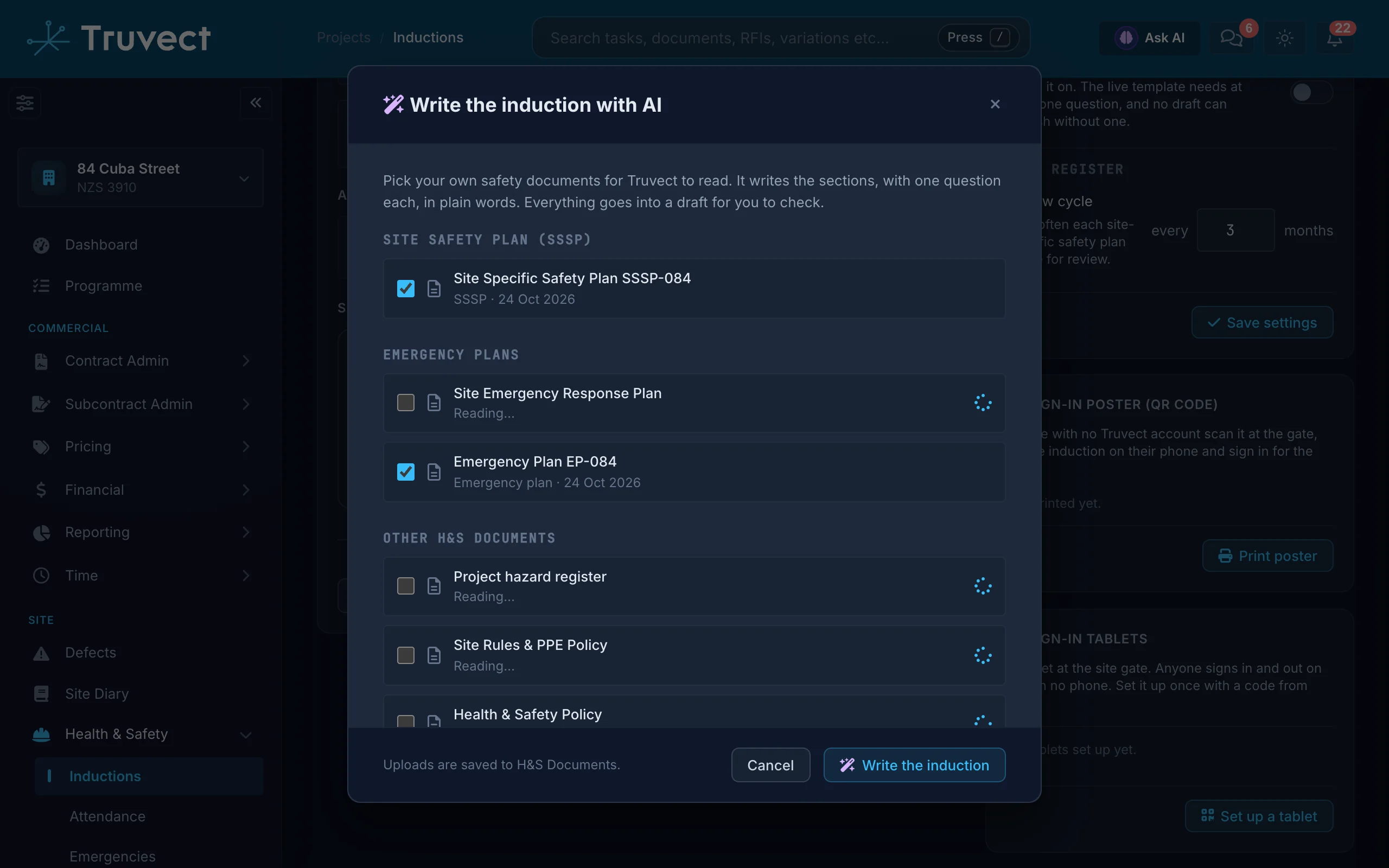
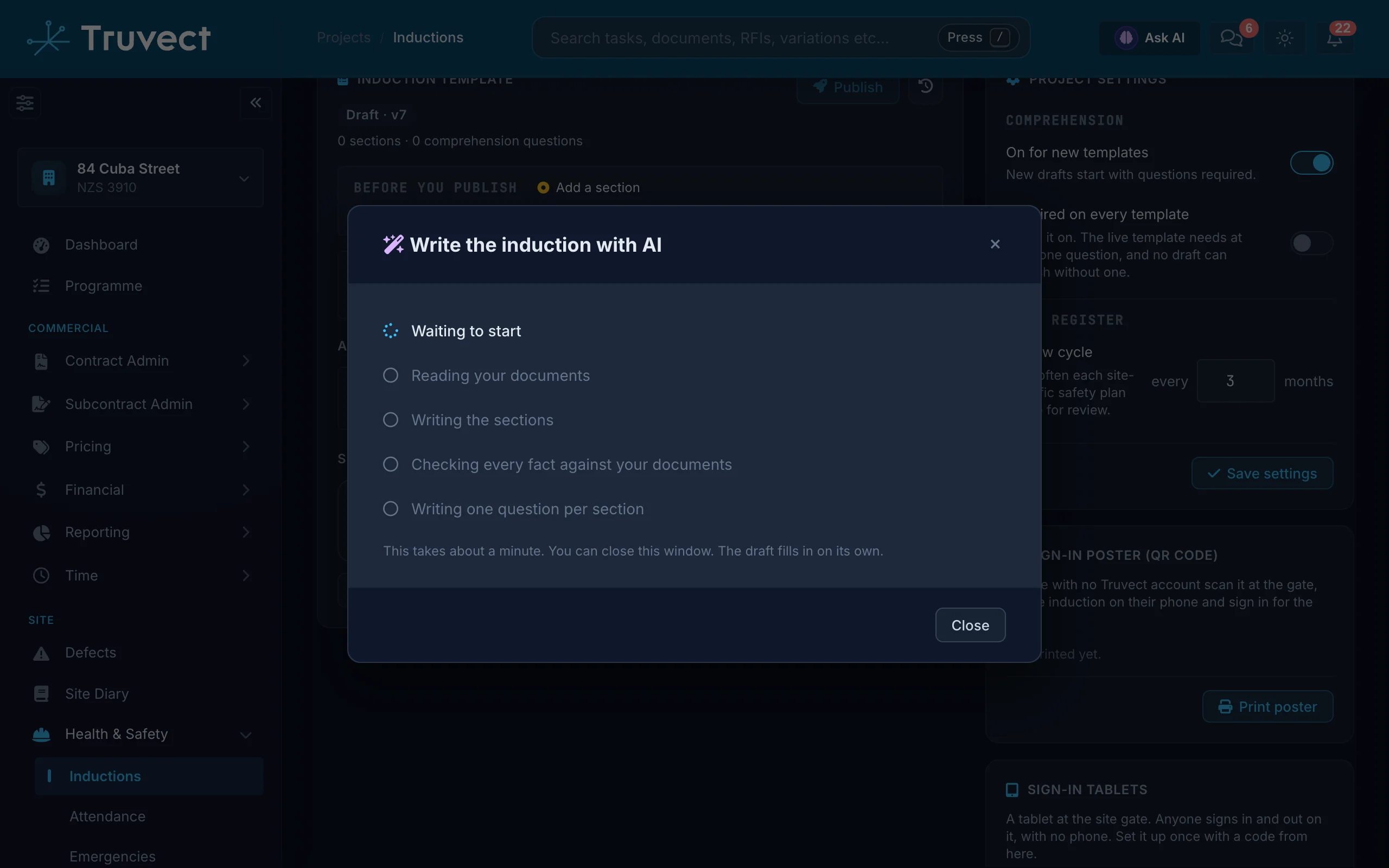
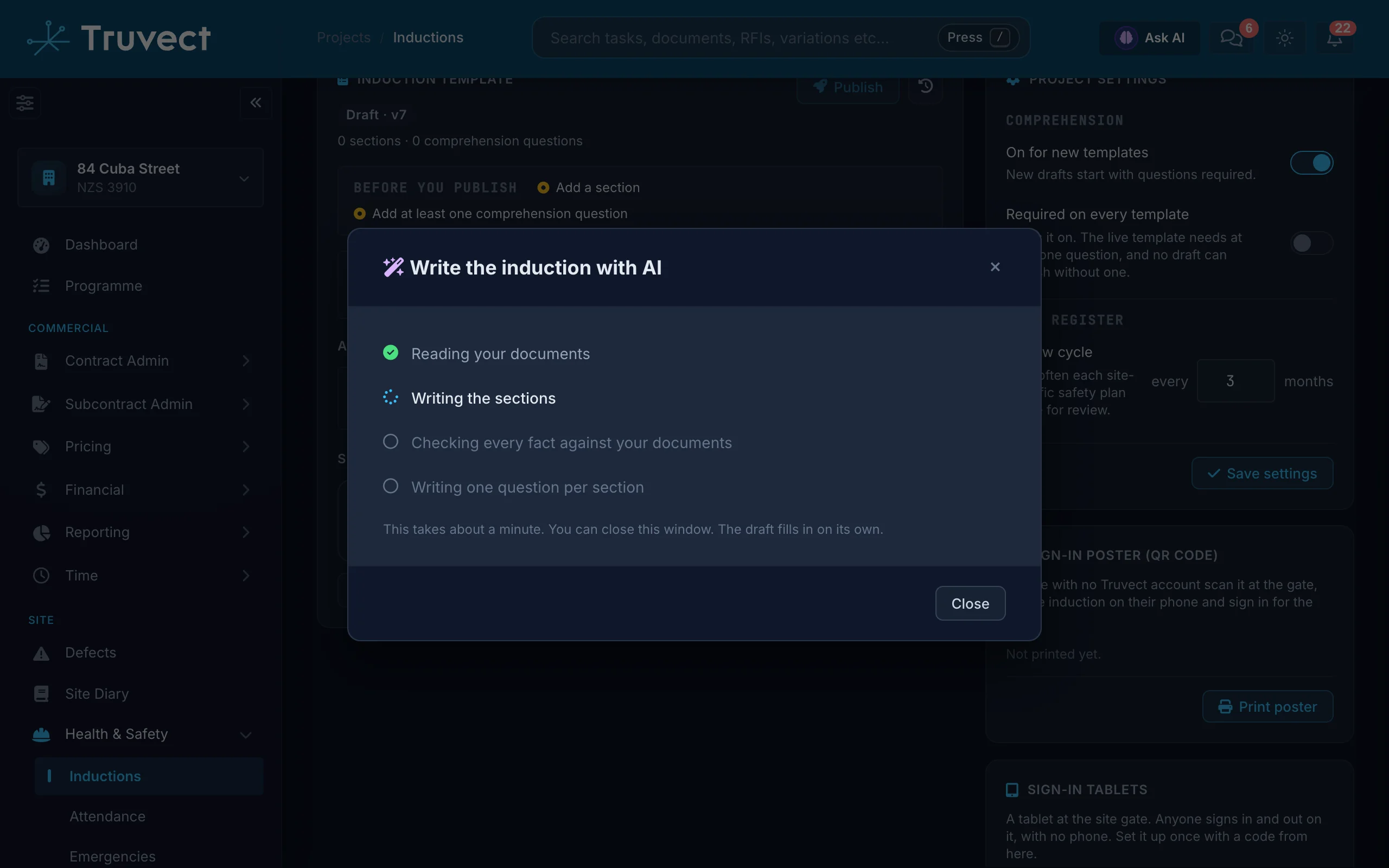
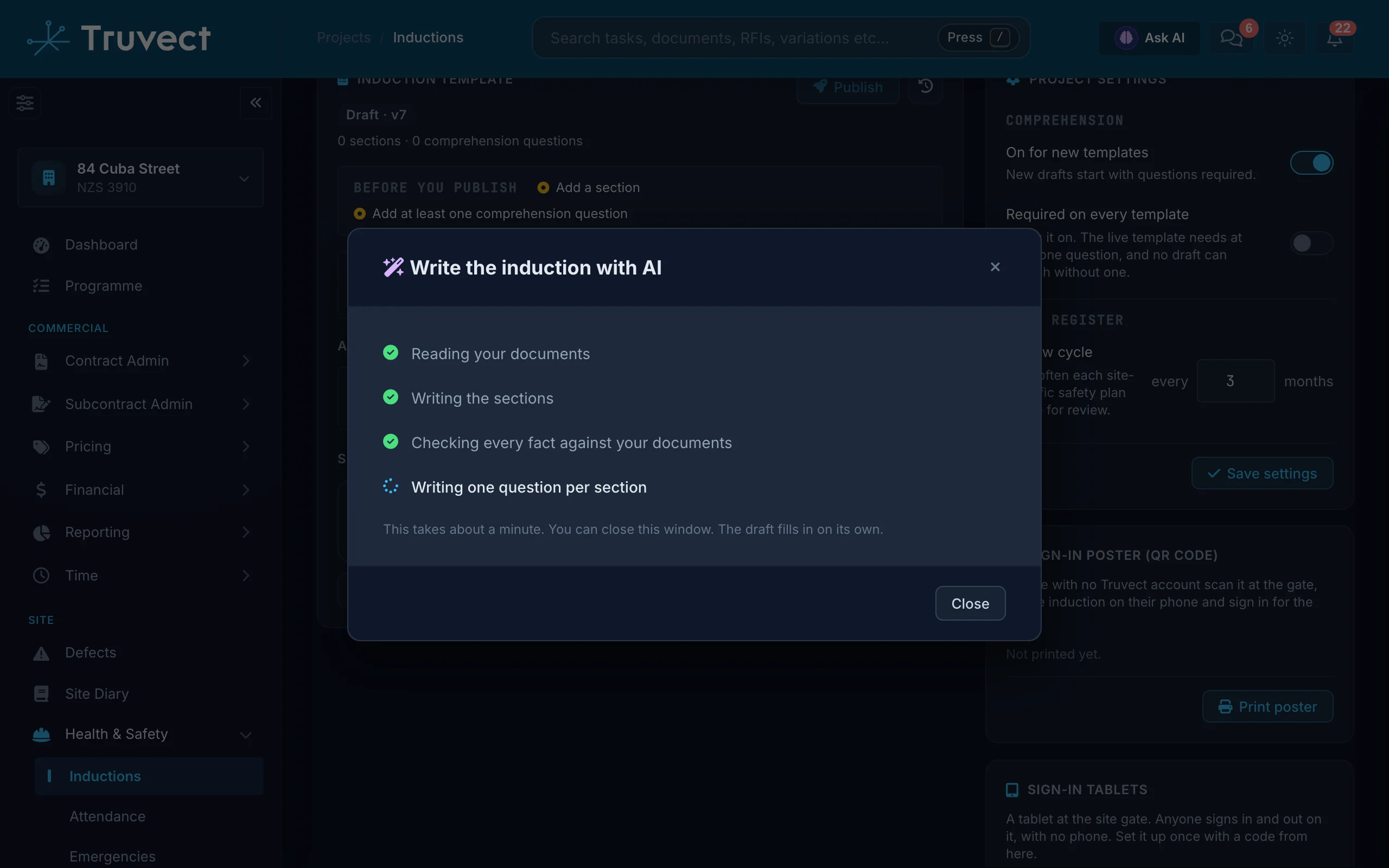
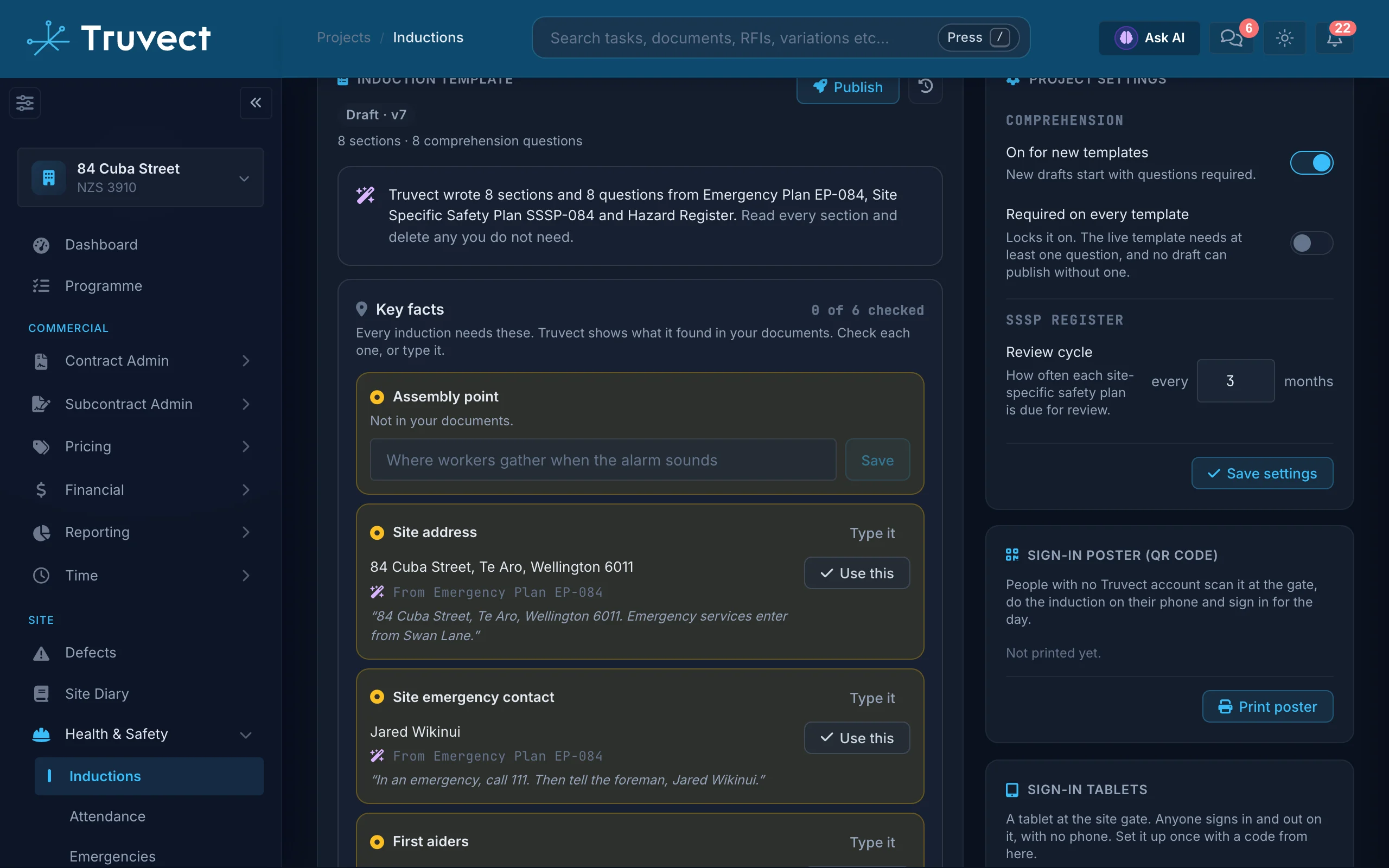
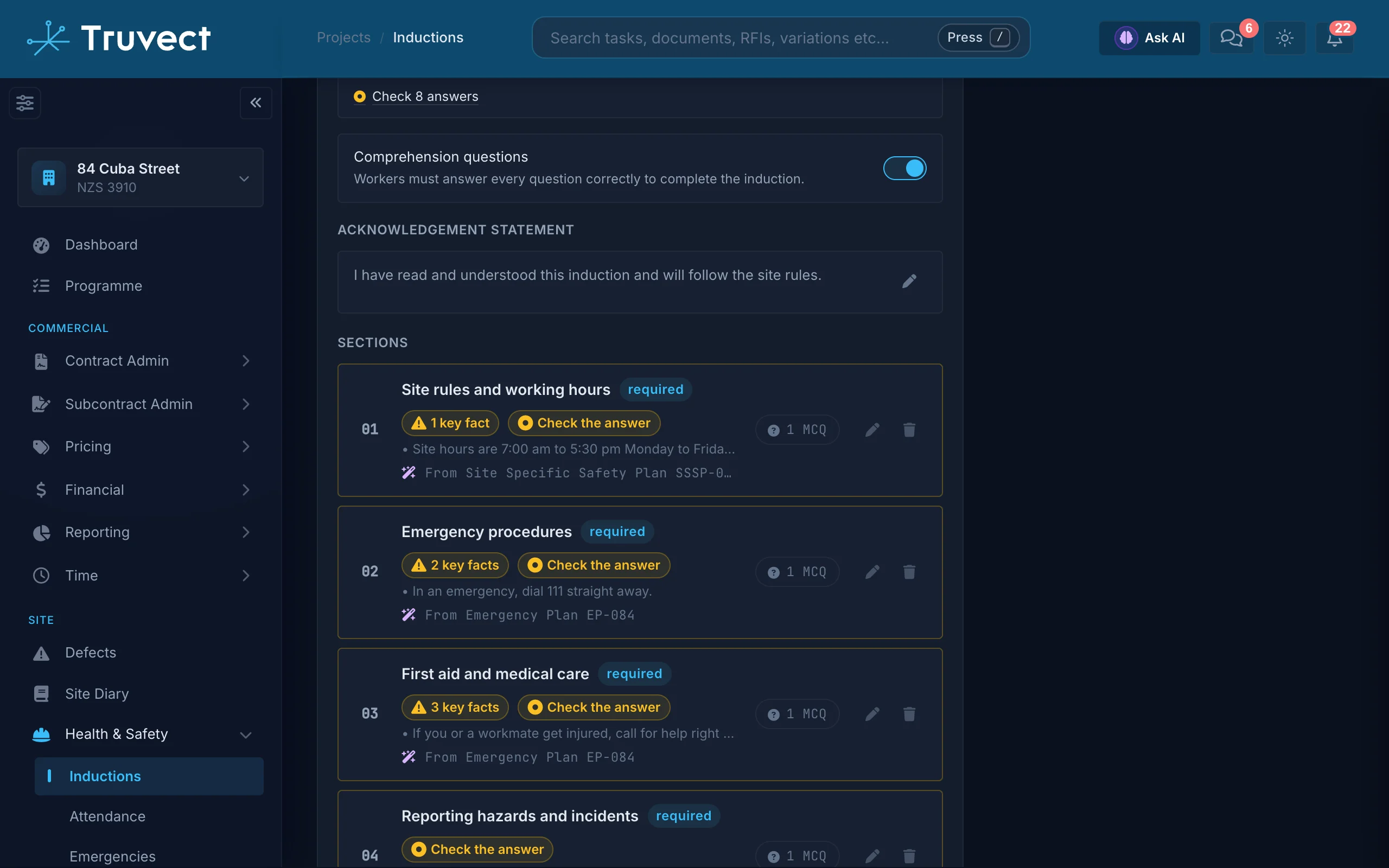
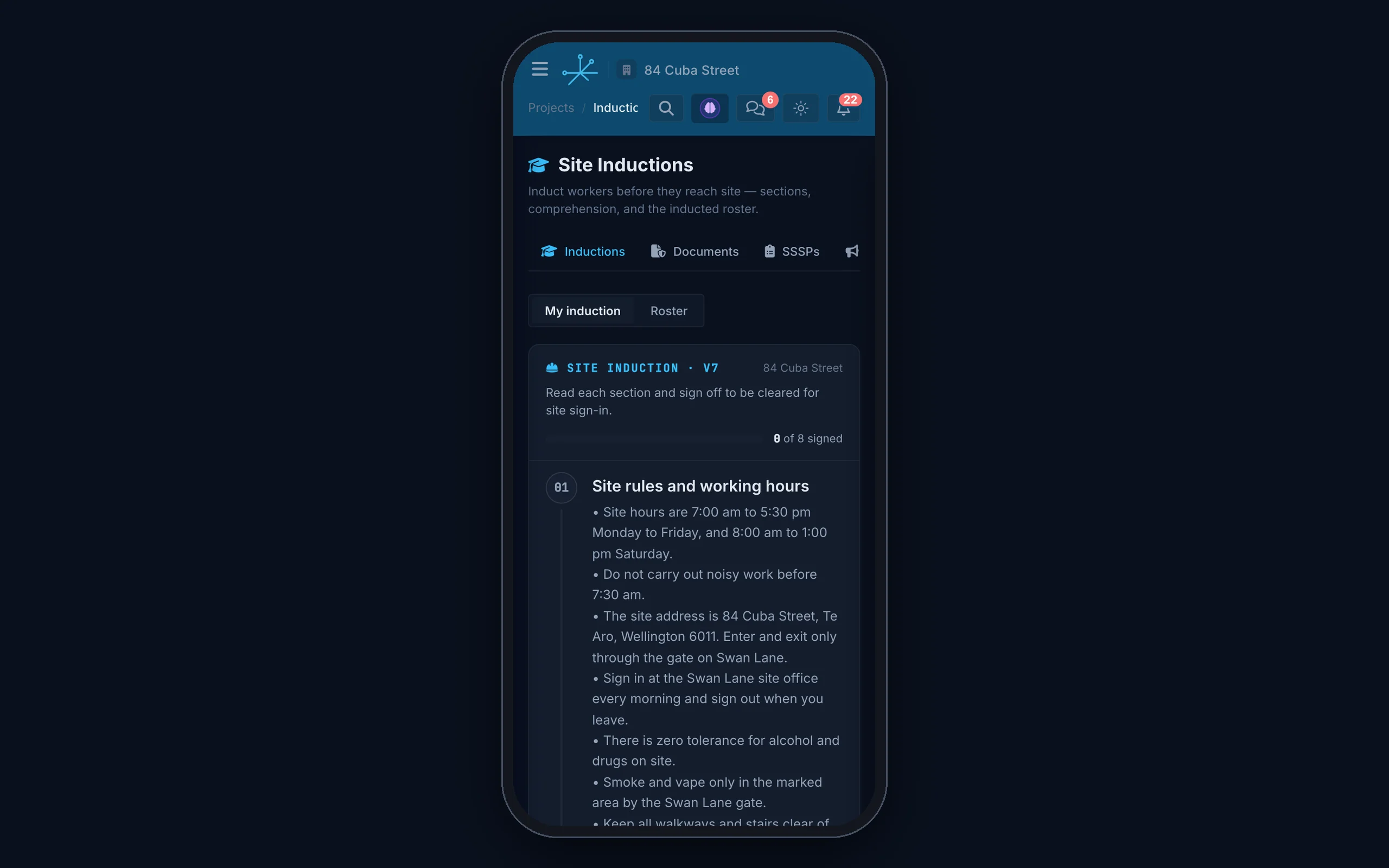
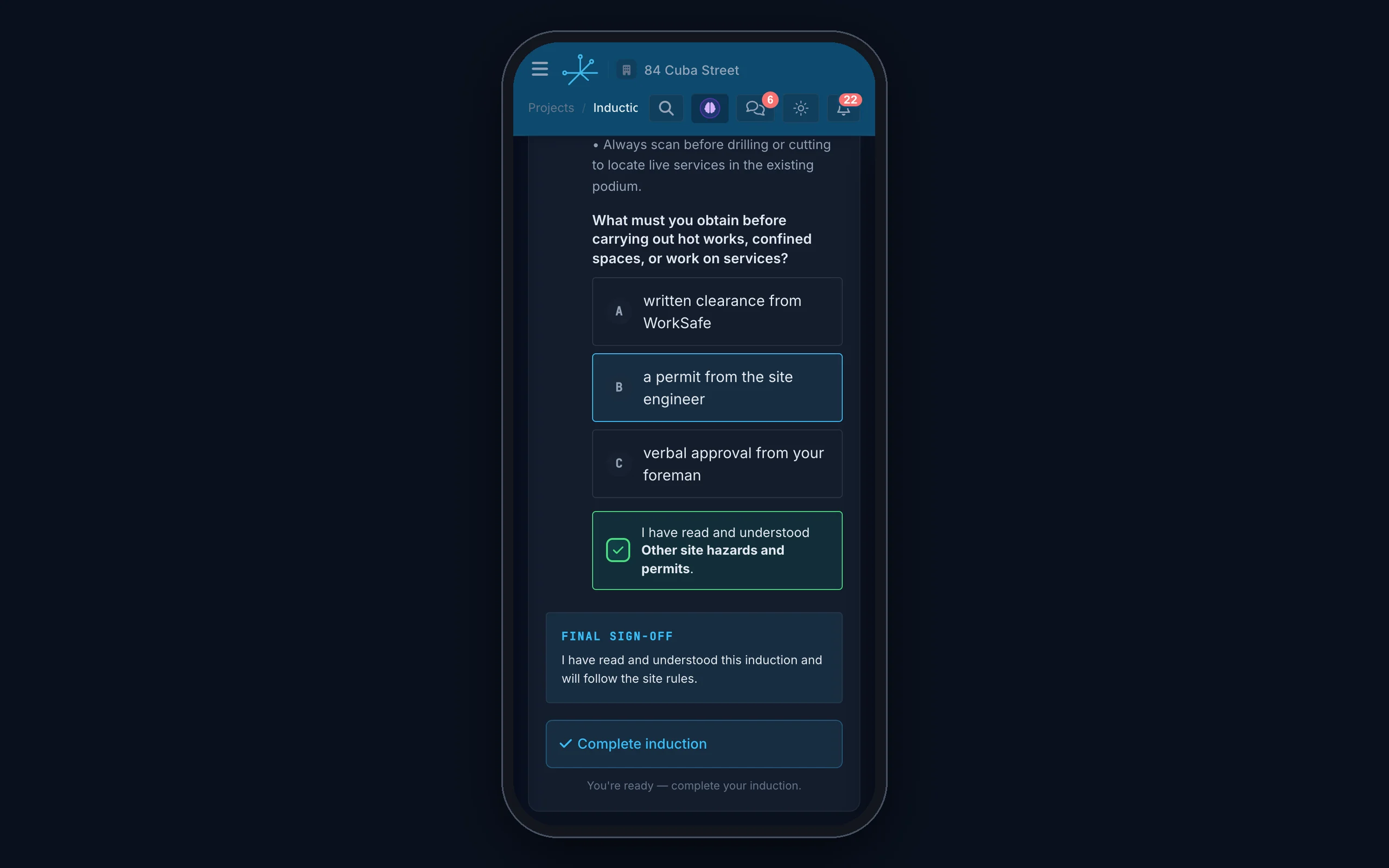
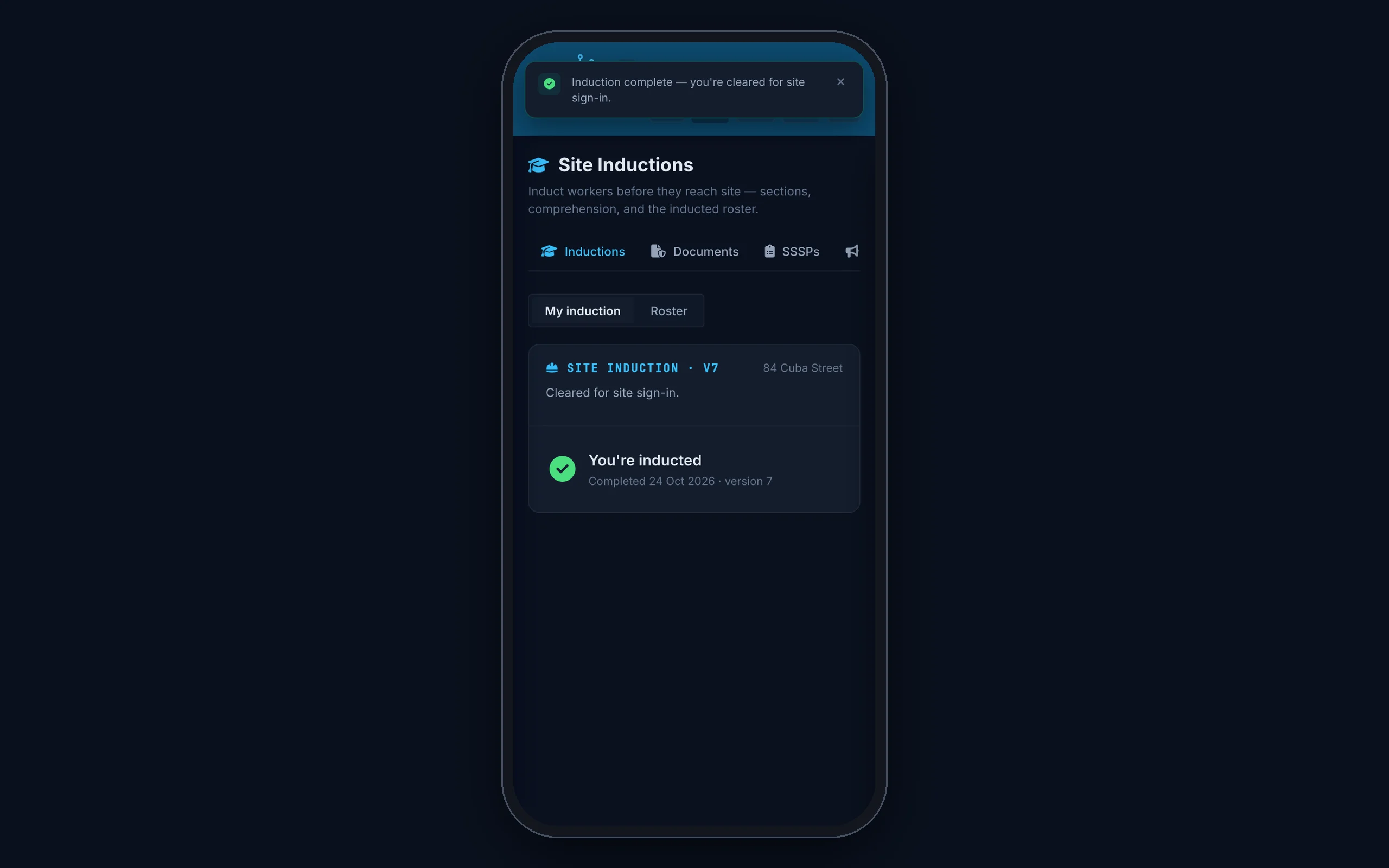
Tick your SSSP, emergency plan, hazard register and task analyses. In about a minute Truvect drafts the induction and one quiz question per section, with the document and page behind each fact.
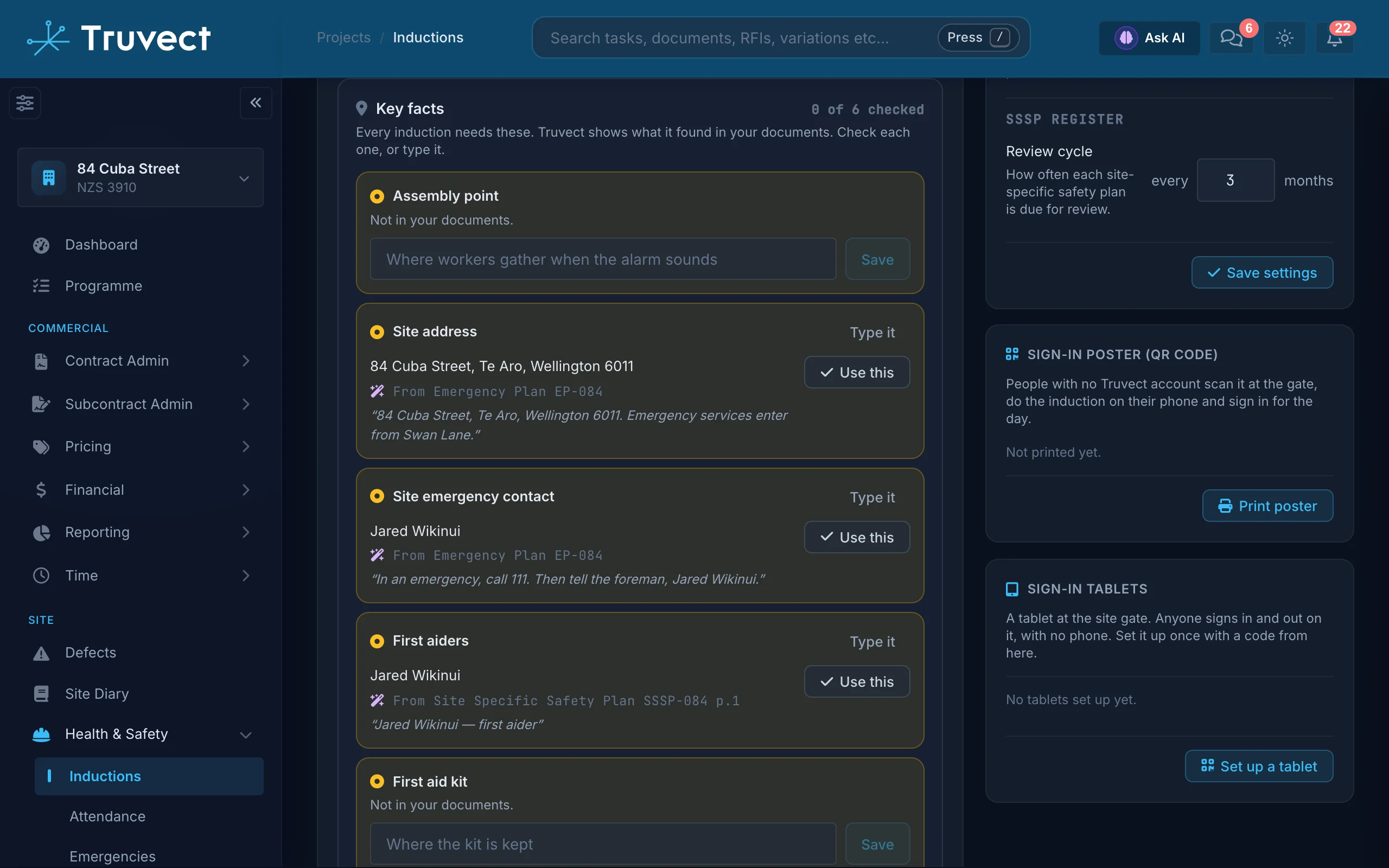
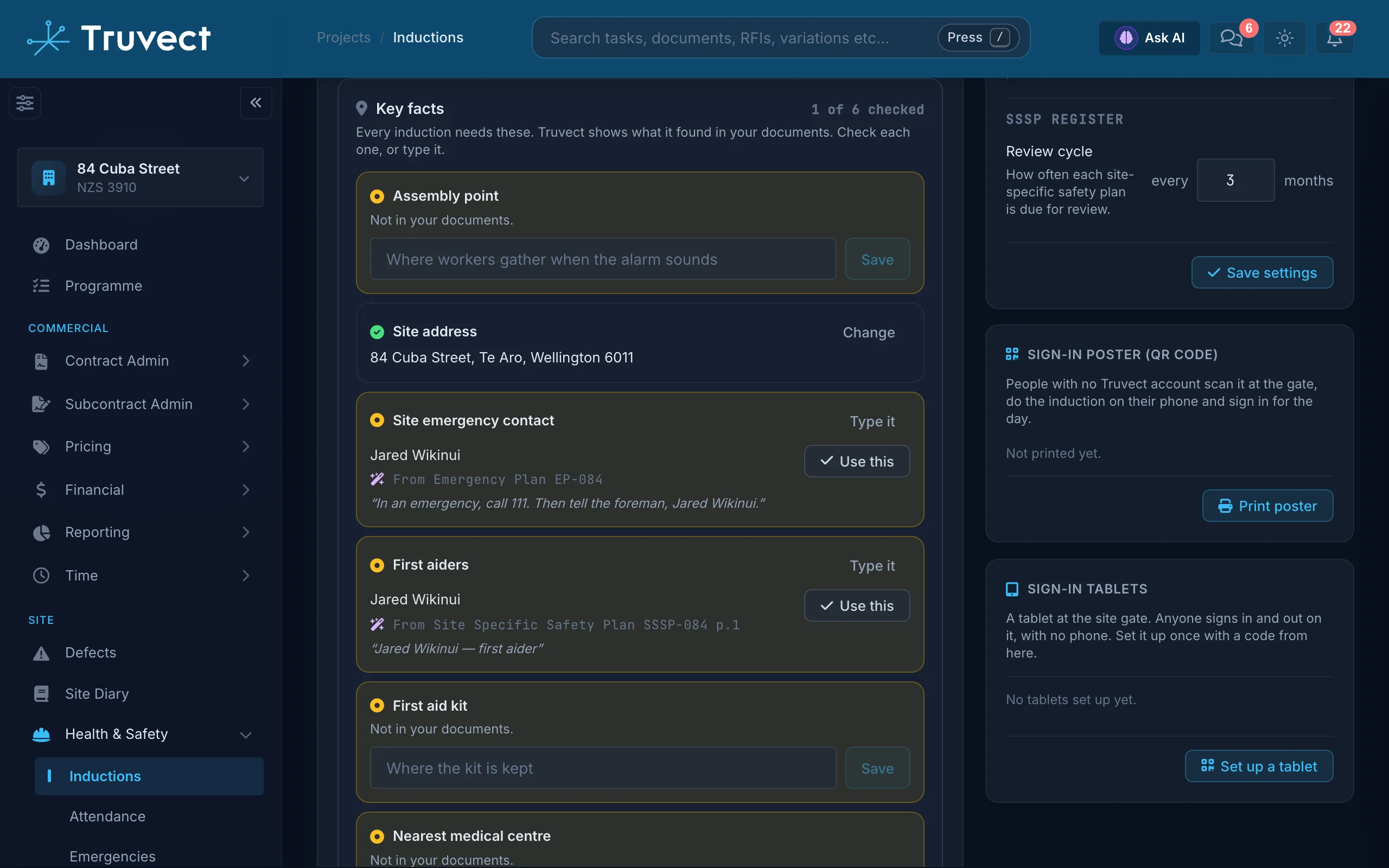
It never guesses the facts that matter.
The assembly point, emergency contact and first aiders are extracted from your documents. A person verifies each one.
Checked before it goes live.
Publishing waits until every key fact and every quiz answer has been checked by a person.
Audits read into actions.
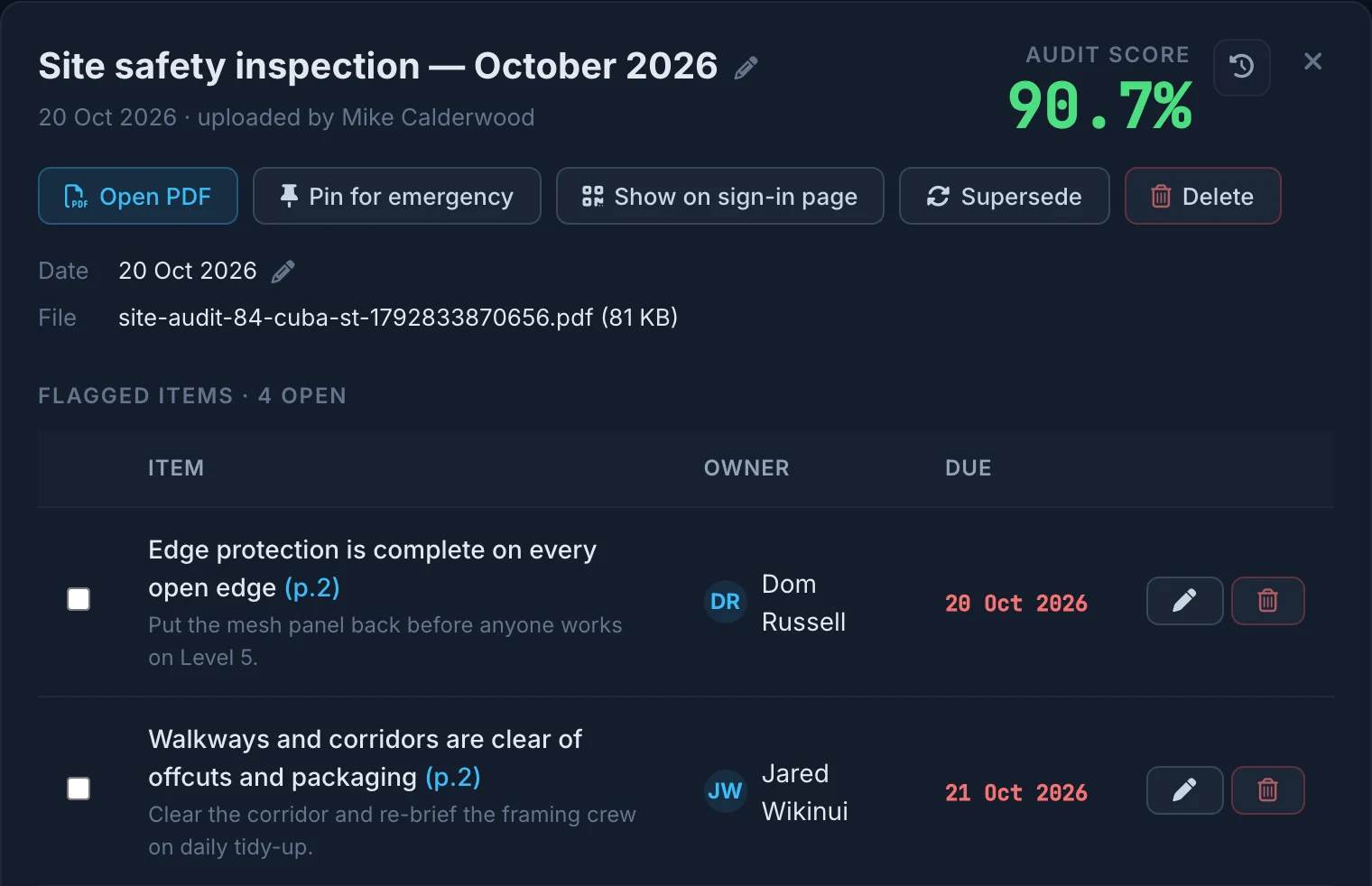
Upload a SafetyCulture audit. Truvect reads the score and every flagged item with its owner, due date and page.
Task analyses from a PDF.
A subcontractor’s own task analysis becomes hazard rows, each checked against its page, ready to review.
Every Truvect AI feature follows the same six rules.
It only knows what you may see.
Every answer and suggestion runs inside the person’s own permissions. A subcontractor never sees the head contract.
It shows its sources.
Answers cite the document and page. Figures and record numbers are checked against what the AI actually read.
You confirm. It never acts alone.
Truvect suggests and drafts. A person confirms every record, cost code, award and induction.
Your data stays yours.
Each company’s data is walled off from every other. It is not used to train shared AI models. Phone speech becomes text on the phone.
It knows your contract.
Truvect understands NZS contract types, the Construction Contracts Act and the Building Code. Support for Australian projects is coming soon.
Included in every plan.
Every AI feature comes with every plan, at no extra cost.
Also in Truvect AI
- Phone appFind a contact by voice
- Phone appSpeak instead of type
- Site checksDefects drafted from a failed check
- LabourTimesheets sorted by workface
- DrawingsDrawing sheets read on upload
- ProgrammeProgramme spreadsheets mapped
- TenderingTender prices read on submission
- TenderingTender package write-up
- H&SSite safety plan details read
See it in action.
Book a 30-minute demo and we'll walk you through Truvect on a project like yours. There's no commitment. It's a chance to see if it's a fit.
What happens next
- Tell us a bit about your company.
- We contact you within one working day to set a time.
- We show you Truvect on a project like yours.
- If it's a fit, we set you up on a free one-month trial and help you load your project data.
This is the most cohesive and complete project and financial management tool I have ever seen.
Request received.
Thanks. We'll contact you within one working day to set a time for your demo.